8 Super Bowl Widgets That Will Skyrocket Your Website Traffic in 2026

12/10/2025
The Super Bowl isn't just the biggest sporting event of the year, it's the biggest traffic opportunity for your website.
Last year, sports blogs saw traffic increases of 800%+ during Super Bowl weekend. E-commerce sites drove record sales. Content creators went viral on social media.
The secret? Interactive widgets that capitalize on game day excitement.
While everyone else is writing static blog posts, smart marketers are deploying interactive experiences that get shared, bookmarked, and visited repeatedly.
Want to jump straight in? Browse our free Super Bowl widget templates or create any custom widget with AI in minutes.
In this guide, I'll show you the 8 Super Bowl widgets that consistently drive the most traffic, engagement, and social shares, plus how to build your own custom widgets for any Super Bowl idea you have.
The 8 Super Bowl Widgets That Drive Real Results
Let me break down the widgets that consistently generate the most traffic, based on search volume, social shares, and engagement metrics.
The Winners: Polls and Quizzes
Before we dive in, here's what the data shows: polls and quizzes absolutely dominate when it comes to Super Bowl engagement. They're shared 3-5x more than other widget types, have completion rates above 60%, and drive the longest session times.
If you're building just one or two widgets, start with polls and quizzes. They're proven performers.
1. Team Personality Quiz: "Which Team Fits Your Personality?"
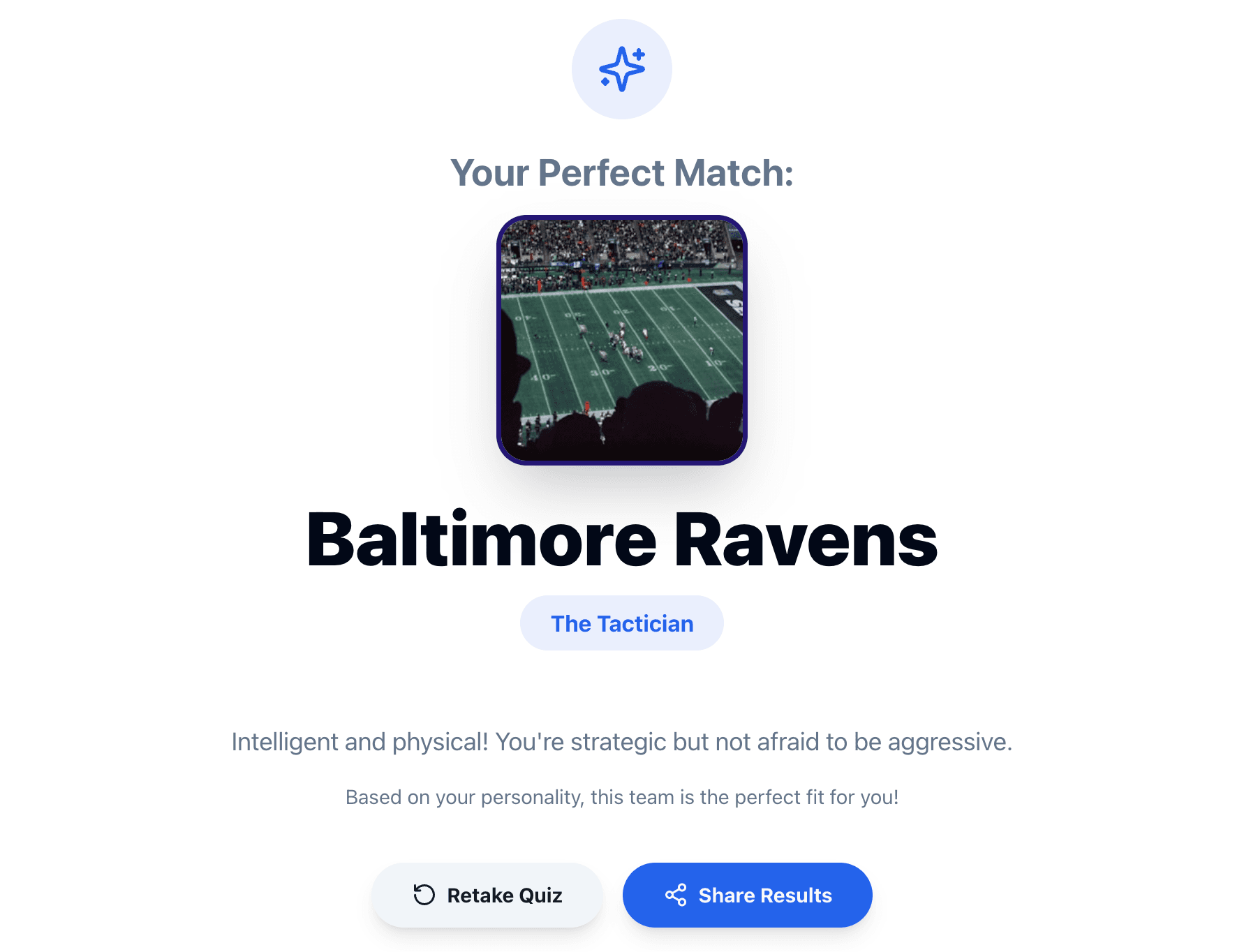
Why it works: BuzzFeed-style personality quizzes are the most shareable content format on the internet. Combine that with Super Bowl hype, and you have viral gold.
What it does:
- Series of personality questions
- Matches users to NFL teams based on their answers
- Explains why they got their result
- Shareable result graphics for social media
- Works year-round, not just during Super Bowl
Traffic potential: Extremely high social shares. Personality quizzes get shared 5x more than other content types.
The best part: Unlike most Super Bowl content, this quiz works all season long. Deploy it in January, but it'll keep generating traffic through the entire NFL season and beyond.
2. Super Bowl Commercial Rating Widget
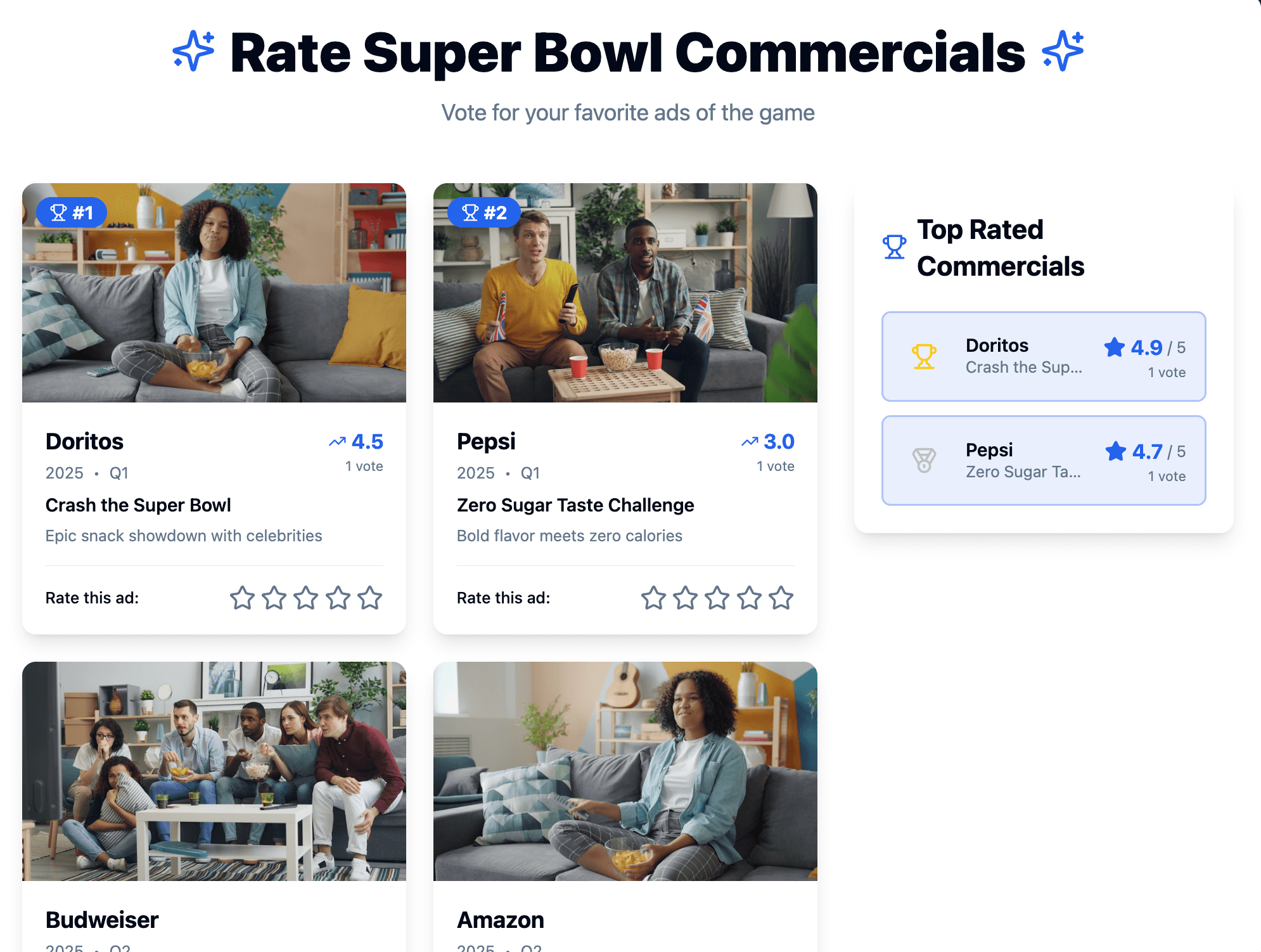
Why it works: Rating commercials is a tradition. Give people a structured way to do it and display the results in real-time.
What it does:
- List of Super Bowl commercials (updated during game)
- Star rating system (1-5 stars)
- Comment section for reactions
- Leaderboard of top-rated commercials
- Real-time voting results
Traffic potential: Peaks during and immediately after the game. "Best Super Bowl commercials" searches spike to 1M+ right after the game ends.
Deployment strategy: Launch this widget on game day and promote it on social media: "Vote for the best commercial in real-time!" The real-time aspect creates urgency and keeps people coming back.
3. Super Bowl Winner Prediction Poll
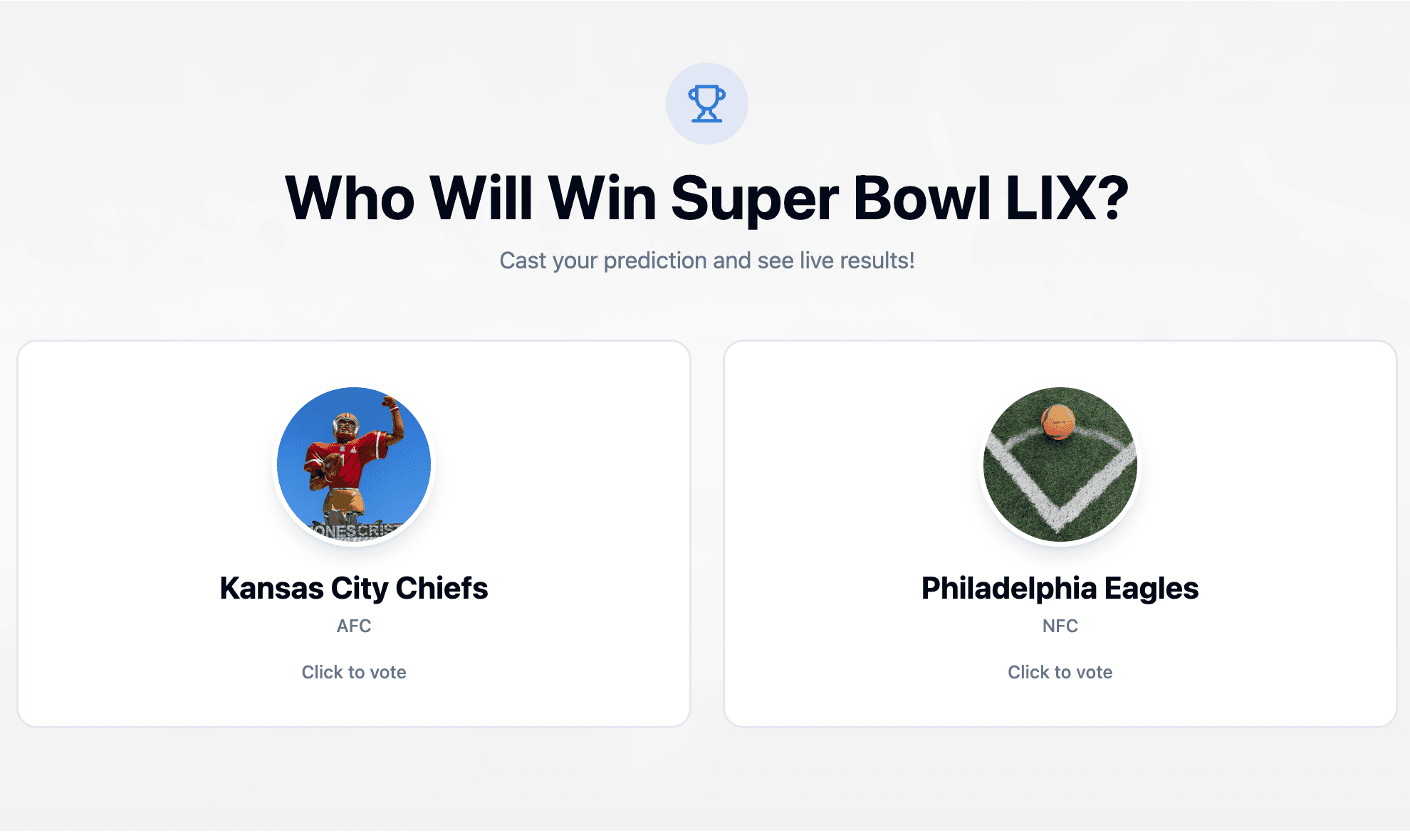
Why it works: Everyone has an opinion on who will win. Make it easy for them to vote and see what others think in real-time.
What it does:
- Simple "Who will win?" voting interface
- Real-time results bar showing percentages
- Team logos and colors
- Social sharing of predictions
- Optional email capture to "lock in" prediction
Traffic potential: Very high. Prediction polls get shared extensively on social media, especially when results are close.
Pro tip: Deploy multiple prediction polls for different questions:
- "Who will win?"
- "What will the final score be?"
- "Who wins MVP?"
Each poll is a separate shareable piece of content.
4. Super Bowl Trivia Quiz
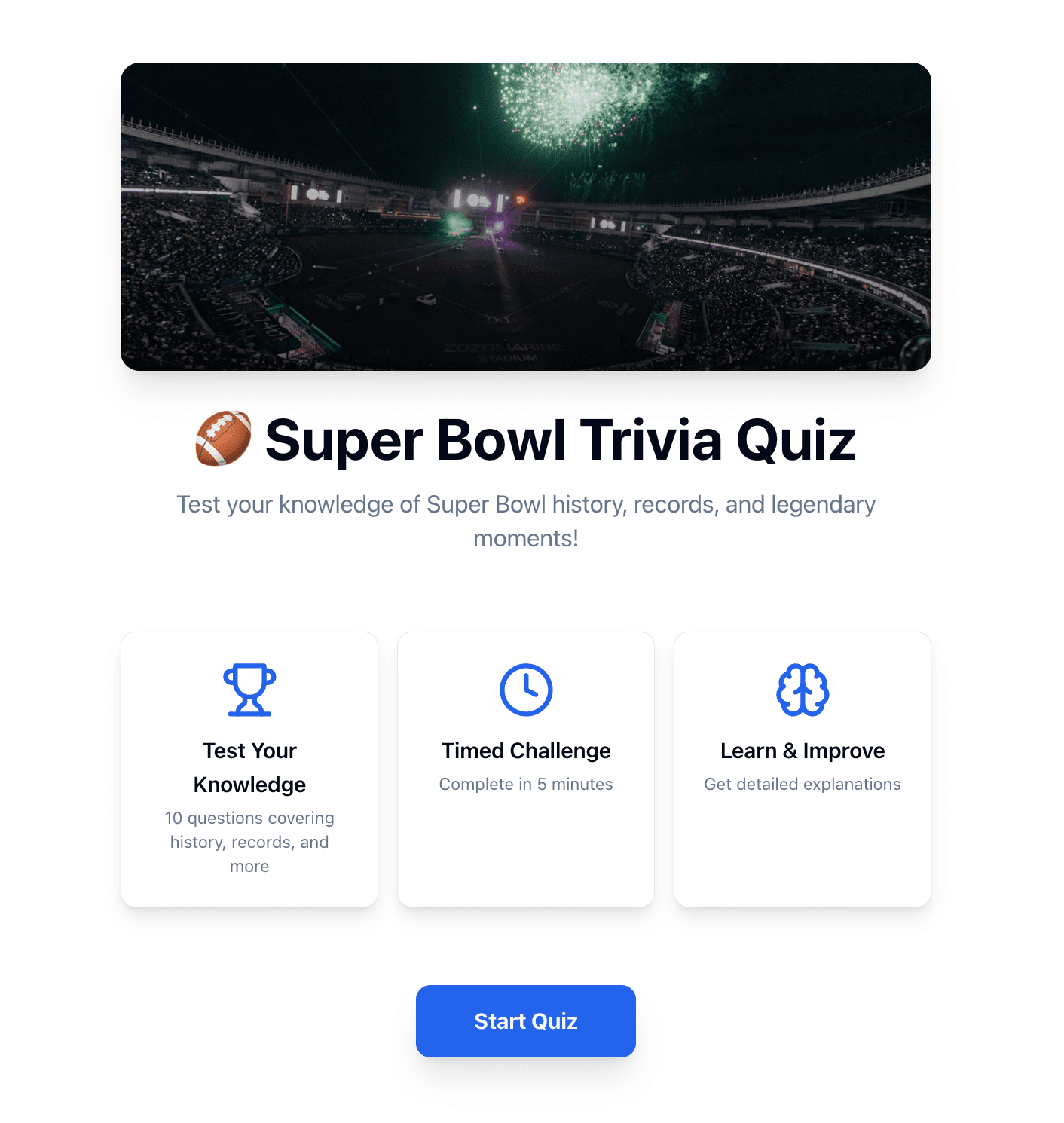
Why it works: Trivia quizzes are inherently engaging, and Super Bowl trivia has endless material-team history, records, halftime shows, memorable commercials.
What it does:
- Multiple-choice questions about Super Bowl history
- Questions about teams, records, halftime shows
- Auto-generates questions based on current matchup
- Instant scoring and shareable results
- Competitive element drives repeat visits
Traffic potential: Very high, especially when marketed as "Test Your Super Bowl Knowledge" or "Are You a Real [Team] Fan?"
Content strategy: The AI can generate different difficulty levels and themes, so you can deploy multiple versions targeting different audiences.
5. Prop Bet Simulator (Fun, Non-Gambling)
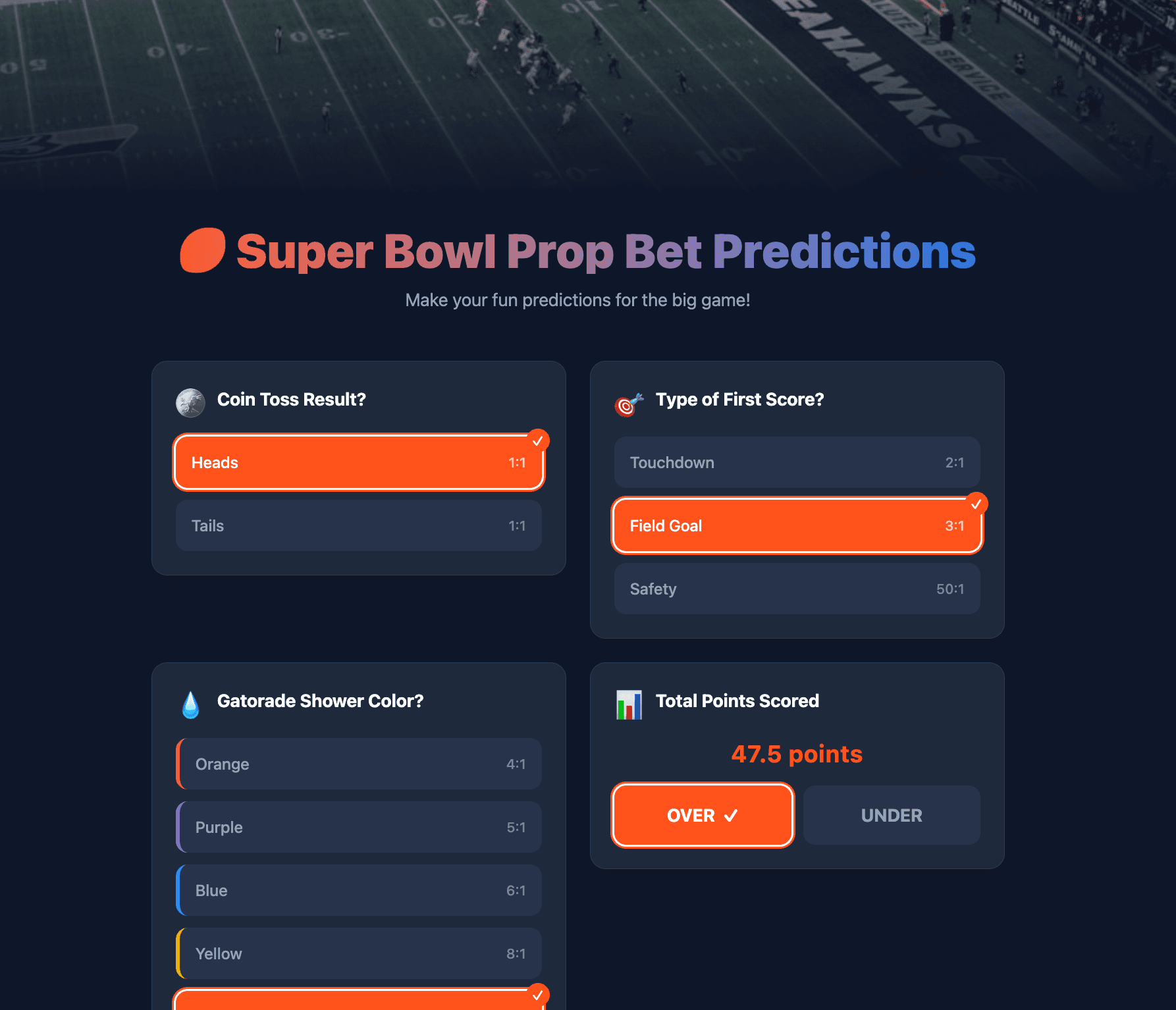
Why it works: Prop bets are hugely popular, but not everyone wants to gamble real money. Make it fun and social instead.
What it does:
- List of playful prop bet predictions
- Examples: coin toss result, first score type, Gatorade color, total points over/under
- Users make predictions
- Track prediction accuracy
- Leaderboard of best predictors
- Shareable results
Traffic potential: Very high engagement. Prop bets are searched extensively in the week before the game.
Content angle: Position as "Just for fun" and "No money involved"-makes it family-friendly and shareable across all platforms.
6. Super Bowl Party Food Calculator
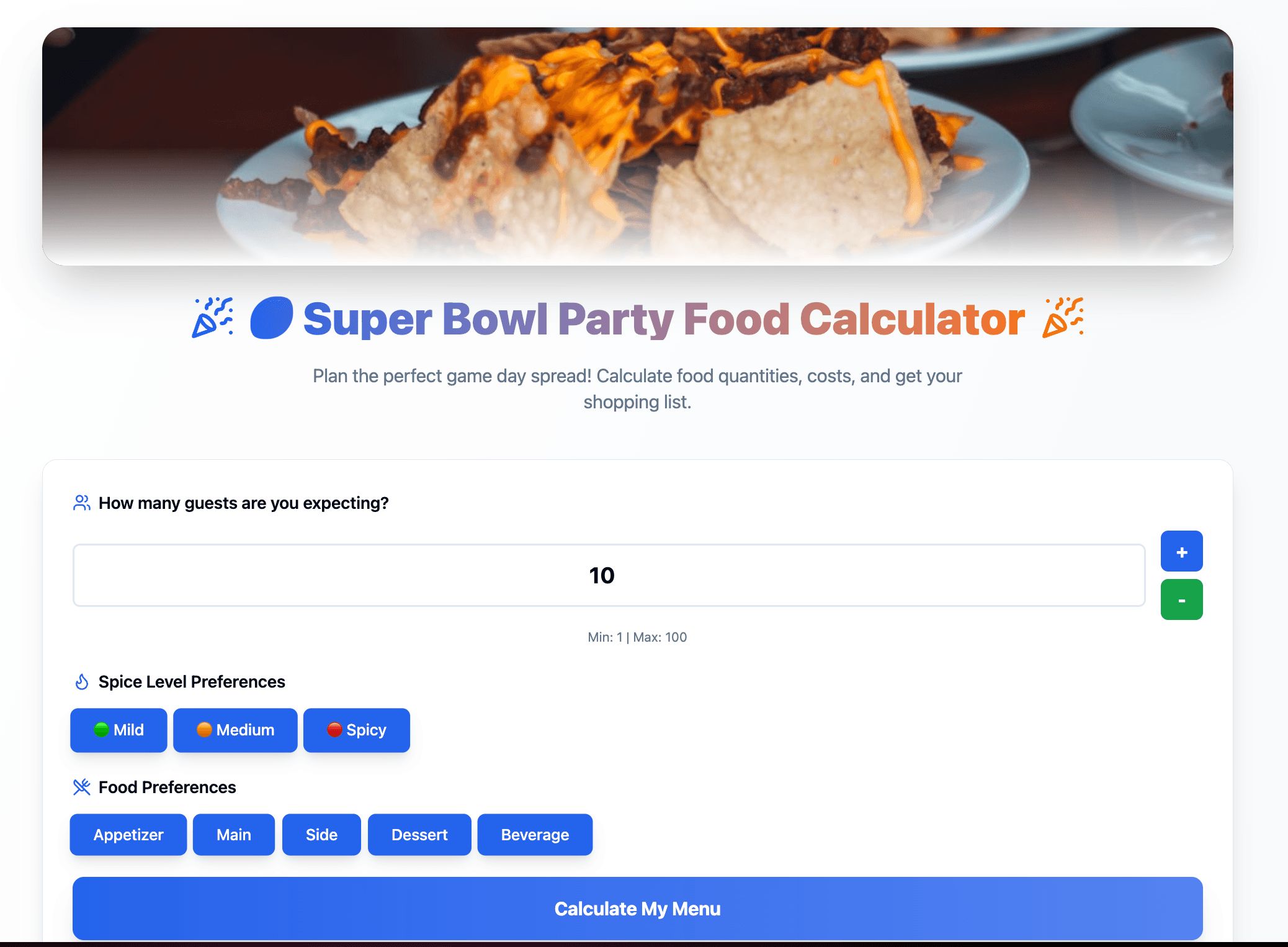
Why it works: Party hosts are stressed about food quantities. Help them calculate exactly what they need.
What it does:
- Input number of guests
- Select food preferences (spicy vs mild, snacks vs mains)
- Choose dietary restrictions (vegetarian, meat-lovers)
- Calculates exact quantities needed
- Generates complete shopping list
- Provides recipes and cost estimates
Traffic potential: High from party-planning searches. "Super Bowl party food calculator" and "how much food for super bowl party" get 100K+ searches.
SEO bonus: This widget ranks for party planning queries, which spike 1-2 weeks before the game-exactly when you want the traffic.
7. Team Spirit Banner Generator
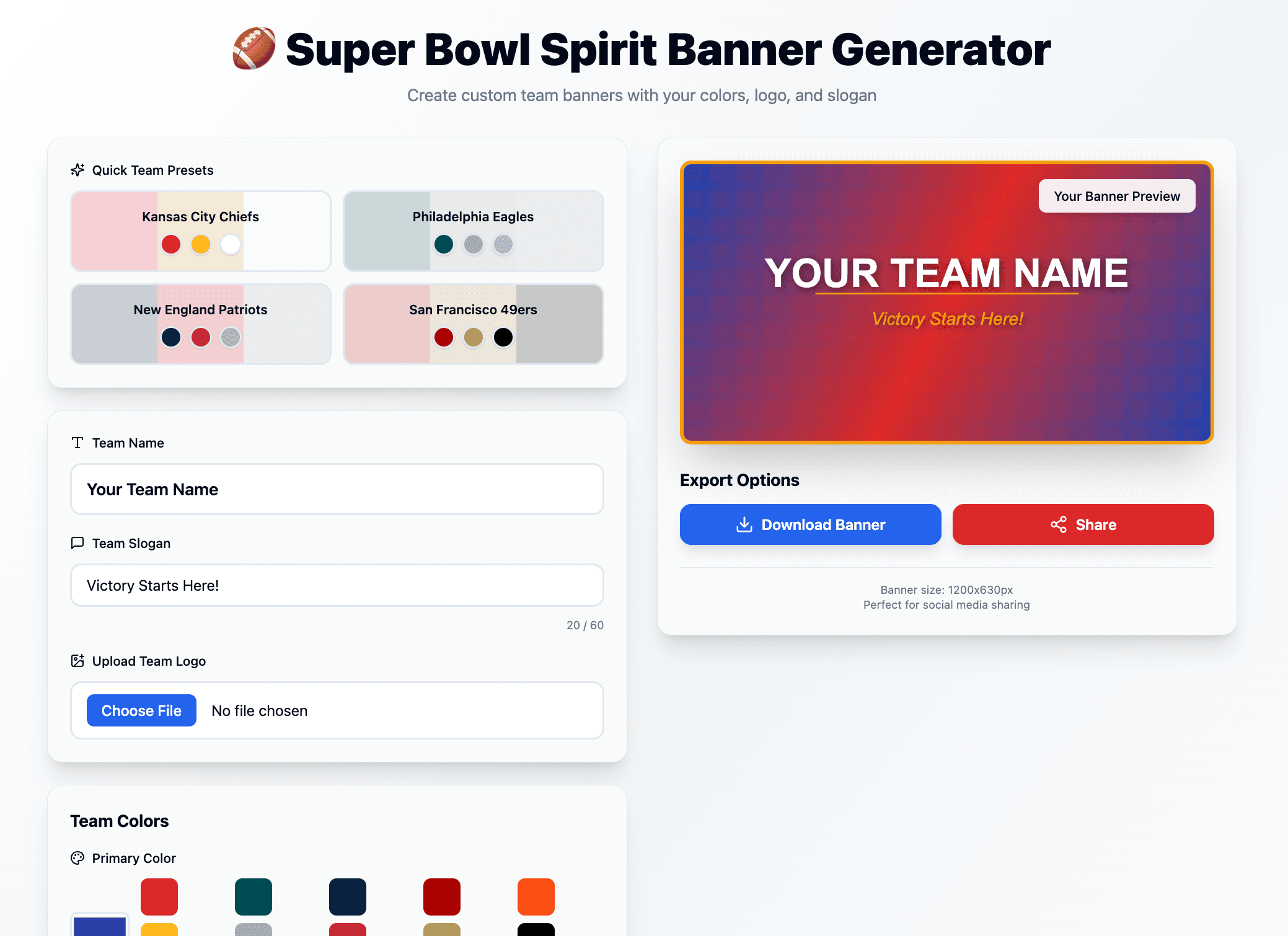
Why it works: People love personalizing team graphics to share on social media and display on their websites.
What it does:
- User picks their team
- Customizes colors, logos, and slogans
- Generates shareable social media graphics
- Creates printable banners
- Provides embed code for websites
Traffic potential: High social sharing. Every fan wants to show their team spirit with custom graphics.
Personalization power: The customization aspect makes this widget incredibly sticky. Users spend 5-8 minutes creating the perfect banner, then share it everywhere.
8. Halftime Show Live Reaction Poll
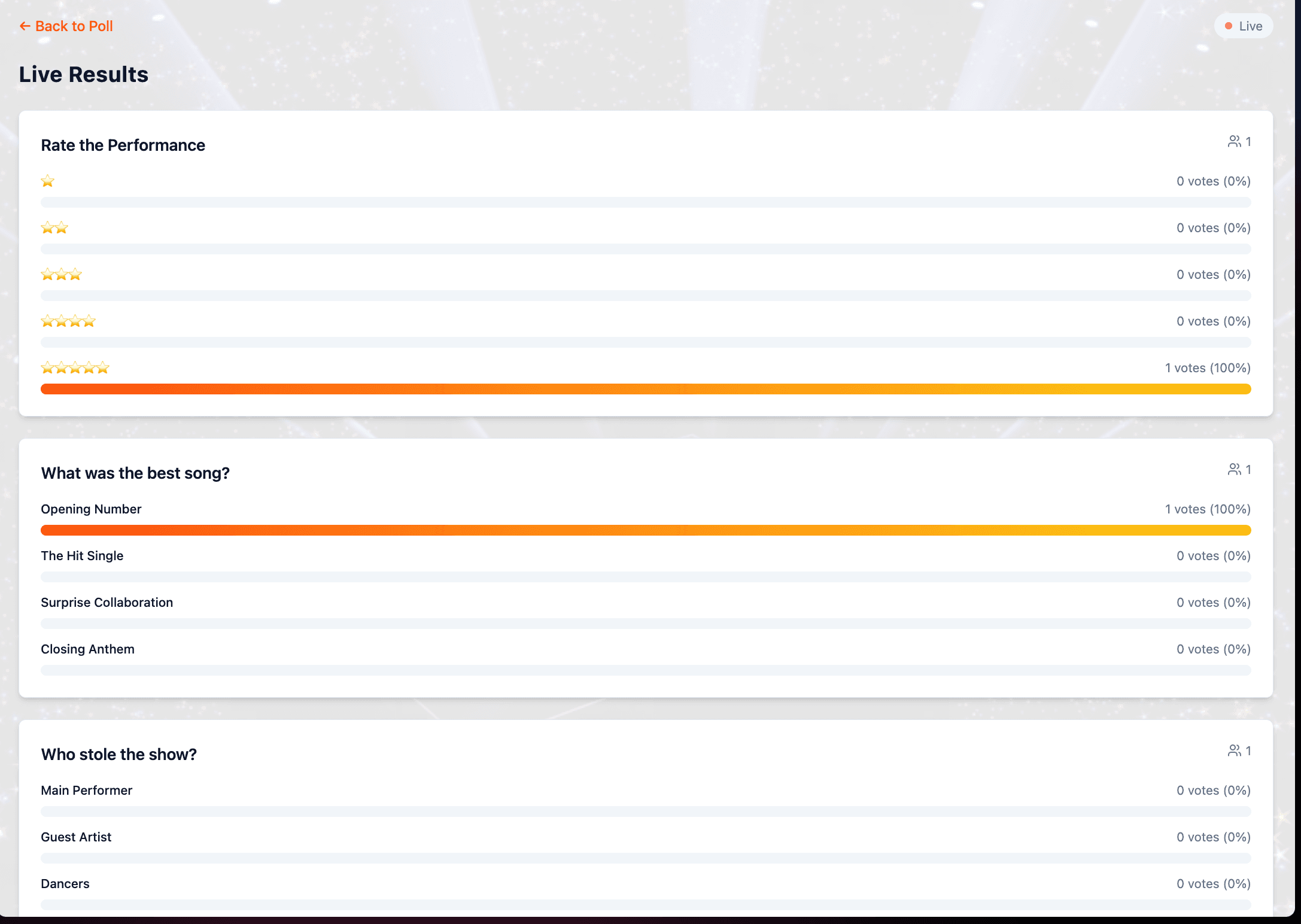
Why it works: The halftime show is a cultural moment. Give your audience a way to react and engage in real-time.
What it does:
- Real-time polls during halftime
- Questions like "Rate the performance," "Best song?," "Who stole the show?"
- Instant result display
- Comment section for reactions
- Keep users engaged during breaks
Traffic potential: Very high during and immediately after halftime. This is when social media engagement peaks.
Engagement strategy: The real-time aspect creates urgency. People want to vote while the performance is fresh and see what others think immediately.
How to Build Your Own Custom Super Bowl Widget
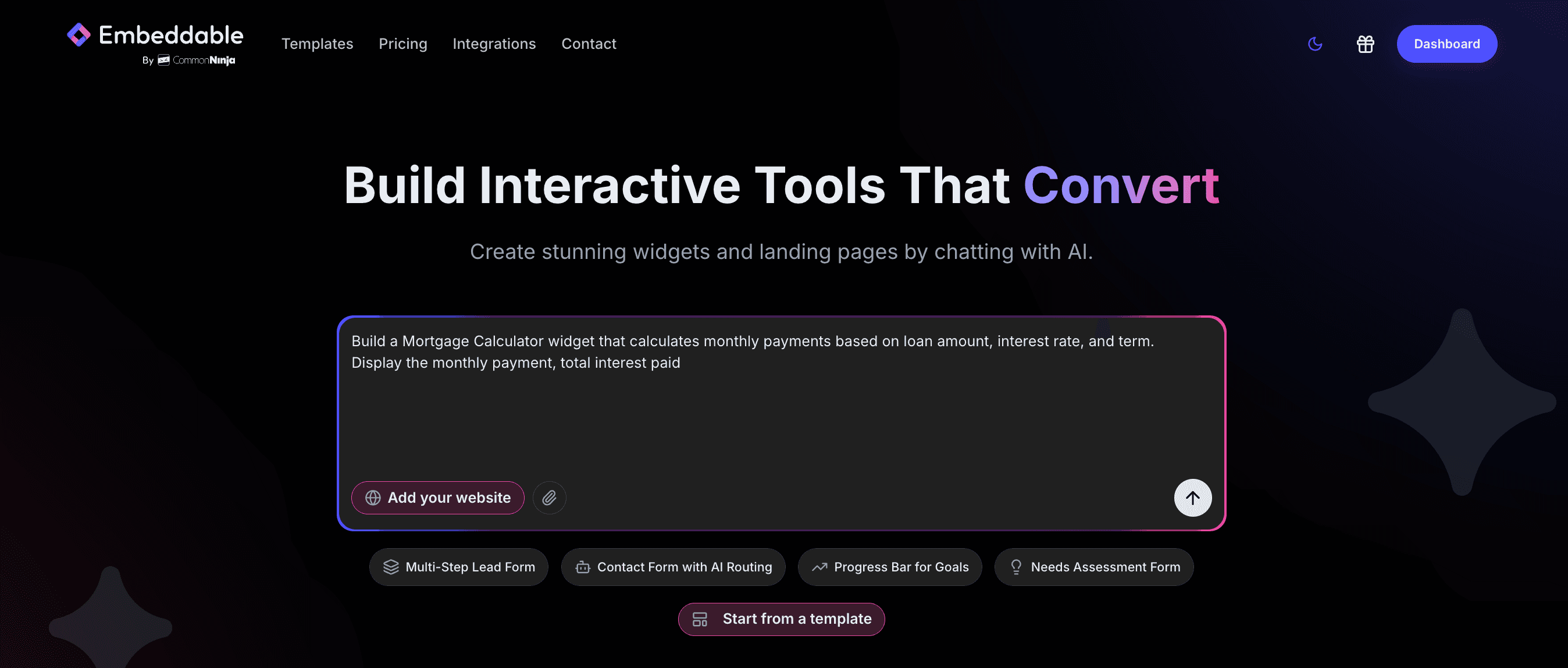
Here's the best part: You're not limited to these 8 widgets.
With AI-powered widget builders, you can create any Super Bowl widget idea you dream up-without writing code.
Here's how it works:
Step 1: Describe Your Widget Idea
Instead of choosing from pre-made templates, just describe what you want:
"I need a Super Bowl squares generator that creates a 10×10 grid, lets users add names, randomizes the numbers, and exports as a PDF."
Or:
"Create a Super Bowl commercial rating widget where users can rate each commercial from 1-5 stars and see a leaderboard of the highest-rated ads."
The AI understands context and builds exactly what you describe.
Step 2: AI Builds It in Minutes
The AI generates:
- The full widget functionality
- Interactive elements (buttons, forms, voting)
- Mobile-responsive design
- Data collection and display
No templates to hack. No coding required.
Step 3: Customize Everything
Want to tweak colors, fonts, wording, or functionality? The editor lets you adjust everything.
Need to add:
- Email capture?
- Social sharing buttons?
- Team colors and logos?
- Countdown timers?
Just ask, and the AI updates your widget.
Step 4: Embed Anywhere
Get an embed code that works on:
- WordPress
- Shopify
- Wix
- Squarespace
- Custom sites
- Landing pages
Paste the code, and your widget is live.
Start Building Your Custom Widget Now - describe any Super Bowl widget idea, and AI builds it in minutes.
Ready-to-Use Super Bowl Widget Templates
Don't want to build from scratch? Start with our free Super Bowl widget templates.
We've already built: ✅ Prediction polls ✅ Trivia quizzes ✅ Squares generators ✅ Bingo card creators ✅ Prop bet simulators ✅ Food calculators ✅ Commercial rating widgets ✅ Team personality quizzes
Each template is fully customizable. Use them as-is or modify them to fit your brand and audience.
When to Deploy Your Super Bowl Widgets
Timing is everything. Here's the optimal deployment schedule:
3 Weeks Before: Launch your party food calculator and team banner generator. Party hosts start planning early, and fans want team graphics.
2 Weeks Before: Deploy prediction polls, trivia quizzes, and team personality quizzes. Hype is building, and people are searching. This is your sweet spot for traffic.
1 Week Before: Push prop bet simulators. Social sharing peaks in this window as game day approaches.
Game Day: Launch commercial rating widgets and halftime reaction polls. Real-time engagement is highest during the game.
Week After: Keep your trivia quizzes and personality quizzes live. "Best Super Bowl moments" content continues to get traffic for days.
Beyond the Super Bowl: Event-Based Widget Strategy
The Super Bowl is just one example. This strategy works for any major event:
- March Madness: Bracket makers, tournament predictions
- Christmas: Free Christmas Widgets
- Olympics: Medal trackers, athlete quizzes
- World Cup: Match predictions, fantasy team builders
- Awards Shows: Ballot predictions, red carpet polls
- Black Friday: Countdown timers, deal finders
- Valentine's Day: Gift finders, compatibility quizzes
Deploy event-specific widgets 2-3 weeks before each major event, capitalize on the traffic spike, and watch your engagement soar.
Start Building Your Super Bowl Widgets Today
The Super Bowl is the biggest one-day traffic opportunity of the year. But you need to start now.
Waiting until game week means you miss the early searches, the party planning traffic, and the pre-game hype.
You don't need a developer. You don't need weeks of time. You just need the right tools.
Your website's biggest traffic day of the year is coming. Are you ready?
Build Any Widget with AI in Seconds
Forms, calculators, quizzes, popups & any custom widget — describe it and AI builds it.
Try It FreeFree tier · No credit card