Free Affiliate Disclosure Widgets for Your Website
Keep your site FTC-compliant and build reader trust with easy-to-embed affiliate disclosure widgets. Choose from inline blog post notices, sticky sidebar boxes, and footer compliance strips that match your brand. Works seamlessly on WordPress, Shopify, Wix, and virtually any website platform.
Free for your first widget · No credit card · 20,000+ widgets made
Affiliate Disclosure Widget Templates
Pick a template and change it with AI. Or start from scratch and build exactly what you need.
Blog Post Inline Disclosure
Create a slim, dismissible inline disclosure bar for bloggers. Displays above article content: yellow-amber background (#FFF8E1), lock icon left, text 'This post contains affiliate links — we may earn a commission at no extra cost to you.' with a 'Learn More' anchor. Fade-in animation on scroll. Pre-populated for a personal finance blog. User edits disclosure text, link URL, background color. Sticky optional toggle. Mobile-responsive, under 60px height.
Sidebar Sticky Disclosure Box
Floating sidebar card widget for affiliate marketing sites. White card with orange left border accent, 'Advertiser Disclosure' bold heading, 2-line explanation text, and a collapsible 'Read More' toggle revealing full FTC-compliant language. Pre-populated for a tech review site. Drop shadow, rounded corners. Collapses to a small badge on mobile. User customizes brand colors, heading text, and disclosure body copy.
Footer Compliance Strip
Fixed footer strip for e-commerce and review websites requiring FTC compliance. Dark charcoal (#2D2D2D) background, white 12px text: 'Affiliate Disclosure: As an Amazon Associate we earn from qualifying purchases.' Subtle fade-up entrance animation. Close (X) button saves dismissal to localStorage. Pre-populated for Amazon affiliate niche site. User edits text, background color, font size, and whether it auto-dismisses after 8 seconds.
Inline Affiliate Notice Card
Drop a compact affiliate notice into the body of a post to keep content FTC compliant.
Sidebar Disclosure Card
Place a persistent disclosure card in your sidebar so it stays visible as readers scroll.
FTC Compliance Banner
Show a clear FTC compliance statement that meets disclosure requirements for affiliate content.
In-Content Disclosure Card
Highlight an affiliate relationship mid-article with a styled card that stands apart from body copy.
FTC Compliant Top Banner
Pin a compliance disclosure to the top of the page so it is seen before any affiliate link.
Floating Corner Disclosure Badge
A small AD badge pinned to the corner of the page that expands on hover to show your full affiliate disclosure. Stays visible without interrupting the article.
Works on the website you already have
 Squarespace
 WordPress
 Wix
 Shopify
 Webflow
 Elementor
 Framer
 Duda
 Carrd
 Google Sites
Built your site with AI? It works there too
 Lovable
 Base44
 Bolt
 v0
 Replit
 ChatGPT
 Claude
 Grok
- …and any site that lets you paste code
Build Your Custom Affiliate Disclosure Widget in Minutes
Describe what you want in your own words. AI builds it for you.
From one sentence to live on your site.
Describe it in your own words. You see it working before anything goes live.
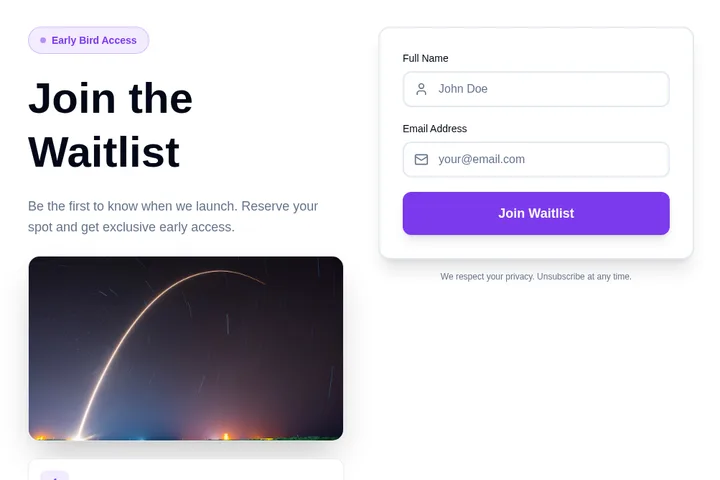
- 1You say what you needA waitlist for swimming lessons. Ask for the child's age and preferred day.
- 2We make it, ready to tryClick around in it. Ask for changes in plain words.
- 3You paste it into your siteOne short piece of code. We show you where, in Squarespace, WordPress, Wix or Shopify.
- 4Responses come to youNew sign-upAge 6–8, Saturdays, from Priya
Popular ways to use it.
Inline Blog Post DisclosureBloggers who include affiliate links in product reviews or tutorials can place a clear inline disclosure directly at the top of each post. This keeps readers informed before they engage with any recommended links, satisfying FTC guidelines without disrupting the reading experience.
Sticky Sidebar Compliance BoxContent creators running monetized niche sites can display a persistent sidebar disclosure that stays visible as readers scroll through long-form content. This ensures the affiliate relationship is never missed, regardless of where a visitor enters or exits the page.
E-commerce Review SitesSites that compare and recommend products through affiliate partnerships can use a footer compliance strip to maintain site-wide disclosure across every page. A single embed keeps the legal notice consistent and up to date without editing individual pages.
YouTube & Social Media BloggersInfluencers who drive traffic from social platforms to affiliate landing pages can add a prominent inline disclosure widget above their product recommendation sections. This protects them from platform policy violations while clearly communicating sponsored relationships to their audience.
Coupon & Deal NewslettersEmail marketers who publish deal roundup pages can embed a sticky disclosure box that appears as soon as the page loads, immediately flagging that links may earn a commission. This builds credibility with bargain-hunting readers who are particularly sensitive to biased recommendations.
Finance & Investment Content SitesPersonal finance bloggers recommending credit cards, loan products, or investment tools can use a footer compliance strip combined with an inline disclosure to satisfy both FTC and financial advertising standards. Clear, consistent disclosures reduce legal risk and increase reader confidence in the content.
How do I add the widget to my website?
Choose a template and change it with AI. Then copy one line of code and paste it into your website. Works on WordPress, Shopify, Wix, and custom sites.
Is it really free?
Yes! You get 25 free tokens (messages) per month to build and customize your widgets. Paid plans start at $25/month for more tokens and premium features.
Can I customize the widget design?
Absolutely! Our AI automatically matches your website's design, or you can customize colors, fonts, and layout through simple chat commands.
Do I need coding skills?
Not at all! Simply describe what you want in plain English, and our AI builds it for you. Adding it to your site is just copy and paste.
Can I integrate the widget with my tools?
Yes! Embeddable supports integrations with HubSpot, Mailchimp, Klaviyo, Slack, and many more tools.
Ready to add it to your website?
Build your own Free Affiliate Disclosure Widget with AI in minutes. No coding needed, and it works on any website.
Start building your Free Affiliate Disclosure Widget
Describe what you want, and AI builds it for you in seconds.