Free Booking Widgets for Your Website
Turn website visitors into confirmed bookings with ready-made widgets for appointments, reservations, and event sign-ups. Each template is fully customizable to match your brand and embeds anywhere in seconds. Drop them into WordPress, Shopify, Wix, or any custom site without writing a single line of code.
Free for your first widget · No credit card · 20,000+ widgets made
Booking Widget Templates
Pick a template and change it with AI. Or start from scratch and build exactly what you need.
Instant Service Booking Card
Compact embeddable card letting visitors pick a service, date and time slot and confirm a booking without leaving the page
Multi-Staff Appointment Picker
Booking widget showing available staff members with avatars, their open slots, and a one-step confirmation form
Restaurant Table Reservation Widget
Interactive table-booking widget with party-size selector, date/time picker and instant confirmation message
Class & Event Sign-Up Block
Scrollable list of upcoming classes or events with capacity indicators and a one-click enroll/reserve button
Beauty Salon Appointment Booker
A multi-step appointment booking widget for independent beauty salons. Step 1: service card grid (Haircut $45, Color $120, Facial $80, Manicure $35) with duration shown. Step 2: stylist picker with avatar, name, and star rating. Step 3: 7-day scrollable calendar with available time slots as green pills (9am–7pm, Mon–Sat). Step 4: name, email, phone input. Confirmation screen with booking summary and Add to Calendar button. Rose gold and cream color scheme, smooth step transitions.
Consultation Scheduler
A single-page consultation booking widget for coaches, consultants, and agencies. User selects session type (Discovery Call 30min free, Strategy Session 60min $150), picks from a weekly availability grid, enters name and email, and submits. Confirmation shows date/time and a Zoom link placeholder. Minimal design with navy and white, calendar icon accents, subtle slide animations between steps.
Consultation Booking Countdown
A compact booking widget for coaches and consultants with urgency built in. Shows available 30-min or 60-min slots for the next 5 days in a clean list. A live countdown timer displays time until the next available slot expires. User selects slot, enters name, email, and a short message. Booking confirmed with a summary card. Midnight blue and gold accent colors, minimal layout, pulsing countdown animation on the timer.
Fitness Class Booking Scheduler
A class booking widget for gyms and fitness studios. Displays a weekly timetable grid (Mon–Sun, 6am–9pm) with class cards showing name, trainer, spots left, and duration. User clicks a class, sees a detail popup with description and a Book Now button. Requires name and email. Confirmation shows class details and a calendar export link. Bold dark navy and neon green palette, energetic sans-serif font, smooth modal animation.
Beauty Salon Appointment Booker
A step-by-step appointment booking widget for independent beauty salons. Step 1: service card grid (Haircut $45, Color $120, Facial $80, Manicure $35) showing duration. Step 2: stylist avatar cards with star ratings. Step 3: 7-day scrollable calendar with green pill time slots (9am–7pm, Mon–Sat). Step 4: name, email, phone form. Confirmation screen with Add to Calendar button. Rose gold and cream color scheme, rounded corners, smooth slide transitions.
Beauty Salon Appointment Booker
An appointment booking widget for independent beauty salons. Step 1: service card grid (Haircut $45, Color $120, Facial $80, Manicure $35) with duration badges. Step 2: stylist avatar cards with star ratings. Step 3: 7-day scrollable calendar with available slots as green pills (9am-7pm, Mon-Sat). Step 4: name, email, phone fields. Confirmation screen with Add to Calendar button. Rose gold and cream palette, rounded corners, smooth step transitions.
Restaurant Table Reservation
A table reservation widget for restaurants. Guest selects party size (1-10) via stepper, picks date from inline calendar, chooses time slot from a horizontal pill row (5pm-10pm in 30-min intervals). Optional special request textarea. Confirmation shows booking summary with restaurant address and map pin icon. Warm amber and dark charcoal color scheme, serif font headings, subtle fade animations between steps.
Fitness Class Scheduler
A class booking widget for gyms and yoga studios. Displays a weekly timetable grid (Mon-Sun, 6am-9pm) with color-coded class types (Yoga=purple, HIIT=orange, Pilates=teal). Click a slot to see class details: instructor name, intensity level, spots remaining shown as a progress bar. One-click reserve button triggers a name and email capture modal. Dark slate background, neon accent highlights, smooth slot highlight animation on hover.
Restaurant Table Reservation Booker
A table reservation widget for restaurants and cafes. Step 1: guest selects party size (1–10 via stepper) and preferred date via inline mini calendar. Step 2: available time slots displayed as tappable chips (12pm–10pm in 30-min intervals, grayed-out if full). Step 3: enters name, phone, email and special requests in a text box. Confirmation screen shows booking summary with Add to Calendar and directions link. Warm terracotta and cream palette, fork-and-knife icon header, smooth step slide transitions.
Fitness Class Slot Scheduler
A class booking widget for gyms and yoga studios. Displays a weekly schedule grid (Mon–Sun, 6am–9pm) with color-coded class cards showing class name, instructor, duration, and spots remaining. Clicking a class opens a booking modal with member login or guest name/email entry and payment option toggle (pay now / pay at door). Red and slate dark theme, animated spot counter, mobile-swipeable week navigation. Pre-populated with sample classes: HIIT, Pilates, Spin, Yoga.
Salon Appointment Step Booker
A multi-step appointment booking widget for hair and beauty salons. Step 1: service card grid (Haircut $45 / 45min, Color $120 / 2hr, Facial $80 / 1hr, Manicure $35 / 30min). Step 2: stylist selection with avatar, name, star rating, and next available badge. Step 3: 7-day scrollable calendar with available time slots as green pills. Step 4: name, email, phone fields. Confirmation shows full summary with reschedule link. Rose gold and cream palette, rounded cards, smooth step progress bar.
Works on the website you already have
 Squarespace
 WordPress
 Wix
 Shopify
 Webflow
 Elementor
 Framer
 Duda
 Carrd
 Google Sites
Built your site with AI? It works there too
 Lovable
 Base44
 Bolt
 v0
 Replit
 ChatGPT
 Claude
 Grok
- …and any site that lets you paste code
Build Your Custom Booking Widget in Minutes
Describe what you want in your own words. AI builds it for you.
From one sentence to live on your site.
Describe it in your own words. You see it working before anything goes live.
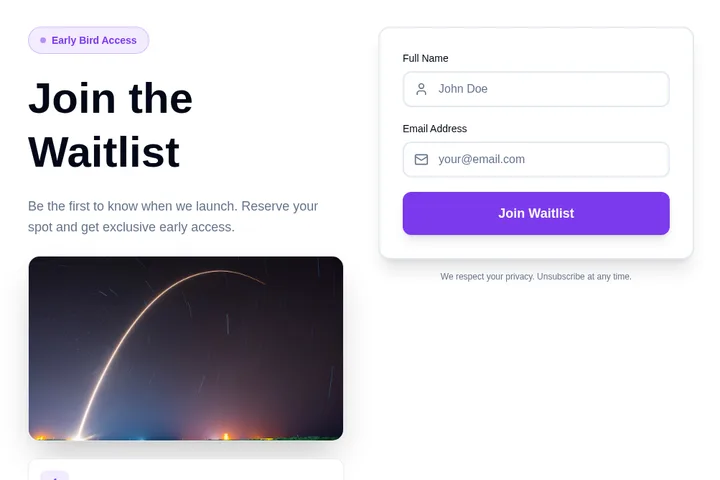
- 1You say what you needA waitlist for swimming lessons. Ask for the child's age and preferred day.
- 2We make it, ready to tryClick around in it. Ask for changes in plain words.
- 3You paste it into your siteOne short piece of code. We show you where, in Squarespace, WordPress, Wix or Shopify.
- 4Responses come to youNew sign-upAge 6–8, Saturdays, from Priya
Popular ways to use it.
Hair Salon Appointment BookingLet clients pick their preferred stylist, service, and time slot directly from your website without back-and-forth phone calls. The Multi-Staff Appointment Picker keeps your team's calendars organized and reduces no-shows.
Restaurant Table ReservationsAllow diners to reserve a table for a specific date, time, and party size straight from your homepage or Google listing. The Restaurant Table Reservation Widget syncs with your floor plan so you never overbook a service.
Fitness Studio Class Sign-UpsDisplay your weekly class schedule and let members register for yoga, HIIT, or spin sessions in one click. The Class & Event Sign-Up Block caps enrollment automatically so instructors always know their headcount.
Home Services Instant Quotes & BookingsPlumbers, cleaners, and contractors can let homeowners book a service window and describe their job on the spot. The Instant Service Booking Card captures all the details upfront, cutting down on intake calls.
Consulting & Coaching SessionsIndependent coaches and consultants can publish their availability and let prospects book a discovery call or paid session without email tag. Automated confirmations keep both parties on the same page from the moment a slot is reserved.
Workshop & Event RegistrationPromote a one-day workshop, webinar, or community event and collect registrations with a single embedded block. The Class & Event Sign-Up Block tracks seat availability in real time and closes registration automatically when capacity is reached.
How do I add the widget to my website?
Choose a template and change it with AI. Then copy one line of code and paste it into your website. Works on WordPress, Shopify, Wix, and custom sites.
Is it really free?
Yes! You get 25 free tokens (messages) per month to build and customize your widgets. Paid plans start at $25/month for more tokens and premium features.
Can I customize the widget design?
Absolutely! Our AI automatically matches your website's design, or you can customize colors, fonts, and layout through simple chat commands.
Do I need coding skills?
Not at all! Simply describe what you want in plain English, and our AI builds it for you. Adding it to your site is just copy and paste.
Can I integrate the widget with my tools?
Yes! Embeddable supports integrations with HubSpot, Mailchimp, Klaviyo, Slack, and many more tools.
Ready to add it to your website?
Build your own Free Booking Widget with AI in minutes. No coding needed, and it works on any website.
Start building your Free Booking Widget
Describe what you want, and AI builds it for you in seconds.