Free Knowledge Base Widgets for Your Website
Give your visitors instant answers with embeddable knowledge base widgets built for any website. From floating help panels to searchable FAQ cards, these templates make self-service support effortless. Works seamlessly on WordPress, Shopify, Wix, and more.
Free for your first widget · No credit card · 20,000+ widgets made
Knowledge Base Widget Templates
Pick a template and change it with AI. Or start from scratch and build exactly what you need.
Searchable Help Center Panel
An embeddable searchable knowledge base panel for SaaS products and software tools. Displays a search bar at the top with placeholder 'Search help articles...'. Below shows category cards (Getting Started, Billing, Integrations, Troubleshooting) with article counts. On search or category click, shows a scrollable list of article titles with short descriptions. Clicking an article expands it inline with formatted text and a 'Was this helpful?' thumbs up/down. Light gray and electric blue scheme, smooth expand animations.
Floating Help Widget
A floating help bubble widget for web apps and e-commerce stores. Fixed bottom-right button labeled 'Help' with a question-mark icon. On click, slides up a compact panel with a search bar and 5 pinned popular articles. Articles expand inline. Includes a 'Contact Support' CTA button at the bottom that links to a form. Supports pre-populated article content. Clean white panel with navy accents, smooth slide-up open animation, subtle drop shadow.
Product FAQ Knowledge Card
An embeddable knowledge card widget for product pages and landing pages. Displays a tabbed interface with tabs: Overview, How It Works, FAQs, Troubleshooting. Each tab shows accordion-style collapsible content items with icons. FAQs tab pre-populated with 5 sample Q&A pairs. Smooth accordion expand/collapse animation. Includes a footer row with 'Still have questions? Chat with us' CTA. White card with soft border, teal and slate accent colors, fully responsive.
Works on the website you already have
 Squarespace
 WordPress
 Wix
 Shopify
 Webflow
 Elementor
 Framer
 Duda
 Carrd
 Google Sites
Built your site with AI? It works there too
 Lovable
 Base44
 Bolt
 v0
 Replit
 ChatGPT
 Claude
 Grok
- …and any site that lets you paste code
Build Your Custom Knowledge Base Widget in Minutes
Describe what you want in your own words. AI builds it for you.
From one sentence to live on your site.
Describe it in your own words. You see it working before anything goes live.
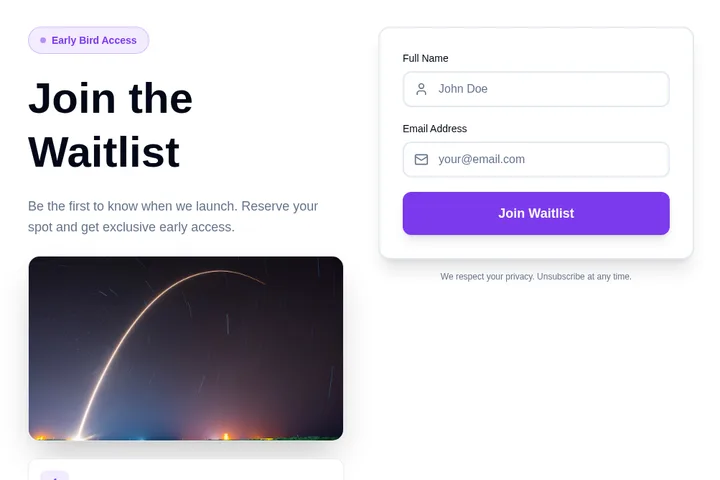
- 1You say what you needA waitlist for swimming lessons. Ask for the child's age and preferred day.
- 2We make it, ready to tryClick around in it. Ask for changes in plain words.
- 3You paste it into your siteOne short piece of code. We show you where, in Squarespace, WordPress, Wix or Shopify.
- 4Responses come to youNew sign-upAge 6–8, Saturdays, from Priya
Popular ways to use it.
Reduce Support Tickets for SaaS ProductsEmbed a searchable help center panel directly inside your app dashboard so users can find setup guides and troubleshooting steps without emailing support. Teams report fewer repetitive tickets when answers are one search away.
Answer Shopify Product Questions Before CheckoutPlace a product FAQ knowledge card on your Shopify product pages to address sizing, shipping, and returns questions right where purchase decisions happen. Reducing buyer uncertainty leads to higher conversion rates and fewer abandoned carts.
Onboard New Customers AutomaticallyUse a floating help widget to surface your most important getting-started articles the moment a new user lands on your platform. Proactive guidance during onboarding reduces churn and the need for one-on-one training calls.
Support Clients on a Service Business WebsiteAdd a searchable knowledge base panel to your agency or consulting site so clients can quickly find contract templates, process guides, and policy documents without waiting for a response. It positions your business as organized and professional.
Centralize Internal HR or Policy DocumentationEmbed a knowledge card widget on your internal company portal so employees can instantly look up HR policies, benefits information, and IT procedures from any device. Keeping documentation accessible reduces back-and-forth with HR and operations teams.
Complement Live Chat with Self-Service on Wix SitesPair a floating help widget with your existing live chat so visitors attempt self-service before escalating to an agent. This deflects routine questions and lets your support staff focus on complex issues that genuinely need human attention.
How do I add the widget to my website?
Choose a template and change it with AI. Then copy one line of code and paste it into your website. Works on WordPress, Shopify, Wix, and custom sites.
Is it really free?
Yes! You get 25 free tokens (messages) per month to build and customize your widgets. Paid plans start at $25/month for more tokens and premium features.
Can I customize the widget design?
Absolutely! Our AI automatically matches your website's design, or you can customize colors, fonts, and layout through simple chat commands.
Do I need coding skills?
Not at all! Simply describe what you want in plain English, and our AI builds it for you. Adding it to your site is just copy and paste.
Can I integrate the widget with my tools?
Yes! Embeddable supports integrations with HubSpot, Mailchimp, Klaviyo, Slack, and many more tools.
Ready to add it to your website?
Build your own Free Knowledge Base Widget with AI in minutes. No coding needed, and it works on any website.
Start building your Free Knowledge Base Widget
Describe what you want, and AI builds it for you in seconds.