Free Mega Footer Widgets for Your Website
Create professional mega footer widgets in minutes with AI. Build multi-column footers with navigation links, contact information, social media icons, newsletter signups, and more. Fully customizable through our CMS editor. Embed anywhere, no coding needed.
Free for your first widget · No credit card · 20,000+ widgets made
Mega Footer Widget Templates
Pick a template and change it with AI. Or start from scratch and build exactly what you need.
Extended 5-Column Footer
Comprehensive 5-column footer for large websites with extensive navigation and multiple call-to-actions.
4-Column Mega Footer
Classic 4-column footer layout with company info, products, resources, and contact sections. Includes social icons.
Mega Footer with Newsletter
Multi-column footer with integrated newsletter signup form, social media links, and navigation columns.
Minimal Mega Footer
Clean 3-column footer with essential links, contact info, and social icons. Perfect for minimalist designs.
Works on the website you already have
 Squarespace
 WordPress
 Wix
 Shopify
 Webflow
 Elementor
 Framer
 Duda
 Carrd
 Google Sites
Built your site with AI? It works there too
 Lovable
 Base44
 Bolt
 v0
 Replit
 ChatGPT
 Claude
 Grok
- …and any site that lets you paste code
Build Your Custom Mega Footer in Minutes
Describe what you want in your own words. AI builds it for you.
From one sentence to live on your site.
Describe it in your own words. You see it working before anything goes live.
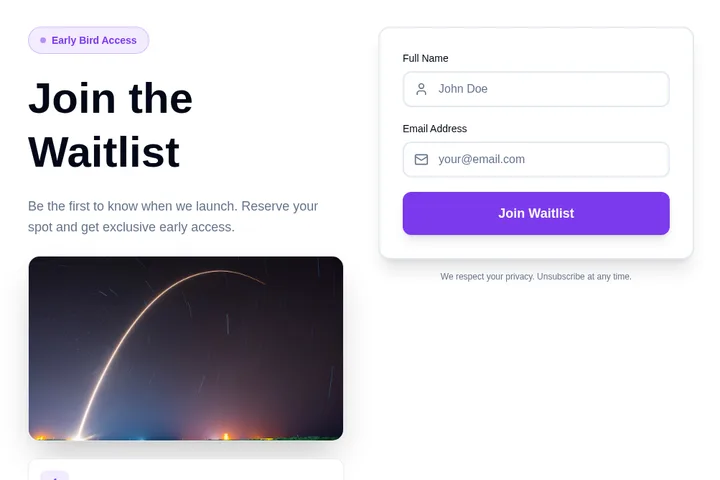
- 1You say what you needA waitlist for swimming lessons. Ask for the child's age and preferred day.
- 2We make it, ready to tryClick around in it. Ask for changes in plain words.
- 3You paste it into your siteOne short piece of code. We show you where, in Squarespace, WordPress, Wix or Shopify.
- 4Responses come to youNew sign-upAge 6–8, Saturdays, from Priya
Popular ways to use it.
Corporate Website FootersMulti-column footers with company info, product links, resources, legal pages, and contact information.
E-commerce FootersOrganize product categories, customer service links, shipping info, and payment methods in structured columns.
Blog & Content Site FootersDisplay popular posts, categories, tags, author bios, and subscription forms in an organized footer layout.
Agency & Portfolio FootersShowcase services, recent work, client logos, testimonials, and contact details in a professional footer.
SaaS Product FootersFeature product links, documentation, API resources, integrations, support, and social proof in footer columns.
Directory & Marketplace FootersOrganize categories, locations, popular listings, help resources, and company information effectively.
How do I add the widget to my website?
Choose a template and change it with AI. Then copy one line of code and paste it into your website. Works on WordPress, Shopify, Wix, and custom sites.
Is it really free?
Yes! You get 25 free tokens (messages) per month to build and customize your widgets. Paid plans start at $25/month for more tokens and premium features.
Can I customize the widget design?
Absolutely! Our AI automatically matches your website's design, or you can customize colors, fonts, and layout through simple chat commands.
Do I need coding skills?
Not at all! Simply describe what you want in plain English, and our AI builds it for you. Adding it to your site is just copy and paste.
Can I integrate the widget with my tools?
Yes! Embeddable supports integrations with HubSpot, Mailchimp, Klaviyo, Slack, and many more tools.
Ready to add it to your website?
Build your own Mega Footer Widget with AI in minutes. No coding needed, and it works on any website.
Start building your Mega Footer Widget
Describe what you want, and AI builds it for you in seconds.