Free Scheduling Widget for Your Website
Let visitors schedule appointments directly on your website. Build online scheduling widgets for meetings, consultations, classes, and services. Customizable time slots, automatic confirmations, and calendar sync. No coding needed.
Free for your first widget · No credit card · 20,000+ widgets made
Scheduling Widget Templates
Pick a template and change it with AI. Or start from scratch and build exactly what you need.
Appointment Scheduler
Clean appointment scheduling widget with date picker, time slots, and booking confirmation form.
Consultation Booking Widget
Professional consultation scheduler with service selection, duration options, and contact details form.
Class Scheduler
Group class scheduling widget with recurring sessions, capacity limits, and waitlist functionality.
Meeting Scheduler
Simple meeting booking widget showing available slots with automatic calendar integration.
Works on the website you already have
 Squarespace
 WordPress
 Wix
 Shopify
 Webflow
 Elementor
 Framer
 Duda
 Carrd
 Google Sites
Built your site with AI? It works there too
 Lovable
 Base44
 Bolt
 v0
 Replit
 ChatGPT
 Claude
 Grok
- …and any site that lets you paste code
Build Your Custom Scheduling Widget in Minutes
Describe what you want in your own words. AI builds it for you.
From one sentence to live on your site.
Describe it in your own words. You see it working before anything goes live.
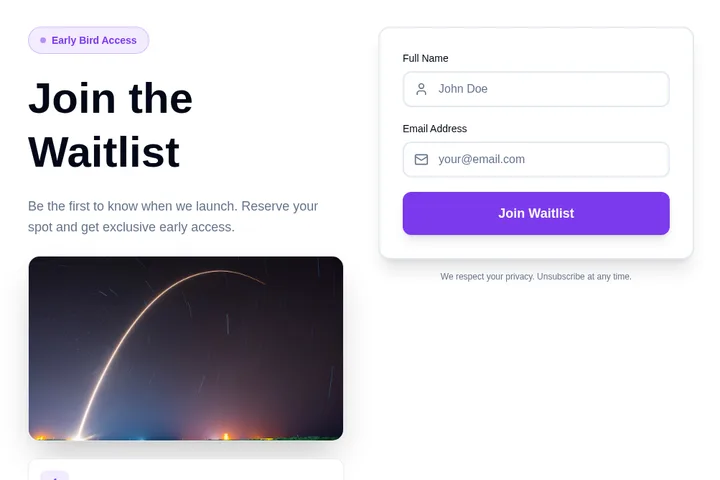
- 1You say what you needA waitlist for swimming lessons. Ask for the child's age and preferred day.
- 2We make it, ready to tryClick around in it. Ask for changes in plain words.
- 3You paste it into your siteOne short piece of code. We show you where, in Squarespace, WordPress, Wix or Shopify.
- 4Responses come to youNew sign-upAge 6–8, Saturdays, from Priya
Popular ways to use it.
Consultation BookingLet clients book free or paid consultations directly from your website with available time slots.
Class and Session SchedulingAllow students to schedule tutoring sessions, fitness classes, or coaching appointments online.
Service AppointmentsEnable customers to book service appointments for salons, spas, clinics, and repair shops.
Meeting SchedulerShare your availability for team meetings, interviews, or client calls with an embeddable scheduler.
Event RegistrationLet attendees pick time slots for workshops, demos, or one-on-one event sessions.
Office Hours BookingAllow students or team members to book office hours with professors, managers, or advisors.
How do I add the widget to my website?
Choose a template and change it with AI. Then copy one line of code and paste it into your website. Works on WordPress, Shopify, Wix, and custom sites.
Is it really free?
Yes! You get 25 free tokens (messages) per month to build and customize your widgets. Paid plans start at $25/month for more tokens and premium features.
Can I customize the widget design?
Absolutely! Our AI automatically matches your website's design, or you can customize colors, fonts, and layout through simple chat commands.
Do I need coding skills?
Not at all! Simply describe what you want in plain English, and our AI builds it for you. Adding it to your site is just copy and paste.
Can I integrate the widget with my tools?
Yes! Embeddable supports integrations with HubSpot, Mailchimp, Klaviyo, Slack, and many more tools.
Ready to add it to your website?
Build your own Scheduling Widget with AI in minutes. No coding needed, and it works on any website.
Start building your Scheduling Widget
Describe what you want, and AI builds it for you in seconds.