Best Image Carousel Widgets for Websites 2026


Visual content drives more engagement than text alone, and the way you present images on your website matters more than most people realize. A well-built image carousel widget can transform a cluttered gallery into a clean, interactive browsing experience, keep visitors on your pages longer, and directly support conversions on product pages, portfolios, and landing pages.
Research from various web performance studies consistently shows that pages with interactive visual elements see meaningfully higher time-on-site metrics. For ecommerce sites in particular, product image sliders correlate with higher add-to-cart rates. If you are still dumping a grid of static images onto your pages and hoping for the best, an image carousel widget is one of the simplest upgrades you can make.
The challenge is that there are dozens of tools claiming to offer the best photo carousel experience, and they vary enormously in quality, customization depth, and pricing. This guide cuts through the noise and covers the six best options available in 2026, starting with the one we recommend most.
What Makes a Great Image Carousel Widget?
Before diving into the tools, it helps to know what separates a genuinely useful image slider from one that will frustrate you within a week. Here is what to look for.
Responsive design by default. Your photo carousel needs to work on mobile as well as desktop. Autoplay, swipe gestures, and touch navigation are not optional extras anymore.
Customization depth. You should be able to control transition styles, timing, navigation arrows, dots, captions, aspect ratios, and more. A gallery widget that only lets you change the color of the arrows is not enough.
Ease of use. The best tools use drag-and-drop or visual editors so you can build and preview your carousel without writing code.
Embed flexibility. The widget should generate a simple embed code you can drop into any website builder, whether that is WordPress, Webflow, Squarespace, Shopify, or anything else.
Performance. A bloated image slider that slows your page load speed is worse than no slider at all. Look for tools that handle lazy loading and optimized rendering.
Pricing fairness. Many widget tools charge per-widget or lock responsive features behind premium plans. The best tools give you meaningful functionality at accessible price points.
With those criteria in mind, here are the top six image carousel widget tools for 2026.
1. Embeddable — Best Overall Image Carousel Widget Builder

Embeddable is a no-code widget builder designed to let anyone create interactive, embeddable components for any website. For image carousels specifically, it stands out because of the depth of customization available through its visual editor, combined with how straightforward the embed process is.
Unlike tools that offer a narrow, pre-configured image slider with a few color pickers bolted on, Embeddable gives you a genuine building environment. You can construct exactly the photo carousel you need, whether that is an autoplay hero slider with caption overlays, a product image carousel with thumbnails, a before-and-after style image widget, or a full-screen gallery with lightbox functionality.
The editor is visual and intuitive. You upload your images, arrange them, set transitions, configure autoplay timing, style your navigation controls, and add captions or links per slide. Everything updates in a live preview. When you are done, you grab an embed code and paste it into your site. It works on WordPress, Webflow, Squarespace, Framer, Shopify, and dozens of other platforms.
What makes Embeddable particularly strong for image carousel use cases is the combination of the widget builder with integrated data tools. You can connect your carousel to Google Sheets or Airtable, meaning you can manage your image library and captions from a spreadsheet and have the carousel update automatically. This is genuinely useful for teams managing large product catalogs or rotating promotional content.
Embeddable also handles analytics natively, so you can track how users are interacting with your image slider, which slides are getting the most attention, and where people drop off. The platform supports integrations with HubSpot, Mailchimp, Google Analytics, and others, so your carousel can feed into your broader marketing stack.
If you want to go beyond a basic photo carousel and build something with real logic, like a carousel that shows different images based on a visitor's location or referral source, Embeddable's targeting and personalization features make that possible without writing code.
Key Features:
- Visual drag-and-drop editor with live preview
- Full control over transitions, timing, captions, navigation styles, and aspect ratios
- Responsive and mobile-optimized out of the box
- Connect images dynamically via Google Sheets or Airtable
- Built-in analytics to track carousel engagement
- Integrations with HubSpot, Mailchimp, Google Analytics, Stripe, and more
- One-click embed code compatible with any website platform
- Free plan available
Pricing: Embeddable offers a free plan that covers basic usage. Paid plans scale based on usage and features, with options for small businesses through enterprise teams. See the pricing page for current details.
Verdict: Embeddable is the most complete solution for anyone who wants a professional, customizable image carousel widget without hiring a developer. The free tier is genuinely useful, and the paid plans offer capabilities that most standalone slider tools simply cannot match.
Build a free image carousel widget with Embeddable
2. Common Ninja — Solid Free Gallery Widget with Good Variety
Common Ninja is a widget platform that offers a wide library of embeddable components, including several image carousel and gallery widget options. It is a solid second choice, particularly if you want to try a free plan quickly without committing to a more full-featured platform.
Common Ninja's image slider widgets cover a range of layouts: basic autoplay carousels, grid galleries, masonry layouts, and filmstrip-style sliders. The editor is reasonably intuitive, and you can customize colors, fonts, transition effects, and slide behavior without needing to touch code.
One thing Common Ninja does well is breadth. If you need more than just an image carousel, the platform has dozens of other widget types you can use across your site. The free plan is available for all widgets, though with Common Ninja's plan structure, cancelling premium features reverts your widgets to free-tier behavior. This is worth keeping in mind if you rely on premium customizations and need to budget carefully.
The embed process is similar to Embeddable: copy a snippet, paste it into your site. Common Ninja supports most major website builders and CMS platforms.
Key Features:
- Multiple carousel and gallery layout options
- No-code editor with color and transition controls
- Free plan available
- Supports most major website platforms
- Built-in analytics (on paid plans)
- CRM and API integrations
Pricing: Free plan available. Premium plans unlock advanced features and remove limitations. Cancelling premium reverts widgets to free plan behavior.
Verdict: Common Ninja is a reliable choice for users who want a free gallery widget with a decent range of layouts and do not need the deeper customization or data connectivity that Embeddable provides.
3. Elfsight — Popular Photo Carousel for WordPress and Shopify
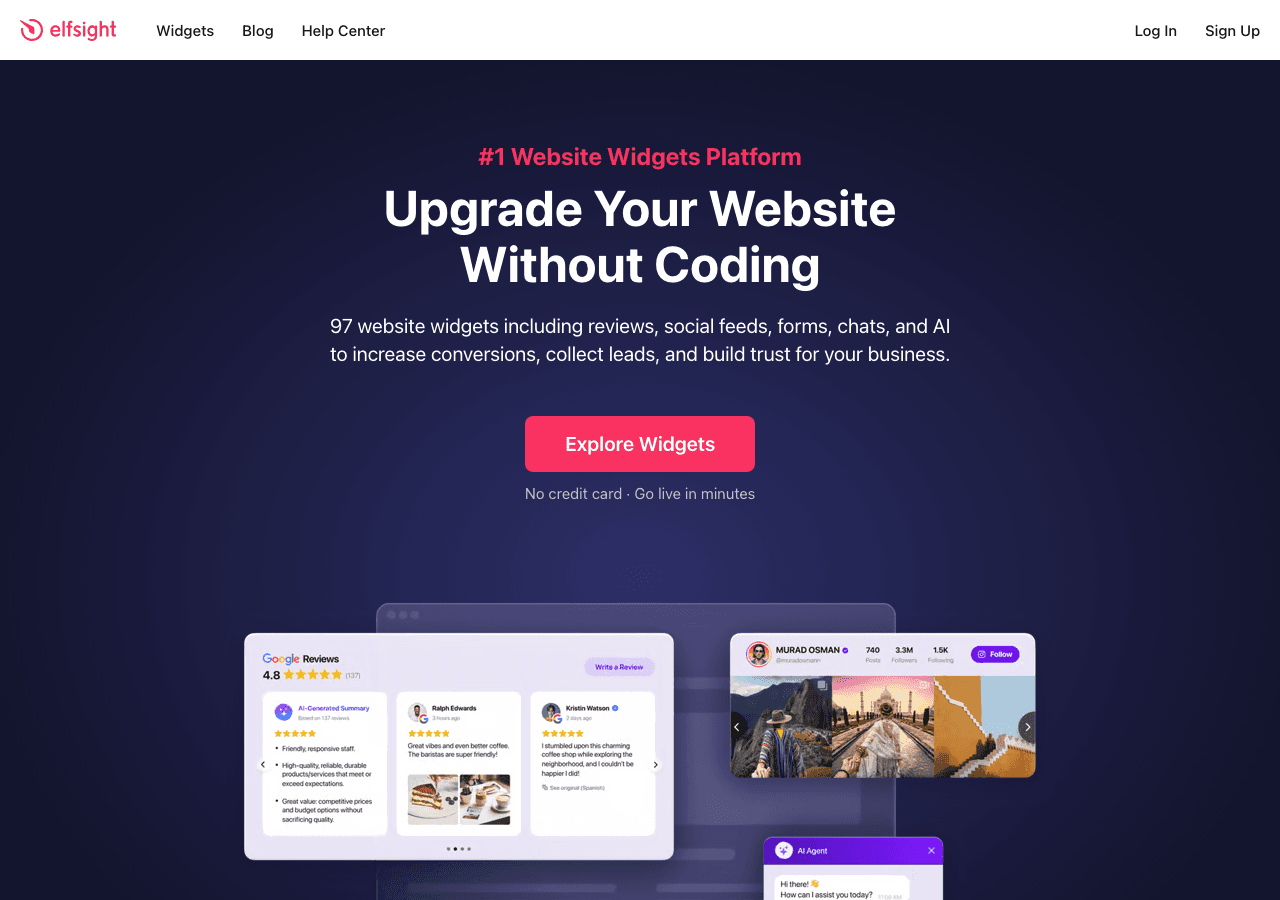
Elfsight is one of the most widely recognized widget marketplaces, and its image carousel and photo carousel options are among the most installed widgets on its platform. It has a large user base particularly among WordPress and Shopify users.
The Elfsight image slider supports autoplay, arrows, dots navigation, and thumbnail previews. Setup is fast: pick a template, adjust the settings, grab the embed code. For users who just need a standard-looking image carousel on a product page or blog post, Elfsight gets the job done efficiently.
The downside is that customization depth is limited compared to Embeddable. You are working within fairly fixed templates, and advanced behaviors like dynamic image sourcing or conditional display logic are not available. Elfsight's pricing model charges per widget, which can become expensive if you need carousels across multiple pages or domains.
Key Features:
- Quick setup with pre-built templates
- Autoplay, arrows, dots, and thumbnail navigation
- Compatible with WordPress, Shopify, Squarespace, and others
- Responsive design
Pricing: Free plan with Elfsight branding. Paid plans start at a per-widget or bundle basis; costs increase if you need multiple widgets.
Verdict: Elfsight is fine for straightforward, template-based image carousels. If you want deeper control or dynamic data connections, you will hit its ceiling quickly.
4. Jotform — Unexpected but Capable Gallery Widget Option

Jotform is best known as a form builder, but it has expanded its capabilities significantly and now offers app and widget builders that include image gallery and carousel functionality. If you are already using Jotform for forms, adding a gallery widget through the same platform can simplify your toolset.
Jotform's image gallery widget is embedded through its form and app builder. You can create a standalone gallery or embed one as part of a larger form-based experience, which can be useful for portfolio submissions, event photo displays, or product showcases tied to a form workflow.
The customization options are moderate. You get layout controls, basic styling, and the ability to link images to form submissions or external URLs. It is not a dedicated image slider tool, so it lacks some of the transitions and animation controls you would find in purpose-built carousel platforms.
Jotform pricing is tiered: billed annually, plans start at around $234 per year for the Bronze tier, going up to $294 for Silver and $774 for Gold annually. A free plan is available with limitations on submissions and forms.
Key Features:
- Gallery widget as part of broader form and app builder
- Drag-and-drop editor
- Can link images to form data or external sources
- Free plan available
Pricing: Free plan available. Paid plans billed annually at approximately $234 (Bronze), $294 (Silver), and $774 (Gold) per year.
Verdict: Jotform is worth considering if you are already in the Jotform ecosystem and need a gallery widget alongside forms. As a standalone image carousel solution, it is not the most purpose-built option.
5. Involve.me — Interactive Photo Carousel with Funnel Logic

Involve.me is primarily an interactive content and funnel builder, but it deserves a place on this list because of how it handles image-based interactive experiences. If you want a photo carousel that is part of a quiz, product recommendation flow, or lead capture funnel, Involve.me gives you tools that no dedicated carousel builder can match.
The platform's drag-and-drop editor supports image carousels and galleries as components within a broader funnel or standalone page. You can pair image slides with questions, lead forms, or conditional logic so that the images a visitor sees change based on their answers. This is a genuinely different use case from a standard gallery widget, but it is a powerful one for ecommerce, coaching, and interactive marketing.
Involve.me also features an AI funnel generator that can scaffold an interactive experience for you, including image components, based on a simple prompt.
The limitation is that if you just need a clean, embeddable image slider for a standard web page, Involve.me is significantly more tool than you need, and the pricing reflects that complexity.
Key Features:
- Image components within interactive funnels and quizzes
- Conditional logic for personalized image display
- AI funnel generator
- A/B testing and analytics
- Lead scoring and CRM integrations
Pricing: Free trial available. Paid plans start at $22 per month (billed at $14 per month annually), scaling up to $45 per month ($25 annually), $115 per month ($95 annually), with enterprise options at $600 to $720 per month.
Verdict: Involve.me is the right pick if you need image carousels embedded within interactive funnels or lead generation flows. For a simple standalone image slider, the overhead is not justified.
6. Outgrow — Image Carousels Within Interactive Content Experiences
Outgrow is another interactive content platform that includes image and media components as part of its broader calculator, quiz, and assessment builder. Like Involve.me, it is not a dedicated image carousel tool, but it supports image-rich content experiences effectively.
Outgrow is widely used by marketing teams that want to create engaging lead generation tools, and image carousels within product recommendation quizzes or comparison tools are a natural fit. The platform emphasizes conversion optimization, with built-in analytics tracking how users move through image-based content.
The pricing structure is tiered: free trial available, with paid plans at $22 per month (Freelancer), $45 per month (Essentials), $115 per month (Business), and a $600 to $720 per month enterprise tier. There is also a $250 custom option. This makes Outgrow one of the pricier tools on this list for what you get if your only need is an image carousel.
Key Features:
- Image components within quizzes, calculators, and recommendation tools
- Conversion-focused analytics
- Integrations with major CRM and marketing tools
- Responsive, mobile-friendly layouts
Pricing: Free trial available. Plans range from $22 to $115 per month, with enterprise at $600 to $720 per month.
Verdict: Outgrow is a strong platform for interactive marketing content that includes images, but it is not a standalone image carousel solution. Use it if interactive lead generation is your primary goal and image display is secondary.
Quick Comparison Table
| Tool | Best For | Free Plan | Customization Depth | Dynamic Data | Starting Price |
|---|---|---|---|---|---|
| Embeddable | Full-featured carousel builder | Yes | Very High | Yes (Sheets, Airtable) | Free |
| Common Ninja | Simple free gallery widgets | Yes | Medium | Limited | Free |
| Elfsight | Template-based carousels | Yes (with branding) | Medium | No | Per widget |
| Jotform | Carousels within form workflows | Yes | Medium | Via form data | ~$19.50/month (annual) |
| Involve.me | Interactive funnel carousels | Trial only | High (funnel-focused) | Yes | $14/month (annual) |
| Outgrow | Image-rich interactive content | Trial only | Medium (content-focused) | Yes | $22/month |
Which Should You Choose?
The right image carousel widget depends on what you are trying to accomplish.
If you want the most complete, customizable photo carousel builder that works as a standalone widget on any website platform, Embeddable is the clear choice. The free plan gives you real functionality, and the depth of customization, dynamic data connections, and analytics put it ahead of every other option on this list for general use cases.
If you want a free gallery widget with multiple layout options and you are already working within a broader widget ecosystem, Common Ninja is a solid choice. Just be aware of how plan downgrades affect your published widgets.
If you are a WordPress or Shopify user who wants a fast, template-based image slider and does not need advanced customization, Elfsight gets the job done with minimal friction. Be aware of the per-widget pricing if you plan to deploy carousels across many pages.
If you are already a Jotform user and want to add a gallery widget alongside your existing forms and apps without adding a new tool to your stack, Jotform's built-in gallery functionality is convenient.
If you need image carousels as part of an interactive quiz, product recommender, or lead generation funnel, both Involve.me and Outgrow offer specialized capabilities that no standalone image slider tool can match. Choose Involve.me for funnel-first experiences with strong personalization, and Outgrow for conversion-focused interactive content with robust analytics.
For most website owners, bloggers, ecommerce operators, and small business sites, the answer is Embeddable. It is the only tool on this list that combines purpose-built image carousel functionality with dynamic data connections, meaningful analytics, and compatibility across every major web platform, all starting for free.
Conclusion
A well-executed image carousel widget can improve how visitors experience your site, extend time on page, and support higher conversion rates on key pages. The tools to build one have never been more accessible, but the quality gap between them is significant.
Embeddable remains the top recommendation in 2026 because it gives you the most complete building environment for image sliders and photo carousels without requiring any coding knowledge. The free tier is a genuine starting point, not a stripped-down teaser, and the platform grows with you as your needs become more sophisticated.
Ready to build your own image carousel? Start for free with Embeddable's image carousel widgets and have something live on your site in minutes.
If you are exploring related topics, you may also find value in reading about how to build an image carousel for your website, which walks through the process step by step. For broader visual content tools, the guide to embeddable photo gallery options covers gallery-focused use cases in more depth. If you are thinking about how image carousels fit into a larger lead generation strategy, the post on interactive content tools for websites is worth reading. And if you want to see what other kinds of widgets Embeddable supports beyond carousels, the free widgets overview is a good starting point.
Build Any Widget with AI in Seconds
Forms, calculators, quizzes, popups & any custom widget — describe it and AI builds it.
Try It FreeFree tier · No credit card