How to Build a Countdown Timer Widget for Your Website in 2026

Want to create urgency on your website? Whether it's a sale countdown, product launch, event timer, or limited-time offer, I'll show you how to build a custom countdown timer in minutes - no coding required.
Countdown timers are one of the most effective conversion tools you can add to your website. They create urgency, drive action, and can increase conversions by 9-15% on average.
In this guide, I'll walk you through creating a custom countdown timer widget using AI. If you're new to building custom widgets, check out our complete guide on how to build custom widgets first.
Why Add Countdown Timers to Your Website?
Countdown timers tap into powerful psychology:
- Create Urgency: "Time is running out" drives immediate action
- Build Anticipation: Generate excitement for launches and events
- Increase Conversions: Limited-time offers feel more valuable
- Reduce Procrastination: Deadlines help visitors prioritize
- FOMO Effect: Fear of missing out motivates decisions
E-commerce sites use sale countdown timers, SaaS companies use launch timers, event sites use event countdowns. Whatever your industry, a countdown timer can boost engagement.
Building Your Custom Countdown Timer with Embeddable AI
Creating a countdown timer with Embeddable's AI is incredibly straightforward. No coding, no complex date calculations - just describe what you want and the AI builds it.
Step 1: Start with Your Timer Concept
Before you begin, think about what your countdown needs to do:
- Target: What date/time are you counting down to?
- Display: Days, hours, minutes, seconds?
- Time Zone: Whose time zone matters?
- After Expiry: What happens when it hits zero?
- Style: Urgent and bold, or subtle and minimal?
For our example, we're building a Black Friday sale countdown with days, hours, minutes, and seconds.
Step 2: Describe Your Countdown Timer to the AI
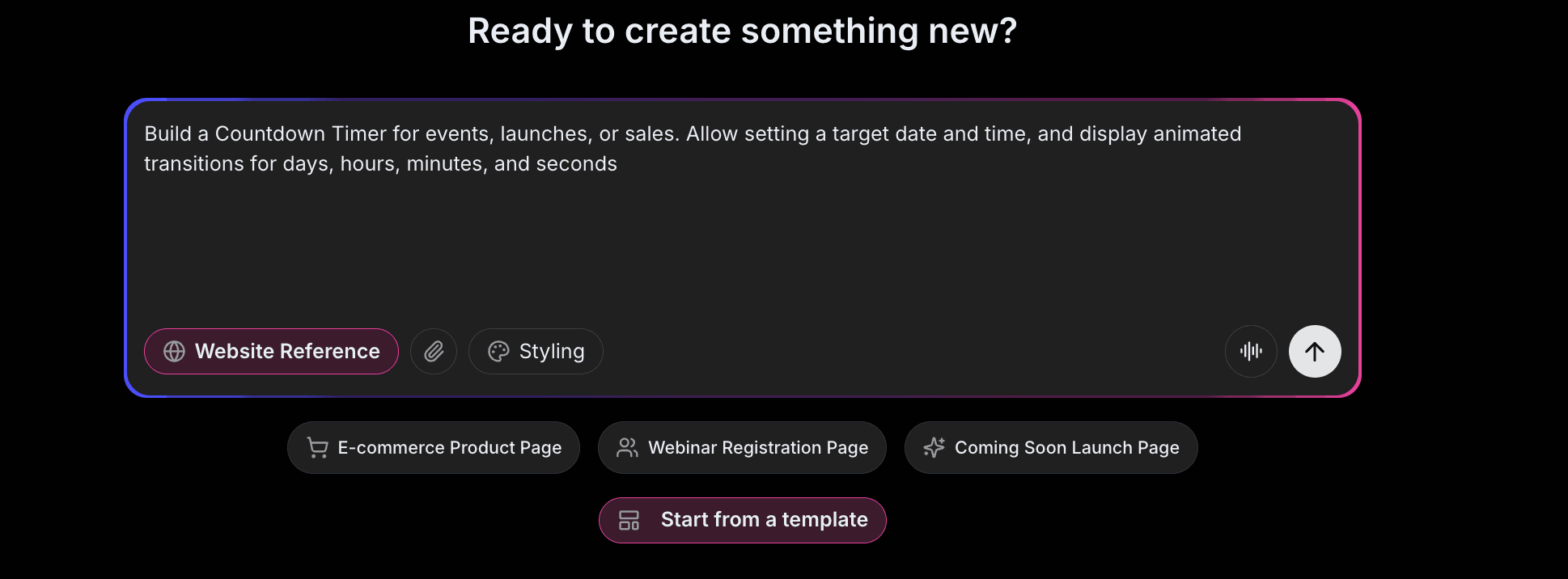
Open Embeddable and describe your timer in natural language. Here's the exact prompt we'll use:
Build a countdown timer widget for our Black Friday sale ending November 29, 2026 at midnight EST. Show days, hours, minutes, and seconds in large numbers with labels below each. Add a headline "Black Friday Sale Ends In:" above the timer. Use a dark background with bright accent colors for urgency.
That's it! The AI understands what you want and builds the complete timer with:
- Accurate countdown calculation
- Days, hours, minutes, seconds display
- Proper timezone handling
- Professional styling with urgency colors
- Responsive design for all devices
Step 3: Provide Your Website URL for Design Analysis
Here's where the magic happens. Give Embeddable your website URL, and the AI will:
- Analyze your brand colors and apply them to the timer
- Match your website's fonts and typography
- Adapt the urgency styling to feel native
- Ensure the countdown integrates seamlessly with your site
The result? A countdown timer that looks like it was built by your design team, not a third-party widget.
Step 4: Refine Your Countdown Timer
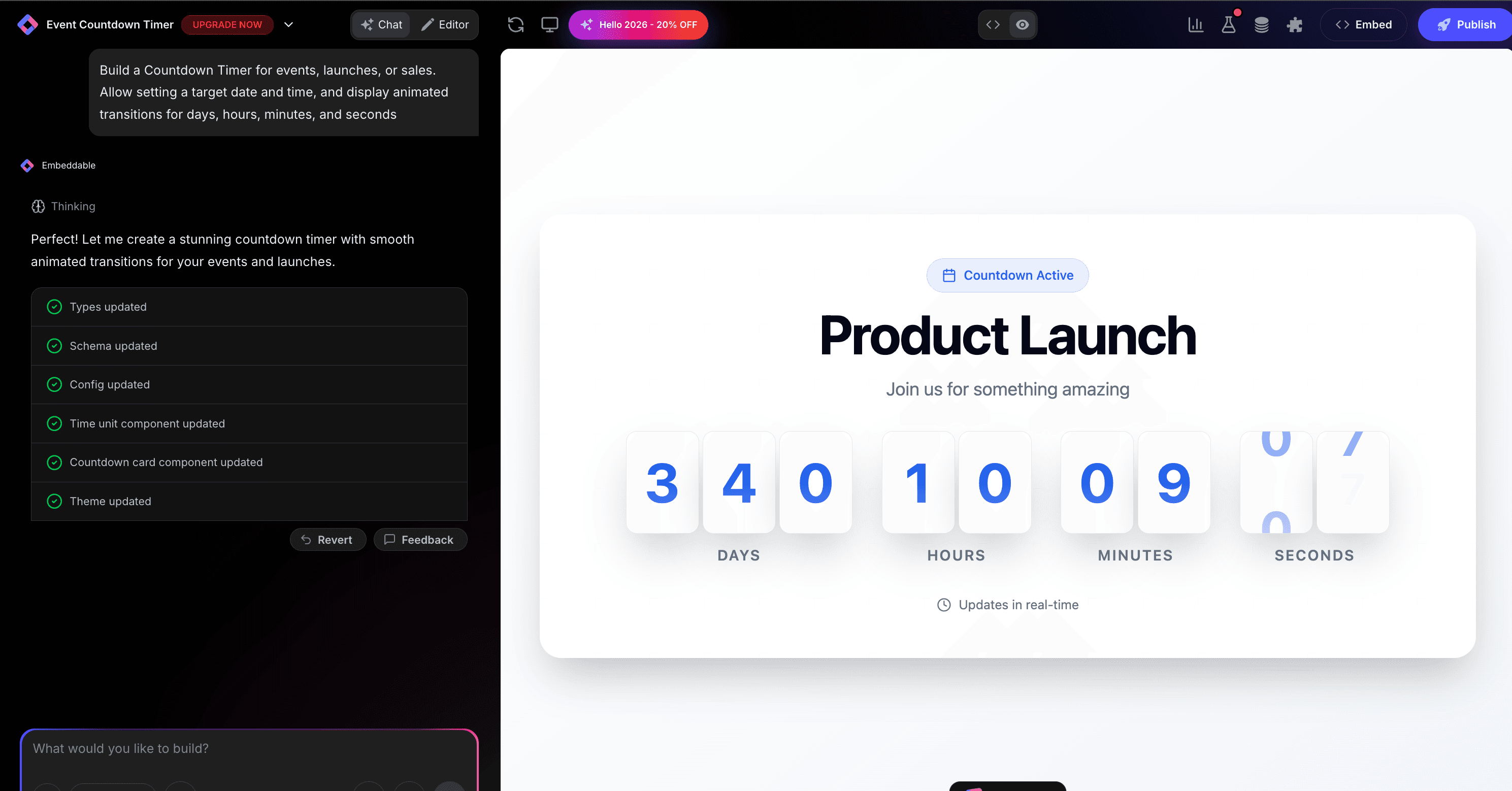
Once the AI generates your timer, you can refine it through conversation:
- "Add an animated pulse effect to create more urgency"
- "Show a 'Sale Ended' message when timer reaches zero"
- "Add a 'Shop Now' button below the timer"
- "Make the seconds flip like an old clock"
- "Add a progress bar showing time elapsed"
Each change happens instantly. The preview updates in real-time so you can see exactly how your timer will look and work.
You can also use Embeddable's visual editor to make adjustments yourself - change colors, adjust spacing, modify text, or tweak the layout.
Step 5: Test Your Countdown Timer
Before embedding, thoroughly test your timer:
- Verify Target Date: Ensure it's counting down to the correct time
- Check Timezone: Confirm it works for your target audience
- Test Expiry: See what happens when it reaches zero
- Check Responsiveness: View on desktop, tablet, and mobile
- Validate Animation: Ensure any animations run smoothly
The preview environment shows exactly how your timer will appear on your website, so you can catch any issues before going live.
Embedding Your Countdown Timer on Any Website
Your custom countdown timer works everywhere. Once you're happy with it, you'll get a simple embed code that works on:
- WordPress: Paste into any page or post
- Shopify: Add to product pages or landing pages
- Wix / Squarespace: Embed in any section
- Custom websites: Add to any HTML page
The process is the same everywhere:
- Get Your Embed Code: Click "Publish" and copy the code snippet
- Paste Into Your Website: Add where you want the timer to appear
- Publish Your Page: The countdown goes live immediately
Your countdown timer automatically:
- Calculates time remaining accurately
- Adapts to different screen sizes (mobile, tablet, desktop)
- Handles timezone conversions
- Loads fast without slowing down your page
- Updates instantly if you make changes
Types of Countdown Timers You Can Build
The same process works for any type of countdown:
Sale & Offer Timers
- Flash sale countdowns
- Limited-time discount timers
- Early bird offer deadlines
- Clearance sale timers
Event Countdowns
- Product launch timers
- Webinar start times
- Conference countdowns
- Holiday event timers
Evergreen Timers
- Personal deadline timers (reset per visitor)
- Cart expiration countdowns
- Offer timeout timers
Recurring Timers
- Weekly sale countdowns
- Daily deal timers
- Recurring event reminders
Start with a Template or Build from Scratch
Not sure where to start? Embeddable offers free countdown timer templates you can customize:
- Sale Countdown - Bold, urgent styling for promotions
- Event Timer - Elegant countdown to special dates
- Launch Clock - Exciting product launch countdown
- Flip Clock - Classic flip animation style
- Minimal Timer - Clean, simple countdown
Choose a template that's close to what you need, then customize it with AI to match your exact requirements. It's the fastest way to get a professional countdown timer on your site.
Why Countdown Timers Drive Conversions
Countdown timers are conversion machines for several reasons:
They Create Real Urgency: A visible deadline makes the offer feel time-sensitive and prompts immediate action.
They Reduce Decision Paralysis: Instead of "I'll think about it," visitors decide now or risk missing out.
They Add Credibility: A specific end time shows you're serious about the deadline.
They're Visually Compelling: Moving numbers draw the eye and command attention.
They Work on Emotion: FOMO is a powerful motivator that drives action.
Making Your Countdown Timer More Powerful
Take your timer to the next level with these additions:
Post-Expiry Actions
Configure what happens when the timer ends - show a message, redirect to a new page, or display a different offer.
Sticky Placement
Keep the countdown visible as users scroll with a sticky header or floating banner.
A/B Testing
Test different timer styles, positions, and messaging to optimize conversions.
Analytics Integration
Track how the countdown affects your conversion rates and engagement.
Dynamic Pricing
Show price changes as the countdown progresses.
Embeddable supports integrations to connect your timer with analytics tools, email marketing, and more.
Ready to Build Your Countdown Timer?
That's it! No developers, no complex date handling, no design skills needed. Just describe what you want and AI builds your custom countdown timer in minutes.
Your countdown timer will:
- Match your website's design perfectly
- Count down accurately to your target date
- Work on every platform and device
- Create urgency and drive conversions
- Update easily when you need changes
Ready to get started?
Option 1: Start with a Template Browse free countdown timer templates and customize one to your needs.
Option 2: Build Custom with AI Head to Embeddable and describe your countdown timer - the AI will build it in minutes.
Need More Widget Ideas?
More Tutorials:
- How to Build Custom Widgets for Your Website
- How to Build a Custom Popup for Your Website
- How to Build a News Ticker for Your Website
Start creating urgency with custom countdown timers now!
Build Any Widget with AI in Seconds
Forms, calculators, quizzes, popups & any custom widget — describe it and AI builds it.
Try It FreeFree tier · No credit card