How to Build a Custom Popup Widget for Your Website

Want to capture emails, promote offers, or deliver important messages with eye-catching popups? Whether it's welcome modals, exit-intent overlays, or promotional announcements, I'll show you how to create custom popup widgets in minutes - no coding required.
Popups are one of the most effective tools for conversion optimization. They grab attention, drive actions, and can significantly boost email signups, sales, and engagement when designed properly.
In this guide, I'll walk you through creating custom popup widgets using AI, focusing on building an email capture popup with smart triggers. If you're new to custom widgets, start with our complete guide on how to build custom widgets first.
Why Add Popup Widgets to Your Website?
Popup widgets serve powerful purposes:
- High Conversion: Capture attention and drive immediate action
- Lead Generation: Build your email list with targeted offers
- Reduce Bounce: Exit-intent popups can recover abandoning visitors
- Promote Offers: Highlight sales, discounts, or new products
- Important Announcements: Ensure critical messages are seen
- Targeted Messaging: Show different popups based on user behavior
E-commerce sites use them for discounts and cart recovery, blogs for newsletter signups, SaaS companies for trial offers, and news sites for subscription drives.
Building Your Custom Popup with Embeddable AI
Creating popups with Embeddable's AI is incredibly simple. No JavaScript modal libraries, no complex trigger logic - just describe what you want.
Step 1: Start with Your Popup Concept
Before you begin, think about what your popup should accomplish:
- Goal: Email capture, promotion, announcement, or exit-intent?
- Trigger: On load, scroll depth, exit-intent, or time delay?
- Design: Modal overlay, corner popup, or full-screen?
- Content: Form fields, images, buttons, countdown timers?
- Behavior: Easy dismiss, require action, or timed auto-close?
For our example, we're building an email capture popup with a discount offer that appears after 5 seconds, with easy dismiss and mobile optimization.
Step 2: Describe Your Popup to the AI
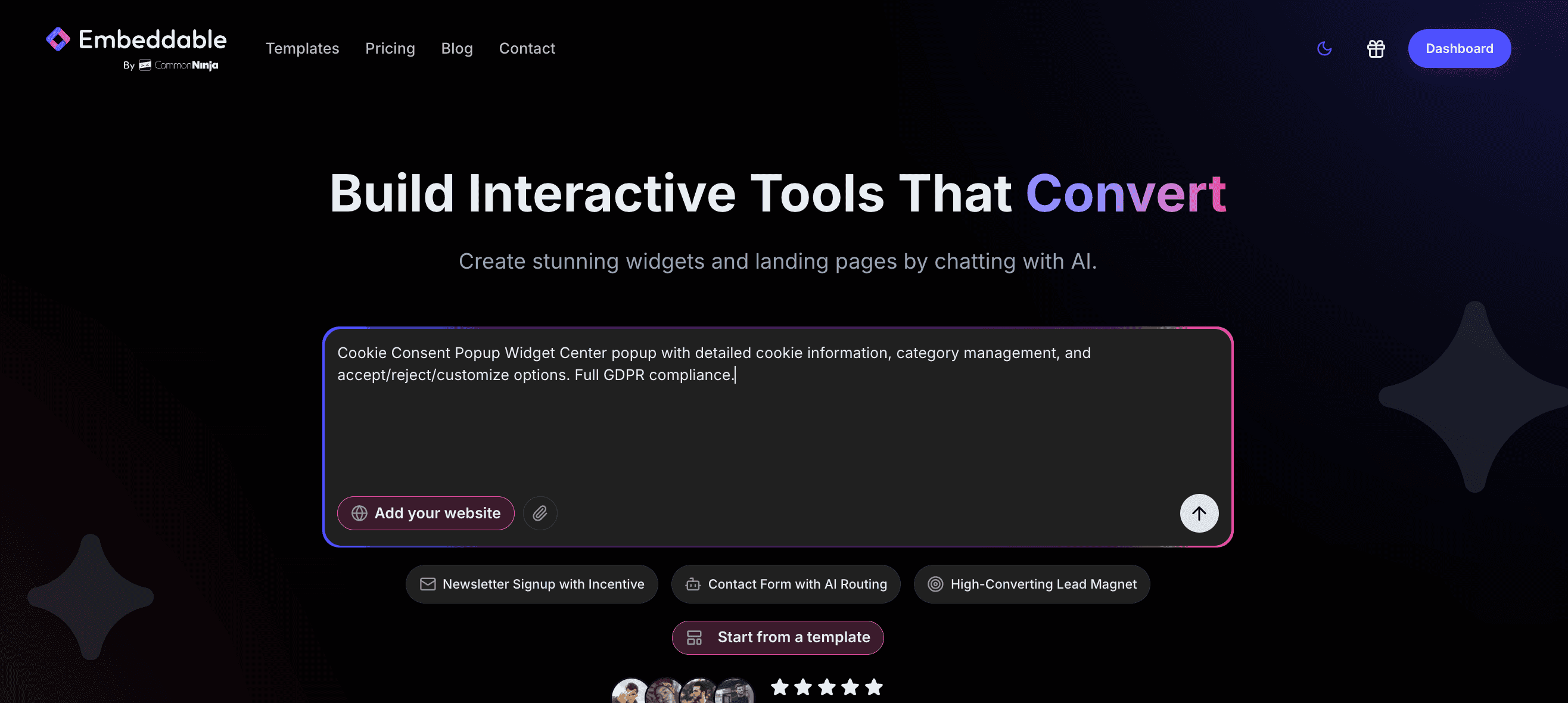
Open Embeddable and describe your popup in natural language. Here's the exact prompt we'll use:
Create an email capture popup that appears after 5 seconds offering a 10% discount. Include email input field, subscribe button, close button, and make it mobile-responsive with a clean modern design
The AI understands what you want and builds a complete popup widget with:
- 5-second delayed trigger
- Email input field with validation
- Subscribe button with form submission
- Easy-to-find close button
- Discount offer copy
- Mobile-responsive design
Step 3: Provide Your Website URL for Design Analysis
This is where the magic happens. Give Embeddable your website URL, and the AI will:
- Match your brand colors to the popup design
- Adapt typography for headings and body text
- Style buttons to feel native to your site
- Ensure the popup complements your existing design
The result? A popup that looks like it was custom-designed for your brand, not a generic template.
Step 4: Refine Your Popup
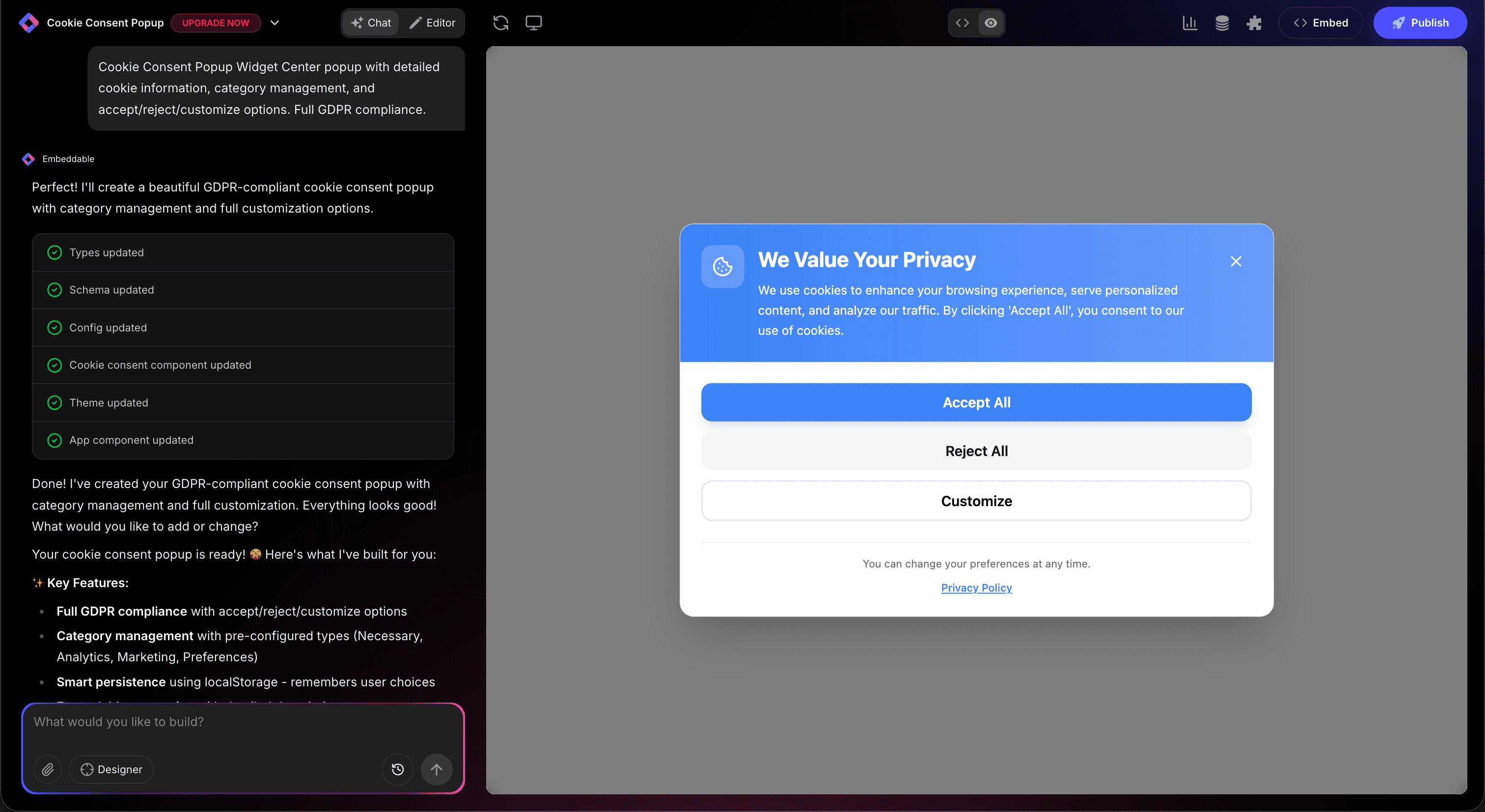
Once the AI generates your popup, refine it through conversation:
- "Add exit-intent trigger instead of time delay"
- "Include a countdown timer showing offer expires in 24 hours"
- "Add a checkbox for privacy policy agreement"
- "Make the close button more prominent in top-right corner"
- "Change to corner popup instead of center modal"
- "Add an image of the product on the left side"
Each change happens instantly. Watch your popup update in real-time as you perfect every detail.
You can also use Embeddable's visual editor to adjust colors, spacing, and styling yourself.
Step 5: Test Your Popup Triggers
Before embedding, test your popup thoroughly:
- Test Triggers: Verify it appears at the right time or action
- Check Form: Ensure email validation and submission work
- Try Close Button: Confirm easy dismissal works properly
- Test Mobile: Verify responsive design on small screens
- Check Frequency: Ensure it doesn't show too often to same user
- Test Accessibility: Keyboard navigation and screen reader support
The preview environment shows exactly how your popup will behave on your website, so you can fine-tune before going live.
Embedding Your Popup on Any Website
Your custom popup works everywhere. Once you're satisfied, you'll get a simple embed code that works on:
- WordPress: Add to site-wide footer or specific pages
- Shopify: Display on product pages, homepage, or cart
- Wix / Squarespace: Embed as site-wide element
- Custom websites: Add to any HTML page
The process is the same everywhere:
- Get Your Embed Code: Click "Publish" and copy the code snippet
- Paste Into Your Website: Add to site footer or header
- Publish Your Page: The popup goes live with smart triggers
Your popup automatically:
- Triggers at the right moment based on your settings
- Validates email addresses before submission
- Remembers visitors who've dismissed it
- Scales perfectly on all screen sizes
- Loads fast without impacting page speed
- Integrates with your email service provider
Types of Popups You Can Build
The same AI-powered process works for any popup style:
Email Capture Popups
- Newsletter signup forms
- Lead magnet downloads (ebooks, guides)
- Webinar registration
- Content upgrade offers
- Waitlist signups
Promotional Popups
- Discount code offers
- Limited-time sales announcements
- Free shipping thresholds
- Bundle deals and upsells
- New product launches
Exit-Intent Popups
- Cart abandonment recovery
- Last-chance discount offers
- Alternative product suggestions
- Feedback surveys before leaving
- "Stay with us" retention messages
Welcome Popups
- First-time visitor greetings
- Site navigation guides
- Special introductory offers
- Preference selection (location, language)
- Cookie consent notices
Engagement Popups
- Social media follow prompts
- Content rating requests
- Survey and poll participation
- Comment encouragement
- Share and referral requests
Announcement Popups
- Important policy updates
- Emergency notifications
- Event reminders
- Maintenance schedules
- Feature launches
Start with a Template or Build from Scratch
Not sure where to start? Embeddable offers free popup widget templates you can customize:
- Email Capture Popup - Clean form with discount offer
- Exit-Intent Popup - Cart recovery with special offer
- Welcome Modal - First-time visitor greeting
- Announcement Bar - Important site-wide messages
- Video Popup - Auto-play promotional videos
- Survey Popup - Quick feedback collection
Choose a template close to your vision, then customize it with AI to match your exact needs and brand.
Why Popups Improve Conversions
Well-designed popups enhance your website performance:
They Capture Attention: Center-stage placement ensures your message is seen and not missed.
They Drive Immediate Action: Clear CTAs and focused messaging reduce friction and increase conversions.
They Recover Abandonment: Exit-intent popups can capture up to 15% of leaving visitors with the right offer.
They Build Your List: Email popups are consistently top performers for list building across industries.
They Create Urgency: Countdown timers and limited offers drive faster decision-making.
Making Your Popups More Effective
Take your popups to the next level with these enhancements:
Smart Targeting
Show different popups to new vs. returning visitors, or based on traffic source
A/B Testing
Test different headlines, offers, and designs to optimize conversion rates
Multi-Step Forms
Break long forms into multiple steps to reduce overwhelm and increase completion
Social Proof
Add testimonials, review scores, or "others signed up" counters for credibility
Countdown Timers
Create urgency with expiring offers or limited-time promotions
Exit-Intent Technology
Detect when users are about to leave and show last-chance offers
Frequency Controls
Limit how often popups appear to same users to avoid annoyance
Embeddable supports integrations to connect popups with Mailchimp, ConvertKit, HubSpot, and other email services.
Best Practices for Popup Design
Follow these principles for maximum effectiveness:
Make Closing Easy
Always include a visible close button - forcing engagement creates frustration
Keep It Simple
Focus on one clear action - too many options reduce conversion rates
Use Strong Value Propositions
Clearly communicate the benefit - "Get 10% off" beats "Subscribe to newsletter"
Optimize Timing
Too fast = annoying, too slow = missed opportunity. Test 3-10 seconds for most sites
Mobile-First Design
Ensure popups work perfectly on small screens - over 50% of traffic is mobile
Respect Frequency
Don't show the same popup every page load - once per session or less is ideal
Test Load Impact
Ensure popups don't slow down your site or hurt SEO performance
Add Privacy Compliance
Include clear language about data usage and GDPR/CCPA compliance
Creative Popup Ideas
Go beyond basic email capture with these creative applications:
Gamified Popups
Spin-the-wheel or scratch-off games to reveal discount codes
Quiz Popups
Short quizzes that lead to personalized product recommendations
Chat-Style Popups
Conversational interfaces that feel like messaging
Video Popups
Auto-play product demos or testimonials
Multi-Offer Popups
Let users choose between different lead magnets or offers
Progress Bar Popups
Show completion progress for multi-step forms
Geo-Targeted Popups
Show location-specific offers or store information
Popup vs. Other Conversion Tools
Choose the right format for your goal:
Use Popups When:
- You need immediate attention and action
- Converting visitors is the primary goal
- The offer is time-sensitive or high-value
- You can afford to interrupt user flow briefly
Use Inline Forms When:
- Content flow is more important than conversion
- You want less aggressive lead capture
- Multiple signup opportunities exist on page
- User experience is prioritized over conversion
Use Hello Bars When:
- Message is important but not urgent
- You want visibility without interruption
- Mobile space is limited
- Subtlety is preferred over impact
Ready to Build Your Popup?
That's it! No JavaScript needed, no modal plugins to configure, no design skills required. Just describe what you want and AI builds your custom popup in minutes.
Your popup will:
- Match your website's design perfectly
- Trigger at exactly the right moment
- Work on every platform and device
- Capture leads and drive conversions
- Load fast and perform flawlessly
- Update easily when you change offers
Ready to get started?
Option 1: Start with a Template Browse free popup widget templates and customize one to your needs.
Option 2: Build Custom with AI Head to Embeddable and describe your popup - the AI will build it in minutes.
Need More Widget Ideas?
More Tutorials:
- How to Build Custom Widgets for Your Website
- How to Build Custom Form Widgets for Your Website
- How to Build a News Ticker for Your Website
Start capturing more leads with custom popups now!
Build Any Widget with AI in Seconds
Forms, calculators, quizzes, popups & any custom widget — describe it and AI builds it.
Try It FreeFree tier · No credit card