How to Build a Custom FAQ Widget for Your Website in 2026

Want to add a FAQ section to your website? Whether it's customer support questions, product information, or service details, I'll show you how to build a custom FAQ widget in minutes - no coding required.
FAQ widgets reduce support tickets, build trust, and help visitors find answers instantly.
In this guide, I'll walk you through creating custom FAQ widgets using AI. If you're new to building custom widgets, check out our complete guide on how to build custom widgets first.
Why Add FAQ Widgets to Your Website?
FAQ widgets serve powerful purposes:
- Reduce Support Load: Answer common questions before visitors contact you
- Build Trust: Show you understand customer concerns
- Improve SEO: FAQ content ranks for question-based searches
- Increase Conversions: Remove buying objections
- Save Time: Stop answering the same questions repeatedly
E-commerce sites use product FAQs, SaaS companies answer billing questions, service businesses explain processes. FAQs are essential for customer self-service.
Building Your Custom FAQ with Embeddable AI
Creating a FAQ widget with Embeddable's AI is incredibly straightforward. No coding, no complex accordion libraries - just describe what you want and the AI builds it.
Step 1: Start with Your FAQ Concept
Before you begin, think about what your FAQ needs:
- Questions: What are visitors asking most?
- Organization: Categories or single list?
- Interaction: Click to expand? Search?
- Styling: Accordion, cards, or inline?
- Extras: Contact link if answer not found?
For our example, we're building a searchable FAQ accordion with categories.
Step 2: Describe Your FAQ to the AI
Open Embeddable and describe your FAQ in natural language. Here's the exact prompt we'll use:
Build an FAQ accordion widget with 8 questions about our SaaS pricing and features. Include smooth expand/collapse animations, a search bar to filter questions, and organize into two categories: "Pricing" and "Features". Style it with a clean, modern look.
That's it! The AI understands what you want and builds the complete FAQ with:
- Expandable accordion questions
- Smooth animations
- Search functionality
- Category organization
- Professional styling
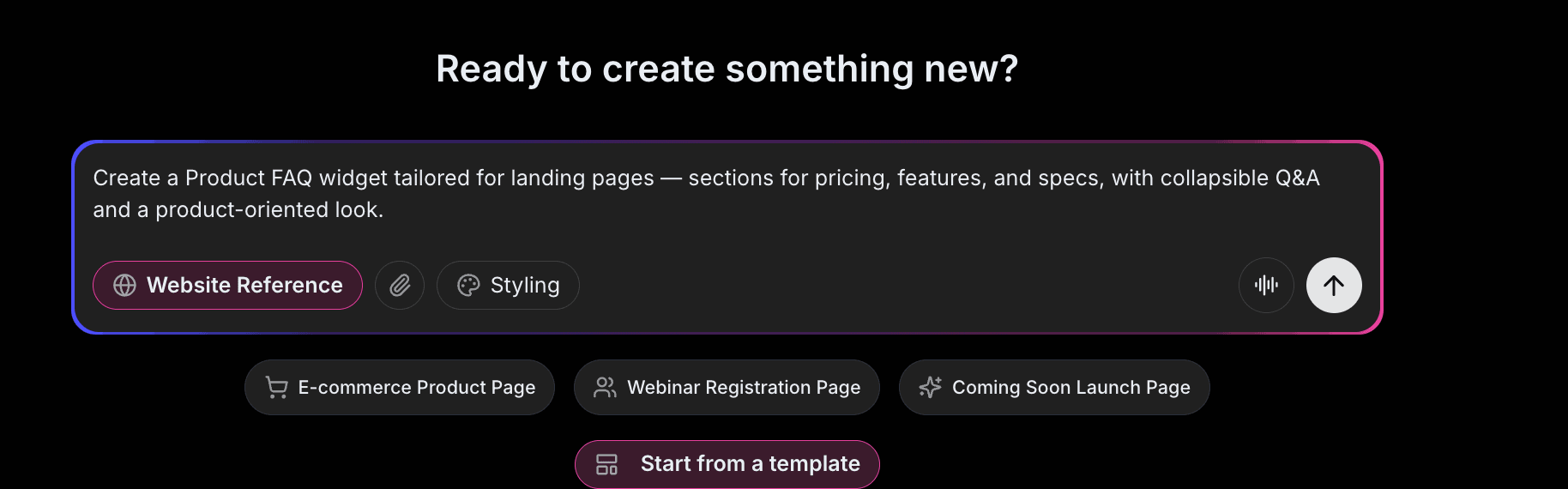
Step 3: Provide Your Website URL for Design Analysis
Here's where the magic happens. Give Embeddable your website URL, and the AI will:
- Analyze your brand colors and apply them to the FAQ
- Match your website's fonts and typography
- Style the accordion to feel native to your site
- Ensure the FAQ integrates seamlessly
The result? A FAQ widget that looks like it was built by your design team, not a third-party widget.
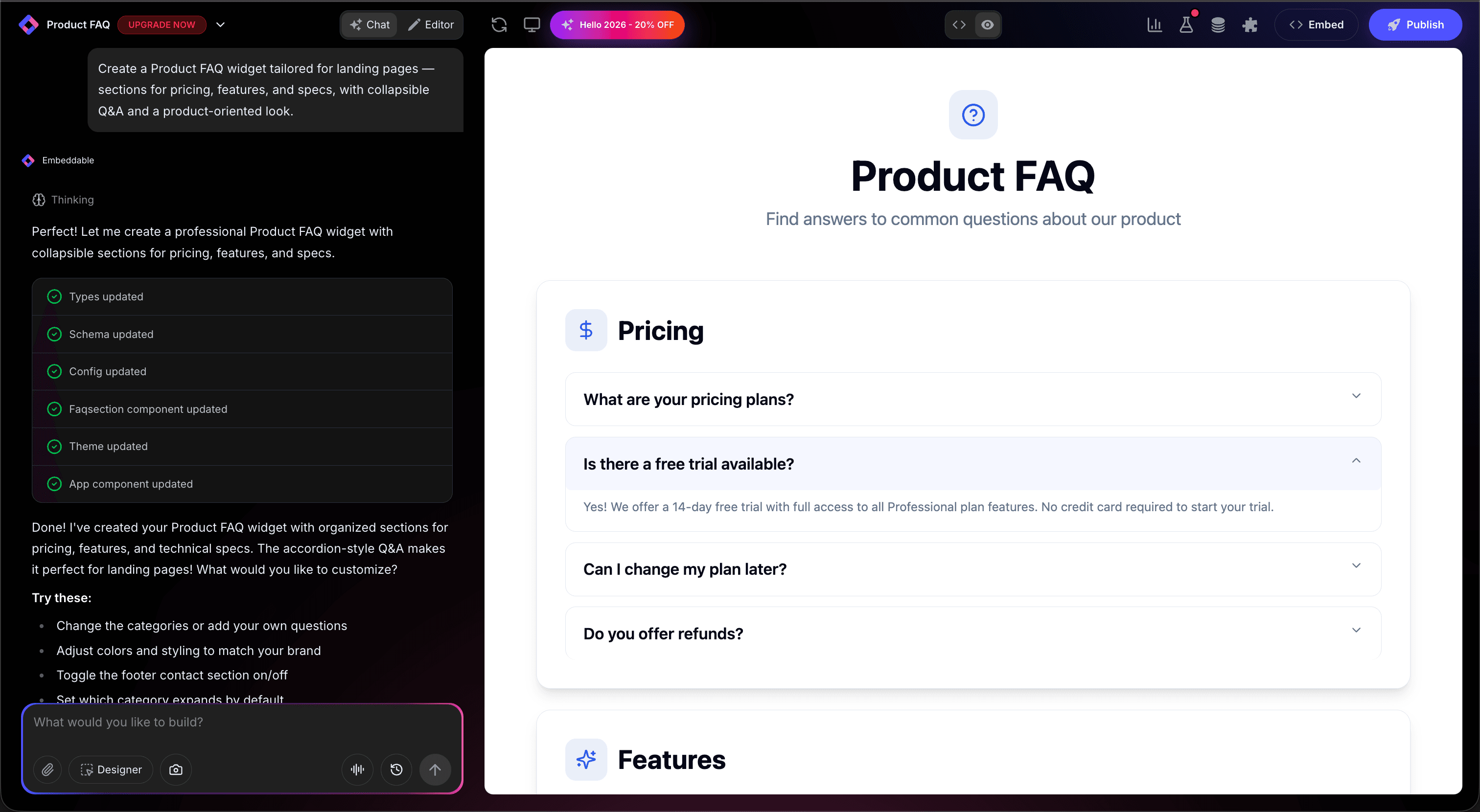
Step 4: Refine Your FAQ
Once the AI generates your FAQ, you can refine it through conversation:
- "Add a 'Was this helpful?' feedback button to each answer"
- "Include a 'Still have questions? Contact us' link at the bottom"
- "Make the search bar more prominent"
- "Add icons next to each category"
- "Expand the first question by default"
Each change happens instantly. The preview updates in real-time so you can see exactly how your FAQ will look and work.
You can also use Embeddable's visual editor to make adjustments yourself - change colors, adjust spacing, modify text, or tweak the layout.
Step 5: Test Your FAQ
Before embedding, thoroughly test your FAQ:
- Test Expand/Collapse: Click through all questions
- Test Search: Filter questions with search bar
- Check Categories: Verify organization is correct
- Verify Links: Test any links in answers
- Check Responsiveness: View on desktop, tablet, and mobile
The preview environment shows exactly how your FAQ will appear on your website, so you can catch any issues before going live.
Embedding Your FAQ on Any Website
Your custom FAQ works everywhere. Once you're happy with it, you'll get a simple embed code that works on:
- WordPress: Paste into any page or post
- Shopify: Add to product or help pages
- Wix / Squarespace: Embed in any section
- Custom websites: Add to any HTML page
The process is the same everywhere:
- Get Your Embed Code: Click "Publish" and copy the code snippet
- Paste Into Your Website: Add where you want the FAQ to appear
- Publish Your Page: The FAQ goes live immediately
Your FAQ automatically:
- Expands and collapses smoothly
- Filters with search functionality
- Adapts to different screen sizes (mobile, tablet, desktop)
- Loads fast without slowing down your page
- Updates instantly if you add questions
Types of FAQ Widgets You Can Build
The same process works for any FAQ style:
Accordion FAQ
Classic expand/collapse questions. Clean and compact.
Searchable FAQ
Search bar filters questions as you type.
Categorized FAQ
Questions organized by topic tabs.
Card FAQ
Questions displayed as clickable cards.
Inline FAQ
Questions expanded inline within content.
Start with a Template or Build from Scratch
Not sure where to start? Embeddable offers free FAQ templates you can customize:
- Simple Accordion - Classic expand/collapse FAQ
- Searchable FAQ - With instant search filtering
- Tabbed FAQ - Category-organized questions
- Card FAQ - Grid layout for visual browsing
- Floating Help - Persistent FAQ button
Choose a template that's close to what you need, then customize it with AI to match your exact requirements. It's the fastest way to get a professional FAQ on your site.
Why FAQs Reduce Support Costs
FAQ widgets are support machines for several reasons:
They're Self-Service: Visitors find answers without contacting you.
They're Available 24/7: Help is always accessible.
They Reduce Tickets: Common questions answered automatically.
They Build Confidence: Transparent information builds trust.
They Improve SEO: Questions match search queries.
Making Your FAQ More Powerful
Take your FAQ to the next level with these additions:
Feedback Buttons
"Was this helpful?" to identify which answers need improvement.
Analytics
Track which questions are clicked most.
Contact Fallback
"Still need help?" link to contact form.
Related Questions
Show related FAQs after each answer.
Rich Answers
Include images, videos, or links in answers.
Embeddable supports integrations with help desk software, analytics, and CRM systems.
Best Practices for FAQ Widgets
For maximum effectiveness:
- Keep Answers Concise: Get to the point quickly
- Use Customer Language: Write questions as visitors ask them
- Front-Load Popular Questions: Most-asked questions first
- Update Regularly: Keep answers current
- Make Contact Easy: Always provide a way to get human help
Ready to Build Your FAQ Widget?
That's it! No developers, no accordion libraries, no design skills needed. Just describe what you want and AI builds your custom FAQ in minutes.
Your FAQ widget will:
- Match your website's design perfectly
- Help visitors find answers instantly
- Work on every platform and device
- Reduce support tickets
- Update easily when you add questions
Ready to get started?
Option 1: Start with a Template Browse free FAQ templates and customize one to your needs.
Option 2: Build Custom with AI Head to Embeddable and describe your FAQ - the AI will build it in minutes.
Need More Widget Ideas?
More Tutorials:
- How to Build Custom Widgets for Your Website
- How to Build a Custom AI Chatbot for Your Website
- How to Build a WhatsApp Chat Button for Your Website
Start helping visitors help themselves with custom FAQs now!
Build Any Widget with AI in Seconds
Forms, calculators, quizzes, popups & any custom widget — describe it and AI builds it.
Try It FreeFree tier · No credit card