How to Build a Leaderboard Widget for Your Website in 2026

Want to add competition and gamification to your website? Whether it's sales rankings, quiz scores, fitness challenges, or community contests, I'll show you how to build a custom leaderboard widget in minutes - no coding required.
Leaderboards display rankings, scores, and achievements - motivating participation and driving engagement through friendly competition.
In this guide, I'll walk you through creating a custom leaderboard widget using AI. If you're new to building custom widgets, check out our complete guide on how to build custom widgets first.
Why Add Leaderboard Widgets to Your Website?
Leaderboard widgets serve powerful purposes:
- Drive Motivation: People strive to climb rankings
- Increase Engagement: Regular check-ins to see standings
- Recognize Achievement: Top performers get visibility
- Build Community: Shared competition creates connection
- Gamify Experiences: Make activities more fun and addictive
Sales teams use leaderboards, fitness apps track workout competitions, educational sites show quiz scores, communities recognize top contributors. Leaderboards tap into competitive psychology to drive engagement.
Building Your Custom Leaderboard with Embeddable AI
Creating a leaderboard with Embeddable's AI is incredibly straightforward. No coding, no complex sorting logic - just describe what you want and the AI builds it.
Step 1: Start with Your Leaderboard Concept
Before you begin, think about what your leaderboard needs:
- Ranking Metric: What determines position (points, sales, time, etc.)?
- Display Fields: Name, score, avatar, rank change?
- Styling: How to highlight top performers?
- Updates: Real-time or periodic?
- Interactivity: Search, filtering, user lookup?
For our example, we're building a sales team leaderboard showing top performers with scores and rank changes.
Step 2: Describe Your Leaderboard to the AI
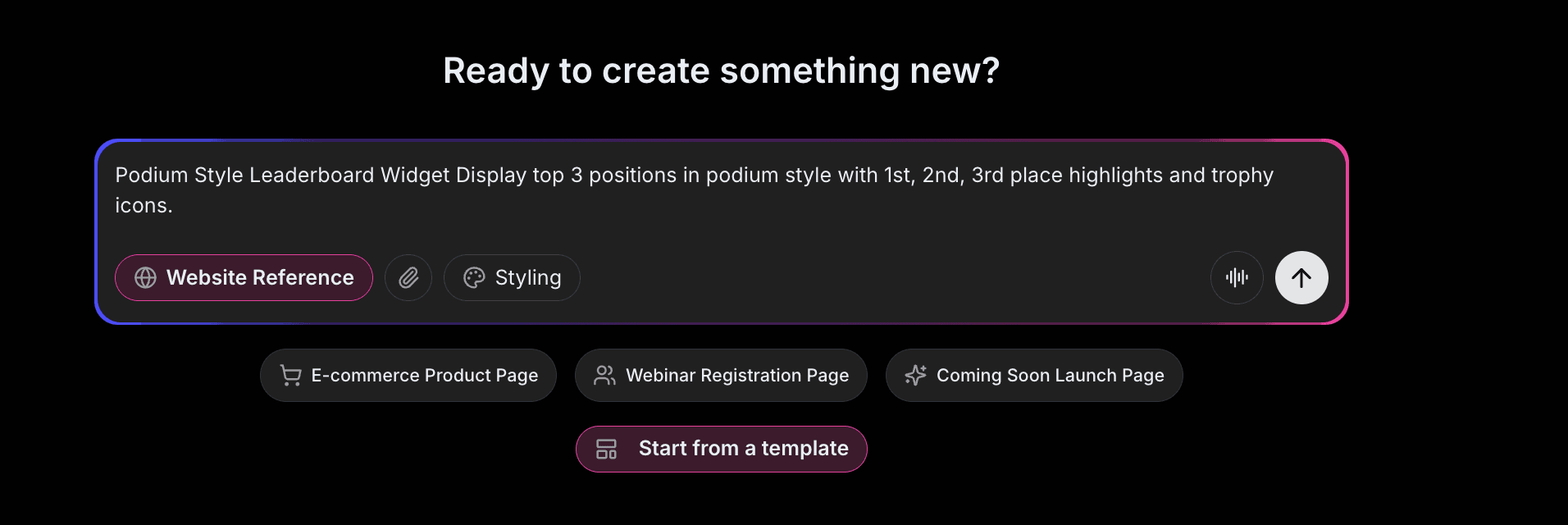
Open Embeddable and describe your leaderboard in natural language. Here's the exact prompt we'll use:
Build a leaderboard widget showing top 10 sales performers. Display rank, name, profile photo, and total sales amount. Highlight the top 3 with gold, silver, bronze styling. Include trend arrows showing rank changes from last week. Add a search to find specific people and pagination for full rankings.
That's it! The AI understands what you want and builds the complete leaderboard with:
- Ranked list with positions
- Profile photos and names
- Sales amounts formatted as currency
- Gold/silver/bronze highlighting
- Trend arrows for rank changes
- Search and pagination
Step 3: Provide Your Website URL for Design Analysis
Here's where the magic happens. Give Embeddable your website URL, and the AI will:
- Analyze your brand colors and apply them to the leaderboard
- Match your website's fonts and typography
- Style the rankings to feel native to your site
- Ensure the leaderboard integrates seamlessly
The result? A leaderboard that looks like it was built by your design team, not a third-party widget.
Step 4: Refine Your Leaderboard
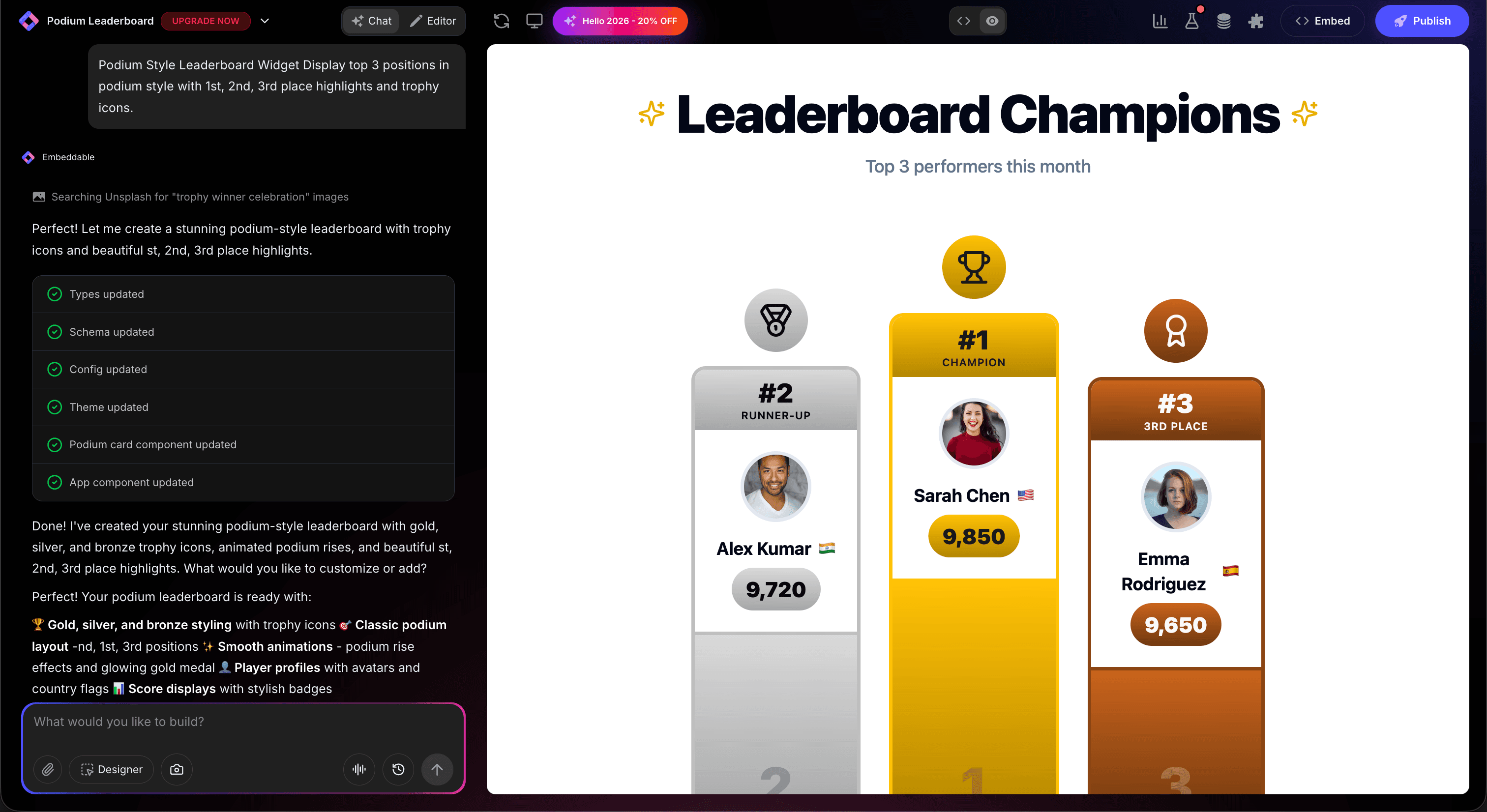
Once the AI generates your leaderboard, you can refine it through conversation:
- "Add time period filter (daily, weekly, monthly)"
- "Show 'Your Position' highlight for logged-in users"
- "Include achievement badges next to top performers"
- "Add animated confetti when viewing the #1 spot"
- "Show team totals alongside individual rankings"
Each change happens instantly. The preview updates in real-time so you can see exactly how your leaderboard will look and work.
You can also use Embeddable's visual editor to make adjustments yourself - change colors, adjust spacing, modify text, or tweak the layout.
Step 5: Test Your Leaderboard
Before embedding, thoroughly test your leaderboard:
- Verify Rankings: Ensure sorting is correct
- Test Search: Find people by name
- Check Updates: Verify data refreshes properly
- Test Responsiveness: View on desktop, tablet, and mobile
- Validate Styling: Ensure top positions are highlighted correctly
The preview environment shows exactly how your leaderboard will appear on your website, so you can catch any issues before going live.
Embedding Your Leaderboard on Any Website
Your custom leaderboard works everywhere. Once you're happy with it, you'll get a simple embed code that works on:
- WordPress: Paste into any page or post
- Shopify: Add to community or contest pages
- Wix / Squarespace: Embed in any section
- Custom websites: Add to any HTML page
The process is the same everywhere:
- Get Your Embed Code: Click "Publish" and copy the code snippet
- Paste Into Your Website: Add where you want the leaderboard to appear
- Publish Your Page: The leaderboard goes live immediately
Your leaderboard automatically:
- Sorts and ranks entries correctly
- Adapts to different screen sizes (mobile, tablet, desktop)
- Loads fast without slowing down your page
- Works with all major browsers
- Updates when scores change
Types of Leaderboards You Can Build
The same process works for any ranking display:
Sales & Business
- Sales team rankings
- Partner performance boards
- Affiliate standings
- Revenue leaderboards
Education
- Quiz score rankings
- Course completion leaders
- Participation points
- Grade rankings
Fitness & Sports
- Workout challenge standings
- Step competition boards
- Race results
- Tournament rankings
Gaming & Contests
- High score tables
- Tournament brackets
- Prediction accuracy
- Achievement boards
Community
- Top contributors
- Most helpful members
- Content creator rankings
- Volunteer recognition
Start with a Template or Build from Scratch
Not sure where to start? Embeddable offers free leaderboard templates you can customize:
- Sales Leaderboard - Revenue and deals tracking
- Quiz Scoreboard - Points-based ranking
- Fitness Challenge - Workout competition board
- Community Leaders - Contributor recognition
- Tournament Standings - Competition results
Choose a template that's close to what you need, then customize it with AI to match your exact requirements. It's the fastest way to get a professional leaderboard on your site.
Why Leaderboards Drive Engagement
Leaderboards are engagement machines for several reasons:
They Tap into Competition: Humans are naturally competitive - rankings motivate improvement.
They Provide Recognition: Public acknowledgment rewards top performers.
They Create Goals: A visible target (moving up) gives people something to work toward.
They Build Community: Shared competition creates bonds between participants.
They're Addictive: The desire to see rankings keeps people coming back.
Making Your Leaderboard More Powerful
Take your leaderboard to the next level with these additions:
Time Period Filters
Show daily, weekly, monthly, and all-time rankings.
User Position
Highlight where the current viewer stands, even if not in top 10.
Achievement Badges
Award badges for milestones, streaks, or special achievements.
Team Competitions
Show team totals alongside individual rankings.
Social Sharing
Let leaders share their ranking on social media.
Real-Time Updates
Connect to live data sources for instant score updates.
Embeddable supports integrations to connect your leaderboard with CRM, analytics, and data sources.
Ready to Build Your Leaderboard?
That's it! No developers, no complex sorting logic, no design skills needed. Just describe what you want and AI builds your custom leaderboard in minutes.
Your leaderboard will:
- Match your website's design perfectly
- Rank and display scores correctly
- Work on every platform and device
- Motivate participation and engagement
- Update easily as scores change
Ready to get started?
Option 1: Start with a Template Browse free leaderboard templates and customize to your needs.
Option 2: Build Custom with AI Head to Embeddable and describe your leaderboard - the AI will build it in minutes.
Need More Widget Ideas?
More Tutorials:
- How to Build Custom Widgets for Your Website
- How to Build a Custom Quiz for Your Website
- How to Create Custom Charts for Your Website
Start gamifying your website with custom leaderboards now!
Build Any Widget with AI in Seconds
Forms, calculators, quizzes, popups & any custom widget — describe it and AI builds it.
Try It FreeFree tier · No credit card