How to Build a Timeline Widget for Your Website in 2026

Want to showcase your company history, project milestones, or event schedule? Whether it's a brand story, product roadmap, or career timeline, I'll show you how to build a custom timeline widget in minutes - no coding required.
Timelines are powerful storytelling tools that present information in a clear, engaging chronological format. They keep visitors engaged and help them understand your journey.
In this guide, I'll walk you through creating a custom timeline widget using AI. If you're new to building custom widgets, check out our complete guide on how to build custom widgets first.
Why Add Timeline Widgets to Your Website?
Timeline widgets serve powerful purposes:
- Tell Your Story: Show how your company or product evolved
- Build Credibility: Demonstrate experience and track record
- Engage Visitors: Interactive timelines keep people on your site
- Organize Information: Present complex histories clearly
- Share Roadmaps: Communicate future plans and milestones
Company "About" pages use timelines, product teams share roadmaps, event sites show schedules. Timelines make chronological information digestible and engaging.
Building Your Custom Timeline with Embeddable AI
Creating a timeline with Embeddable's AI is incredibly straightforward. No coding, no complex layouts - just describe what you want and the AI builds it.
Step 1: Start with Your Timeline Concept
Before you begin, think about what your timeline needs to show:
- Content: What events or milestones to include?
- Layout: Vertical, horizontal, or alternating?
- Details: Dates, titles, descriptions, images?
- Interactivity: Click to expand? Scroll animations?
For our example, we're building a company history timeline with key milestones from founding to present.
Step 2: Describe Your Timeline to the AI
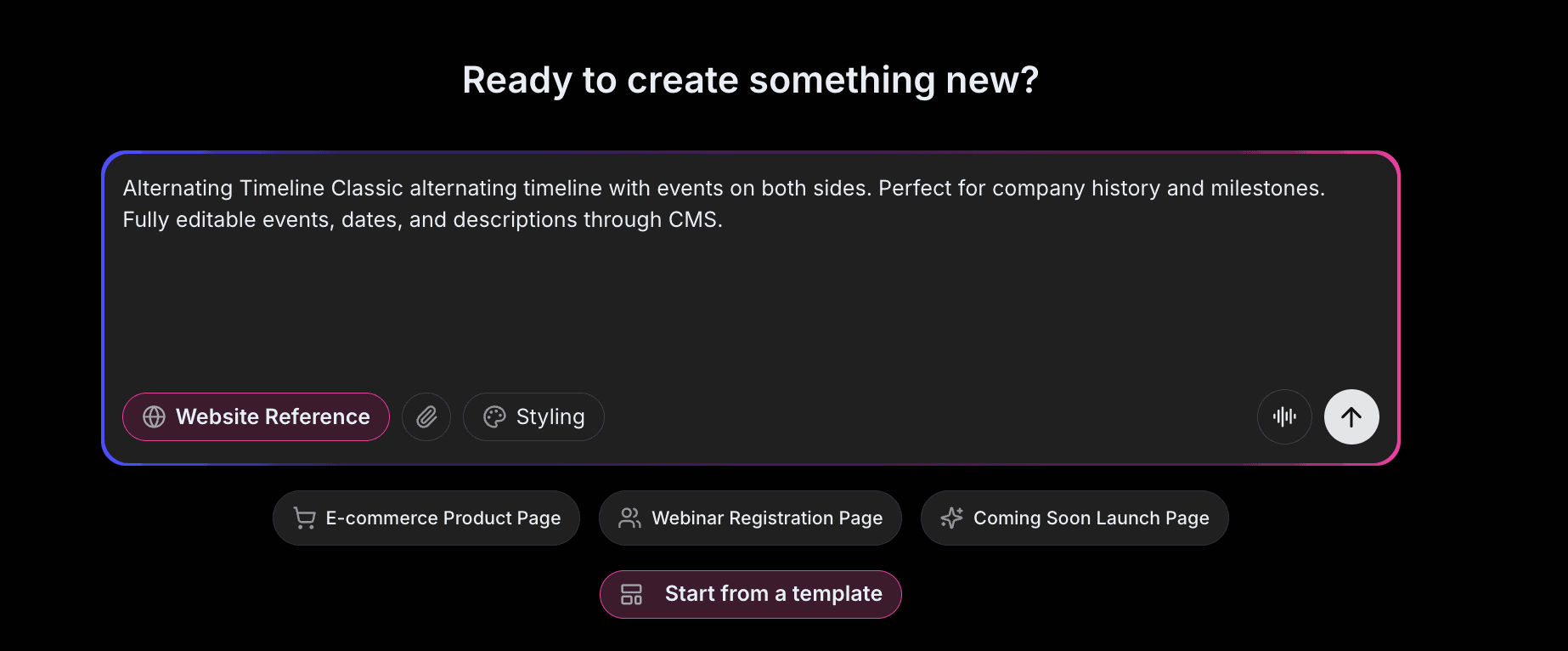
Open Embeddable and describe your timeline in natural language. Here's the exact prompt we'll use:
Build a vertical company history timeline with alternating left and right entries. Include these milestones: 2018 - Founded in San Francisco, 2019 - First 1000 customers, 2020 - Series A funding, 2021 - International expansion, 2022 - 1 million users, 2023 - Product of the Year award. Each entry should have a date, title, and description with a connecting line between them.
That's it! The AI understands what you want and builds the complete timeline with:
- Alternating layout for visual interest
- Date markers with connecting lines
- Title and description for each milestone
- Smooth scroll animations
- Professional styling
Step 3: Provide Your Website URL for Design Analysis
Here's where the magic happens. Give Embeddable your website URL, and the AI will:
- Analyze your brand colors and apply them to the timeline
- Match your website's fonts and typography
- Style the timeline markers and connectors to feel native
- Ensure the timeline integrates seamlessly with your site
The result? A timeline that looks like it was built by your design team, not a third-party widget.
Step 4: Refine Your Timeline
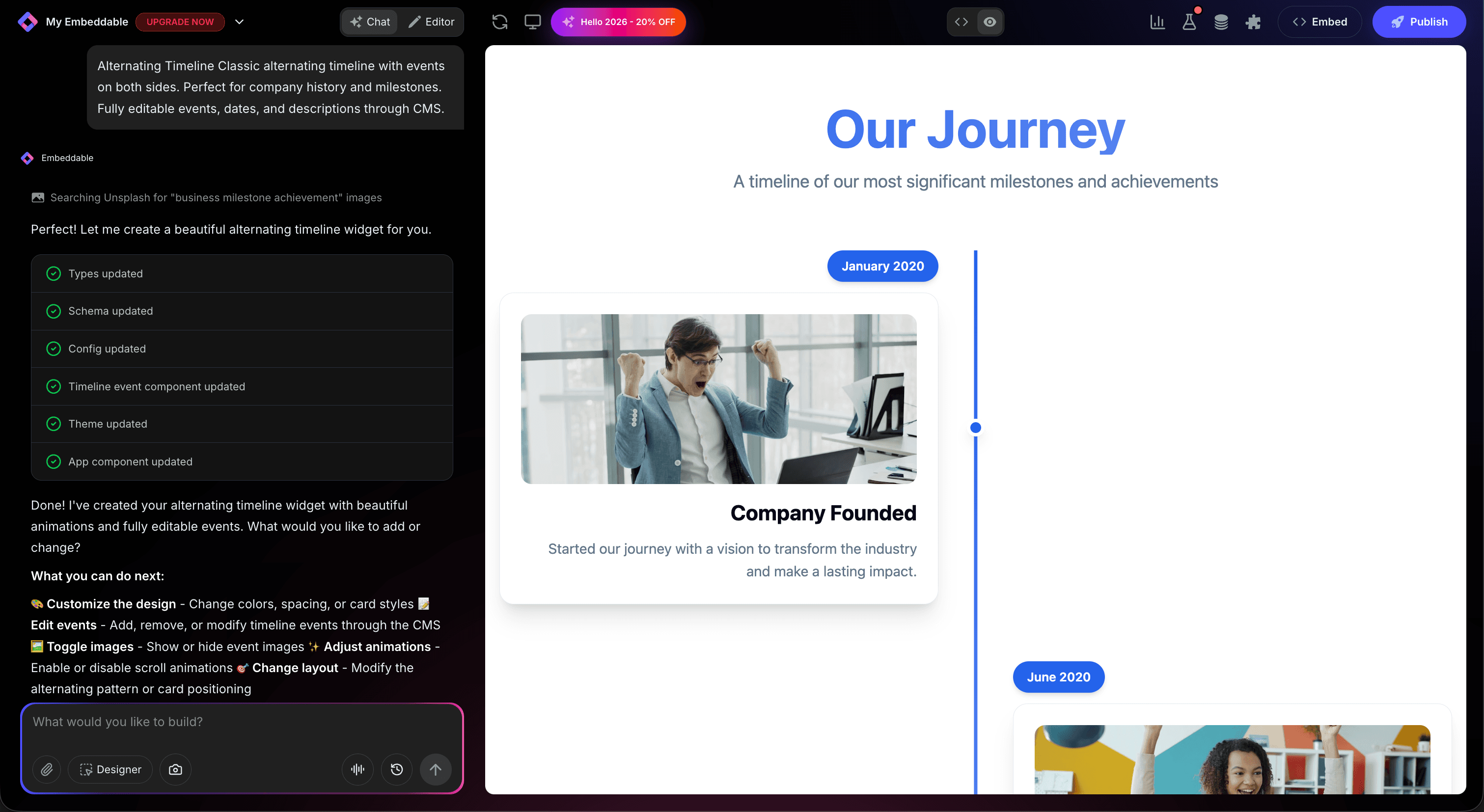
Once the AI generates your timeline, you can refine it through conversation:
- "Add icons for each milestone type (product, funding, growth)"
- "Include company photos for each year"
- "Make entries expand on click for more details"
- "Add animation as visitors scroll down the page"
- "Include a 'Future' section showing upcoming plans"
Each change happens instantly. The preview updates in real-time so you can see exactly how your timeline will look and work.
You can also use Embeddable's visual editor to make adjustments yourself - change colors, adjust spacing, modify text, or tweak the layout.
Step 5: Test Your Timeline
Before embedding, thoroughly test your timeline:
- Check Content: Verify all dates and descriptions are correct
- Test Interactions: Click through any expandable sections
- Verify Animations: Ensure scroll animations work smoothly
- Check Responsiveness: View on desktop, tablet, and mobile
- Validate Layout: Ensure timeline displays properly at all sizes
The preview environment shows exactly how your timeline will appear on your website, so you can catch any issues before going live.
Embedding Your Timeline on Any Website
Your custom timeline works everywhere. Once you're happy with it, you'll get a simple embed code that works on:
- WordPress: Paste into any page or post
- Shopify: Add to About pages or landing pages
- Wix / Squarespace: Embed in any section
- Custom websites: Add to any HTML page
The process is the same everywhere:
- Get Your Embed Code: Click "Publish" and copy the code snippet
- Paste Into Your Website: Add where you want the timeline to appear
- Publish Your Page: The timeline goes live immediately
Your timeline automatically:
- Adapts to different screen sizes (mobile, tablet, desktop)
- Loads fast without slowing down your page
- Works with all major browsers
- Updates instantly if you make changes
Types of Timelines You Can Build
The same process works for any type of timeline:
Company Timelines
- Founding story and history
- Growth milestones
- Awards and achievements
- Team expansion
Product Roadmaps
- Feature releases
- Upcoming development
- Version history
- Future plans
Project Timelines
- Project phases
- Milestone tracking
- Delivery schedules
Event Timelines
- Conference agendas
- Course curricula
- Program schedules
Personal/Career Timelines
- Work history
- Educational journey
- Achievement timeline
Start with a Template or Build from Scratch
Not sure where to start? Embeddable offers free timeline templates you can customize:
- Company History - Classic milestone timeline
- Product Roadmap - Future-focused planning timeline
- Project Timeline - Phase-based project display
- Event Schedule - Conference or event agenda
- Career Timeline - Professional journey showcase
Choose a template that's close to what you need, then customize it with AI to match your exact requirements. It's the fastest way to get a professional timeline on your site.
Why Timelines Engage Visitors
Timelines are engagement machines for several reasons:
They Tell Stories: Humans are wired for narrative. Timelines present information as a journey.
They Show Progress: Visible growth and achievements build trust and credibility.
They're Scannable: Visitors can quickly find specific dates or events.
They're Visual: Connected entries and markers are more engaging than bullet lists.
They Provide Context: Events make more sense when shown in relation to each other.
Making Your Timeline More Powerful
Take your timeline to the next level with these additions:
Multimedia Entries
Add images, videos, or documents to timeline entries for richer storytelling.
Filtering
Let visitors filter timeline by category, year, or type.
Search
Add search functionality for long timelines.
Interactive Details
Click-to-expand entries with additional information.
Progress Indicators
Show current position or completion status.
Embeddable supports integrations to connect your timeline with CMS systems, analytics, and more.
Ready to Build Your Timeline?
That's it! No developers, no complex layouts, no design skills needed. Just describe what you want and AI builds your custom timeline in minutes.
Your timeline will:
- Match your website's design perfectly
- Display your milestones beautifully
- Work on every platform and device
- Engage visitors with your story
- Update easily when you add new events
Ready to get started?
Option 1: Start with a Template Browse free timeline templates and customize one to your needs.
Option 2: Build Custom with AI Head to Embeddable and describe your timeline - the AI will build it in minutes.
Need More Widget Ideas?
More Tutorials:
- How to Build Custom Widgets for Your Website
- How to Create Custom Charts for Your Website
- How to Create a Number Counter for Your Website
Start showcasing your journey with custom timelines now!
Build Any Widget with AI in Seconds
Forms, calculators, quizzes, popups & any custom widget — describe it and AI builds it.
Try It FreeFree tier · No credit card