Best Before After Slider Widgets for Websites 2026

A before after slider is one of the most persuasive visual tools you can add to a website. Whether you are a photographer showing a retouching transformation, a home renovation company displaying the impact of your work, a skincare brand demonstrating product results, or a SaaS company contrasting old and new interfaces, an image comparison widget communicates change faster and more convincingly than words alone.
The numbers back this up. Studies consistently show that visual content is processed 60,000 times faster by the human brain than text, and interactive visuals drive higher engagement and longer time on page. When visitors can physically drag a handle across two images, they become active participants in your story rather than passive readers. That interactivity builds trust and retention in ways that static images simply cannot.
In 2026, the market for before and after widgets is competitive. There are purpose-built tools, broad widget suites, form builders that have branched into interactive content, and no-code platforms that can handle virtually any component you need. This post breaks down the six best options available today, with a close look at each tool's features, pricing, and best use cases, so you can choose the right image slider widget for your specific situation.
What Makes a Great Before After Slider Widget?
Before diving into the tools, it helps to establish what separates a good before after slider from a mediocre one. Here is what you should look for:
Drag and touch interaction. A quality image comparison widget needs to support both mouse drag on desktop and touch swipe on mobile. Visitors on phones represent a majority of web traffic in most industries, so a slider that only works on desktop is already half-broken.
Customization options. The widget should fit your brand, not force you into a template look. You need control over the divider style, handle design, label text, orientation (horizontal or vertical), and overlay colors.
Ease of setup. The best tools generate a simple embed code that you paste into any page, no developer required. If you are on WordPress, Shopify, Webflow, Squarespace, or another popular platform, the widget should work seamlessly.
Performance. Image comparison widgets can be image-heavy by nature. The tool should support lazy loading and responsive sizing so it does not slow down your page.
Additional widget support. If you are already investing time in a platform, it makes sense to choose one that offers other useful widgets beyond just the before and after slider, so you are not managing five different third-party accounts.
Pricing transparency. Hidden fees and feature paywalls are frustrating. The best tools are upfront about what you get on each tier.
With those criteria in mind, here are the six best before after slider widgets for websites in 2026.
1. Embeddable
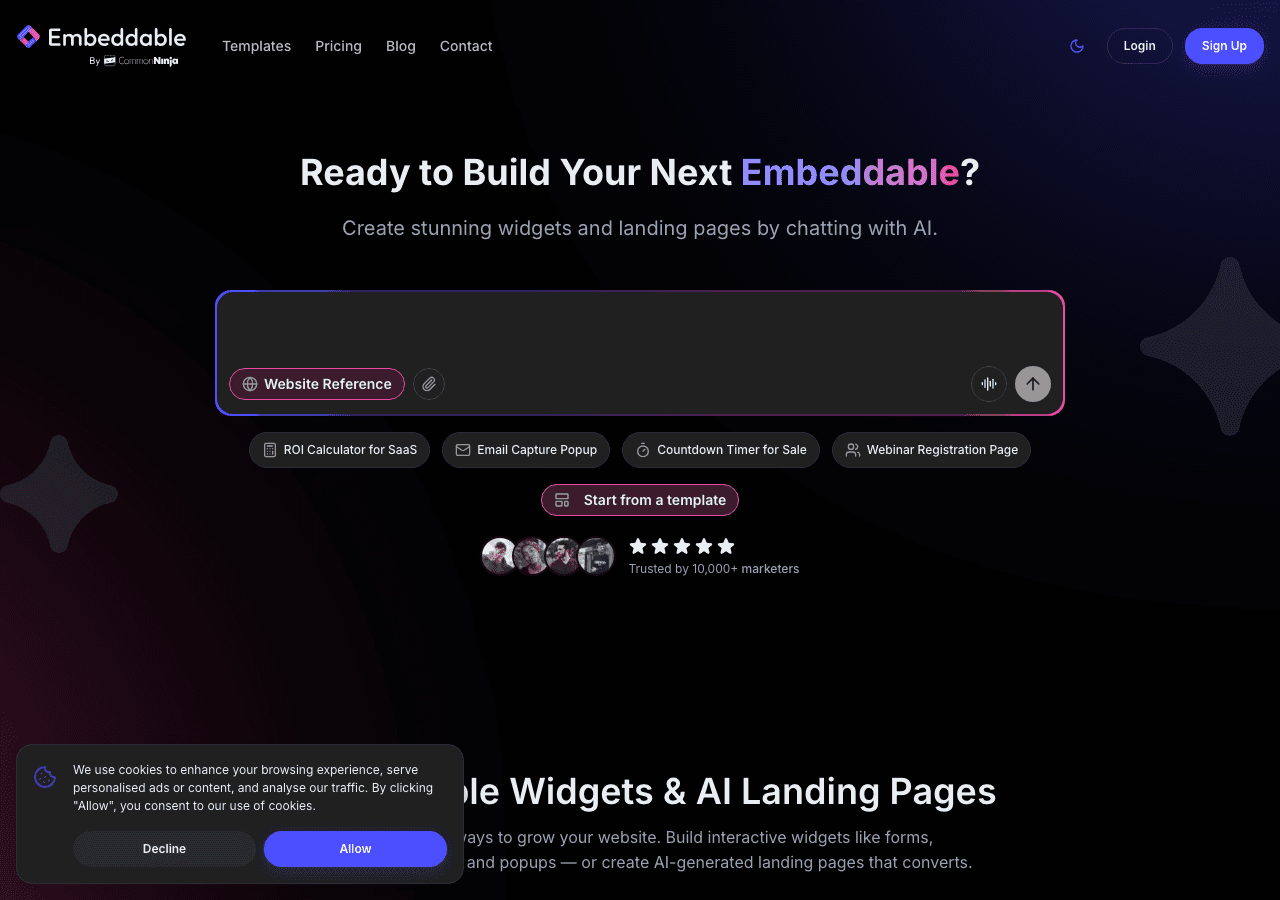
Embeddable is the top choice for anyone who wants maximum flexibility, a clean no-code builder, and a before and after widget that actually looks polished on any website. Unlike single-purpose slider plugins, Embeddable is a full widget-building platform that lets you create interactive components across dozens of categories, including the before after slider, from a single account.
The before after slider on Embeddable gives you complete control over how the comparison looks and behaves. You can upload your own images, set custom labels for each side, choose between horizontal and vertical split orientations, adjust the divider handle style, and control the initial position of the slider on page load. Everything is configured through a visual no-code editor, so there is no coding involved at any step.
What separates Embeddable from other tools in this list is how well it integrates with the rest of your website strategy. Once you build your image comparison widget, you get a simple embed code that works on WordPress, Webflow, Shopify, Squarespace, Framer, Wix, and virtually any other platform. If you want to combine the before after slider with a lead capture form, a testimonial section, or a quiz, you can do that within the same platform without paying for additional tools.
Embeddable also connects to popular marketing and analytics integrations including Google Analytics, HubSpot, Mailchimp, Google Sheets, and more, which means any interaction data from your widgets flows into the systems you already use. You can learn more about available integrations in the Embeddable integrations documentation.
The builder supports responsive design out of the box. Your before and after widget will adapt to any screen size without additional configuration, keeping it touch-friendly on mobile and sharp on large desktop monitors.
For teams and agencies building widgets across multiple client sites, Embeddable offers a straightforward workflow for creating, publishing, and updating widgets independently of any specific platform. Updates go live without touching the underlying website code, which is a significant time saver.
Key Features:
- Visual no-code editor for building the before after slider
- Horizontal and vertical orientation options
- Custom labels, handle styles, and initial slider position
- Embed on any website platform with a single code snippet
- Integrations with Google Analytics, HubSpot, Mailchimp, Google Sheets, and more
- Responsive and mobile touch-compatible
- Access to dozens of additional widget types from one account
Pricing: Embeddable offers a free plan that lets you build and embed widgets with core features included. Paid plans unlock advanced customization, more widgets, and priority support.
Verdict: Embeddable is the best all-around before after slider widget for websites in 2026. It combines genuine design flexibility, a clean editing experience, strong platform compatibility, and a broader widget ecosystem that makes it the smartest long-term investment for any website owner or agency.
Build your before after slider for free
2. Common Ninja
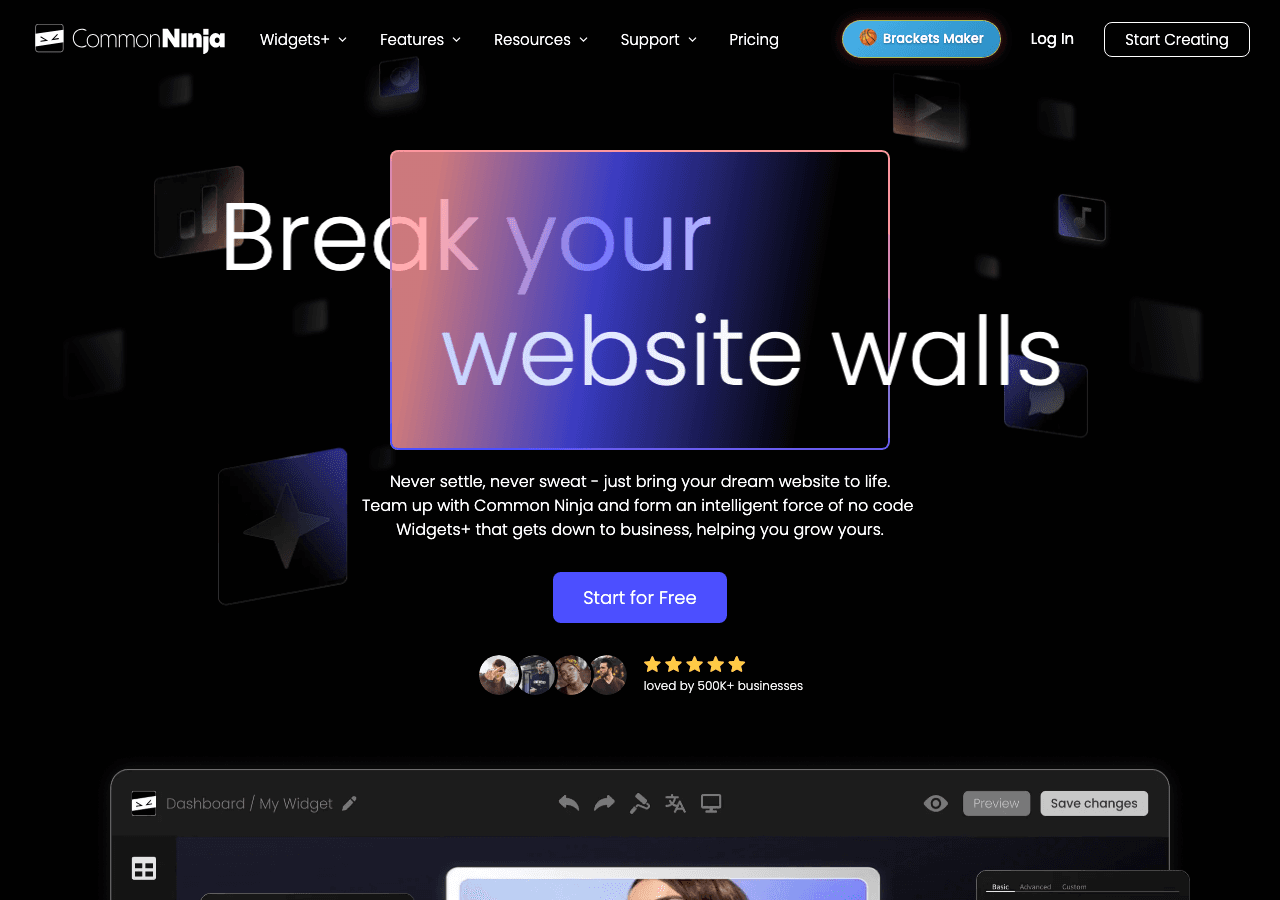
Common Ninja is a widget platform that offers over 100 widgets for websites, and its before and after slider is one of the more capable purpose-built options in the market. The Common Ninja before after slider supports drag interaction, touch support for mobile, and a decent set of customization controls including label text, divider color, handle shape, and initial split position.
Common Ninja works across most major platforms including WordPress, Shopify, Wix, Squarespace, and Webflow. The installation process involves either a direct plugin install on supported platforms or pasting an embed code into your page. Setup is generally quick, and you do not need technical expertise to get a widget live.
The platform has a free plan available for all its widgets. When you cancel a paid plan, your widgets revert to the free tier rather than going offline, which is a reasonable policy for users who want to try paid features without risk. For businesses that need multiple widget types, Common Ninja offers a subscription that covers its entire widget library rather than charging per widget category.
Built-in analytics help you track views and interactions, and the platform includes a no-code editor for managing widget appearance. The API access on higher plans is useful for developers who want programmatic control.
Key Features:
- Before and after slider with drag and touch support
- Customizable labels, handles, and divider styling
- Embeds on most major CMS and website platforms
- Built-in analytics
- Free plan available
- Covers 100-plus widget types in one subscription
Pricing: Free plan available. Paid plans vary by tier; premium features are restored on active paid subscriptions.
Verdict: Common Ninja is a solid second choice, especially if you want access to a wide library of widget types under one account. The before after slider is well-built and the free plan gives you a low-risk starting point.
3. Elfsight
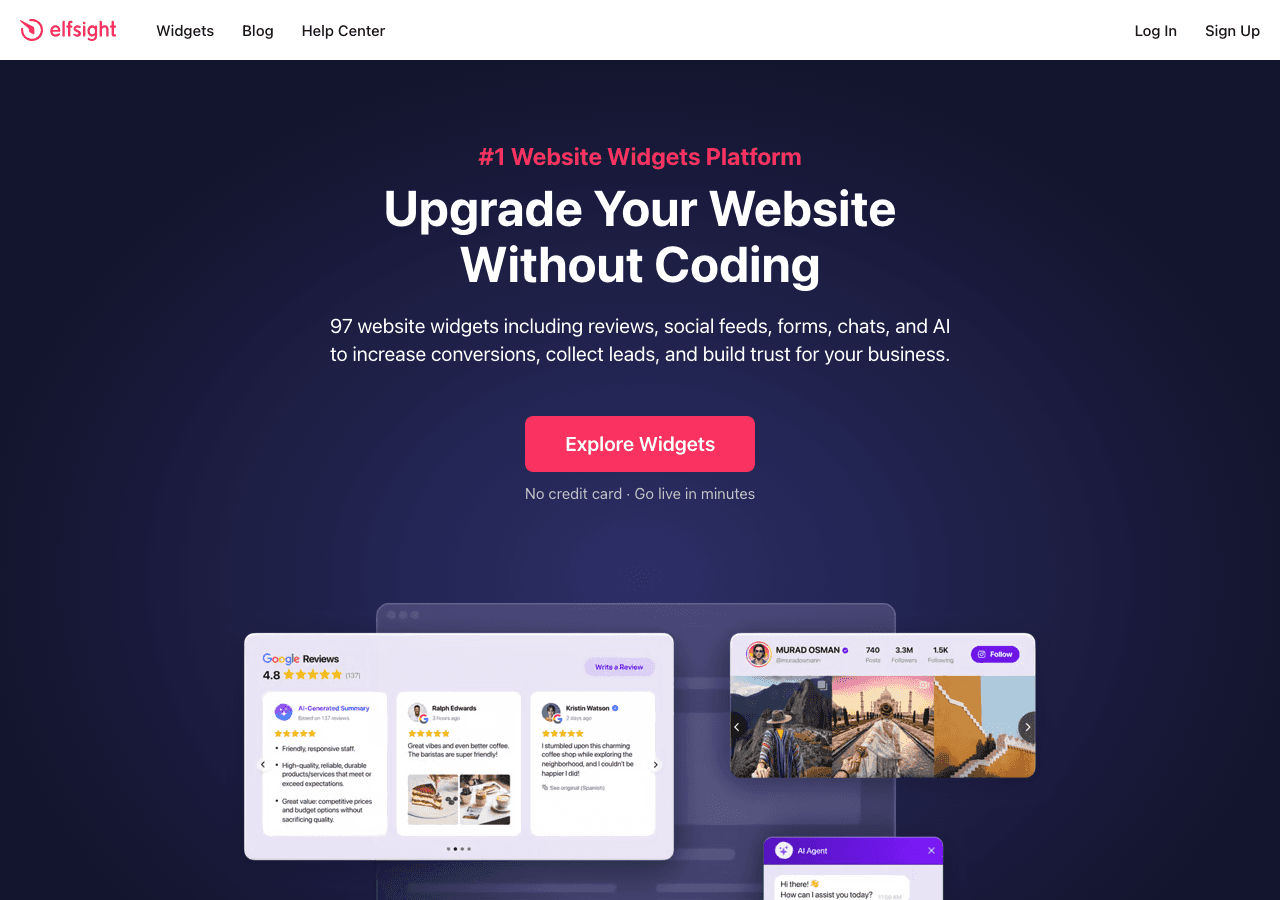
Elfsight is a popular widget marketplace with a dedicated before and after slider that has been used on millions of websites. The Elfsight image comparison widget is clean, lightweight, and straightforward to configure. You pick your images, set your labels, adjust the divider style, and grab the embed code.
Elfsight's primary strength is simplicity. If you need a before after slider up and running in under ten minutes with minimal configuration, Elfsight will get you there. The widget is mobile-responsive and supports touch interaction. The editor is basic but functional, covering the most common customization needs without overwhelming new users.
Elfsight offers a free plan with unlimited time, meaning you can use the widget indefinitely at no cost, though the free tier includes Elfsight branding and has view limits. Paid plans remove branding and increase view allowances. The pricing is transparent and relatively affordable for small to medium websites.
One limitation is that Elfsight is a single-widget marketplace model, so if you want multiple widget types, you are either purchasing them separately or subscribing to a bundle plan. The depth of customization on the before after slider is also more limited compared to Embeddable, particularly when it comes to layout control, integration hooks, and cross-widget functionality.
Key Features:
- Simple image comparison widget setup
- Mobile-responsive and touch-compatible
- Custom labels and divider styling
- Free plan with unlimited time
- Wide platform compatibility via embed code
Pricing: Free plan available. Paid plans start at a low monthly rate with options to save on annual billing.
Verdict: Elfsight is a good option if you need a quick, no-fuss before after slider and do not require deep customization or integrations. It works well for small businesses, bloggers, and freelancers who want something live fast.
4. Involve.me
Involve.me is an interactive content platform focused primarily on quizzes, calculators, forms, and surveys. It does support image sliders and before and after style content within its builder, though the before after slider is not its primary widget type. The platform is better known for interactive flows than for standalone image comparison widgets.
Where Involve.me shines is in combining interactive elements. If you want to show a before and after transformation and then immediately follow it with a quiz or lead capture form, Involve.me gives you a multi-step format that ties those experiences together. This can be effective for product discovery flows, fitness program demonstrations, or service business showcases.
The editor is visual and no-code, and the resulting projects can be embedded on any website. The platform offers analytics, integrations with marketing tools, and a reasonable set of customization options across its content types.
The before after slider within Involve.me is functional but not as feature-rich as dedicated slider tools. If your primary goal is a polished, standalone image comparison widget, you will find more control elsewhere. But if you want the slider as part of a broader interactive experience, Involve.me is worth considering.
Key Features:
- Before and after content within multi-step interactive flows
- No-code visual builder
- Lead capture and quiz integration
- Analytics and marketing tool integrations
- Embed on any website
Pricing: Free trial available. Paid plans start at mid-range pricing for individual users and scale up for business and enterprise needs.
Verdict: Involve.me is a reasonable choice if you want to embed a before and after demonstration within a larger interactive content experience. It is less ideal if you just need a clean, standalone image slider widget.
5. Outgrow
Outgrow is an interactive content platform that focuses primarily on calculators, quizzes, recommendations, and chatbots for lead generation. Like Involve.me, it is not a dedicated before after slider tool, but its interactive content builder can incorporate visual comparisons and before and after style demonstrations within larger content flows.
The platform is built around converting visitors into leads through interactive experiences, and it has a strong track record for that use case. If your before and after comparison is tied to a product recommendation or a calculator result, Outgrow can combine those elements into a single seamless flow.
However, Outgrow is priced at a higher tier than most other tools on this list, with plans aimed at marketing teams and growth-focused businesses. The free trial lets you test the platform, but ongoing use requires a paid subscription. For a business that just wants a simple image comparison widget, Outgrow's pricing and complexity may be more than necessary.
Key Features:
- Interactive content builder with visual demonstration capabilities
- Lead capture integrations
- Analytics and CRM connections
- Suited for combining comparisons with calculators or recommendations
Pricing: Free trial available. Paid plans start at approximately $22 per month and scale significantly for higher tiers.
Verdict: Outgrow is best suited for marketing teams that want to embed before and after content as part of a larger lead generation funnel. It is overkill for a standalone image comparison widget and the pricing reflects its broader platform positioning.
6. Jotform
Jotform is primarily known as a form builder, but its platform has expanded considerably to include a range of interactive content types through its app builder and widget marketplace. Jotform does not offer a dedicated before after slider as a core feature, but its widget library and app builder give users some flexibility to incorporate image comparisons into their forms and pages.
The primary use case where Jotform makes sense in this context is when you need a before and after demonstration as part of a form flow, perhaps a client intake form where a before photo is submitted and displayed alongside a service result. For pure image comparison widget needs, Jotform is not the natural first choice.
Jotform's strengths are its extensive form functionality, conditional logic, file upload handling, and integrations. For businesses that already rely heavily on Jotform for their operations and want to add visual comparison elements within that ecosystem, it is worth exploring what the platform's current widget library can offer.
Key Features:
- Broad form building and automation capabilities
- Widget library with third-party embeds
- File upload and image handling within forms
- Strong integration ecosystem
Pricing: Jotform offers a free plan with limits on form submissions and storage. Paid plans scale by usage volume.
Verdict: Jotform is not a dedicated before after slider tool and should not be your first stop for an image comparison widget. It is most relevant if you need image comparison within a form or data collection context.
Quick Comparison Table
| Tool | Before After Slider | Mobile Touch | No-Code Editor | Free Plan | Best For |
|---|---|---|---|---|---|
| Embeddable | Dedicated, feature-rich | Yes | Yes | Yes | All-around best choice |
| Common Ninja | Dedicated, solid | Yes | Yes | Yes | Wide widget library needs |
| Elfsight | Dedicated, simple | Yes | Yes | Yes | Quick setup, small sites |
| Involve.me | Within interactive flows | Yes | Yes | Trial | Multi-step interactive content |
| Outgrow | Within content flows | Yes | Yes | Trial | Lead gen funnels |
| Jotform | Via widget library | Yes | Partial | Yes | Form-based image comparison |
Which Should You Choose?
The right tool depends on what you are trying to accomplish and the broader context of your website.
If you want the most capable, flexible, and future-proof before after slider widget available today, Embeddable is the clear choice. Its dedicated image comparison widget is built with real customization depth, and the platform's broader capabilities mean you are not locked into a single-purpose tool as your needs evolve. The free plan makes it easy to start without commitment, and the embed code works on every major website platform. If you are building a custom widget for your website, Embeddable gives you the range to create far more than just a slider.
If you need a wide variety of widget types and want a single subscription that covers everything, Common Ninja is the best runner-up. Its before and after slider is solid, the free plan is genuinely usable, and the library of 100-plus widgets is an advantage if you plan to add other components to your site.
If speed is your top priority and you need something live in under ten minutes without any configuration complexity, Elfsight will do the job. The free plan works well for low-traffic sites, and the paid tiers are affordable.
If your before and after comparison is part of a multi-step interactive experience that also captures leads or delivers personalized recommendations, Involve.me or Outgrow deserve a look, though both will cost more and require more setup time.
If you are already a Jotform power user and need image comparison within a form flow, explore the widget library, but for a standalone before after slider, look elsewhere.
Conclusion
A well-designed before after slider can be one of the highest-performing visual elements on your website. It gives visitors a hands-on way to understand your product's impact, your service's results, or your creative work, without reading a word of copy. In 2026, the tools available to build these widgets are better than ever, ranging from quick drop-in solutions to fully customizable no-code builders.
Embeddable stands out as the best before after slider widget platform available this year. Its combination of design control, ease of use, platform compatibility, and broader widget ecosystem makes it the smartest long-term investment for businesses, agencies, and creators who want interactive components that actually work. The free plan means there is no risk in trying it today.
Start building your before after slider for free
If you found this post useful, you may also want to explore related guides. Our walkthrough on how to build a before after slider for your website covers the step-by-step process in detail. If you are thinking about adding other interactive widgets alongside your image comparison tool, the posts on best interactive content tools for websites and how to increase website engagement with custom widgets are worth reading. You can also browse the full Embeddable widget library to see everything you can build and embed for free.
Build Any Widget with AI in Seconds
Forms, calculators, quizzes, popups & any custom widget — describe it and AI builds it.
Try It FreeFree tier · No credit card