Online scratch card maker – make digital scratch cards (No Code)
Create free digital scratch cards online in minutes with AI. Build interactive scratch-to-reveal games, discount codes, prize giveaways, and promotional campaigns. The easiest free scratch card maker — fully customizable, mobile-friendly, embed on any website. No coding needed.
Free for your first widget · No credit card · 20,000+ widgets made
Scratch Card Widget Templates
Pick a template and change it with AI. Or start from scratch and build exactly what you need.
Classic Scratch Card
Traditional scratch card with realistic scratch effect. Perfect for discount reveals and prize games. Fully editable through CMS.
Discount Scratch Card
Scratch card optimized for discount code reveals. Collect emails before revealing codes. Fully customizable.
New Year Prize Scratch Card
Navy and gold New Year scratch card with confetti that reveals a prize code.
12 Days of Deals
Grid of 12 holiday scratch cards, one unlocking each day from 13 to 24 December, each with its own deal.
Christmas Gift Scratch Card
Festive gift-wrapped scratch card with falling snow that reveals a holiday discount code.
Black Friday Mystery Deal
Black and gold Black Friday scratch card that reveals a discount code with copy and shop buttons.
How to make an online scratch card in 5 steps
Your first widget is free and needs no credit card. The Free plan has 25 messages a month and an Embeddable badge. Starter is $25/month and removes the badge. Five steps take you from an idea to a card on your site.
- 1Describe your card in the AI builderSay what you want in plain English. Example: A scratch card that shows a discount code and asks for an email first. You don't write any code.
- 2Pick a template or start from your promptChoose a scratch card template from the list above. Or start from the prompt you wrote. Templates give you a head start. Your own words make it fit your business.
- 3Edit with plain words or the visual controlsAsk for changes in your own words. Example: Make the card gold and change the prize to 10% off. Each change uses one message. You can also change words, colors and layout in the editor without using messages.
- 4Preview your cardUse the live preview and scratch the card yourself. Layouts adapt to phones, so check a small screen too. Saved versions let you go back any time.
- 5Embed it with one script tagPublish, then choose Get the code. Paste the one script tag where you want the card to show. It works on WordPress, Shopify, Wix, Squarespace, Webflow and custom HTML. Later changes show up without touching your site again. Start free.
Works on the website you already have
 Squarespace
 WordPress
 Wix
 Shopify
 Webflow
 Elementor
 Framer
 Duda
 Carrd
 Google Sites
Built your site with AI? It works there too
 Lovable
 Base44
 Bolt
 v0
 Replit
 ChatGPT
 Claude
 Grok
- …and any site that lets you paste code
Build Your Custom Scratch Card in Minutes
Describe what you want in your own words. AI builds it for you.
From one sentence to live on your site.
Describe it in your own words. You see it working before anything goes live.
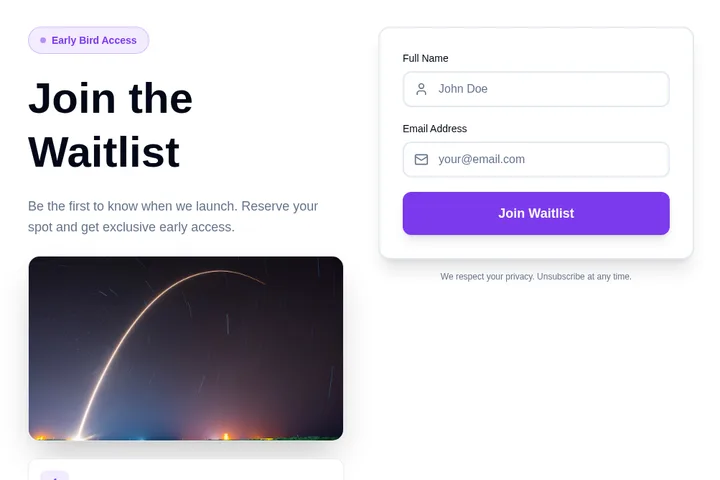
- 1You say what you needA waitlist for swimming lessons. Ask for the child's age and preferred day.
- 2We make it, ready to tryClick around in it. Ask for changes in plain words.
- 3You paste it into your siteOne short piece of code. We show you where, in Squarespace, WordPress, Wix or Shopify.
- 4Responses come to youNew sign-upAge 6–8, Saturdays, from Priya
Popular ways to use it.
Discount Code RevealsCreate excitement around discount codes with scratch-to-reveal experiences. Increase engagement and conversion rates.
Prize GiveawaysRun interactive prize giveaways where users scratch to see if they won. Perfect for contests and promotional campaigns.
Lead Capture GamesCollect emails with gamified scratch cards. Users enter email to scratch and reveal prizes or offers.
Product LaunchesBuild anticipation for product launches with mystery scratch reveals. Unveil features, prices, or release dates interactively.
Flash Sale AnnouncementsCreate urgency with scratch-to-reveal flash sales. Users scratch to discover limited-time offers.
Holiday PromotionsEngage visitors with seasonal scratch card games. Perfect for Black Friday, Christmas, or special events.
What is a digital scratch card?
A digital scratch card is a card on your website that your visitors scratch to reveal a prize, a discount or a message. You make it with the Embeddable builder and add it with one script tag.
How do I make a digital scratch card for free?
Describe the card in the builder, or pick a template. Edit it, preview it, then paste one script tag into your site. Your first widget is free and needs no credit card. The Free plan has 200 page views and 100 responses a month, and an Embeddable badge. It has no lead database, analytics or A/B testing. Starter is $25/month and removes the badge. See pricing.
Are digital scratch cards mobile-friendly?
Yes. Layouts adapt to phones. Use the live preview to check a small screen before you publish.
Can I collect emails with a scratch card?
Yes. Start from one of the Lead Capture Games templates, or describe your own card. You can send what visitors enter to Mailchimp, HubSpot, Klaviyo, Google Sheets, Slack, a webhook or Zapier. See integrations. The Free plan has no lead database, analytics or A/B testing. Starter is $25/month. See pricing.
Can I make a scratch card for a holiday promotion?
Yes. The 12 Days of Deals template unlocks one card each day from December 13 to 24. You can also describe your own holiday card in plain words. Start free.
How do I make a digital scratch card for free?
Use Embeddable's free scratch card generator: choose a template, customize it with AI (or start from scratch), and embed it on your website. No coding, no design skills, no signup required to preview. The AI handles all the design and interactive scratch effect for you.
How do online scratch cards work on my website?
Visitors scratch the card using their mouse or finger (on mobile) to reveal hidden content — discount codes, prizes, or messages. You get a simple embed code that works on any website including WordPress, Shopify, Wix, and custom sites. The scratch effect is realistic with touch support on all devices.
Is this scratch card generator really free?
Yes! You can create and embed scratch cards for free with Embeddable. Free users get 25 tokens per month to build and customize. Paid plans start at $25/month for more tokens and premium features like custom domains and no watermark. Or unlock a single widget for a one-time $9: no watermark, no view limit.
Can I use scratch cards for marketing promotions?
Absolutely! Online scratch cards are perfect for discount code reveals, prize giveaways, lead capture campaigns, product launches, Black Friday deals, holiday promotions, and seasonal campaigns. They significantly boost engagement and conversion rates compared to static promotions.
What can I reveal behind a scratch card?
Anything you want — discount codes, prize announcements, product images, secret messages, coupon codes, winner notifications, or promotional offers. You can customize the scratch layer image and the reveal content independently using the visual CMS editor.
Are digital scratch cards mobile-friendly?
Yes! All scratch card widgets are fully responsive with native touch support. The scratch interaction works smoothly on phones, tablets, and desktops with both mouse and finger gestures.
Can I collect emails with scratch cards?
Yes! Build gamified lead capture scratch cards where users enter their email to reveal a prize or discount. This is one of the most effective ways to grow your email list — gamification increases signups by up to 3x compared to standard forms.
How do I add the widget to my website?
Choose a template and change it with AI. Then copy one line of code and paste it into your website. Works on WordPress, Shopify, Wix, and custom sites.
Is it really free?
Yes! You get 25 free tokens (messages) per month to build and customize your widgets. Paid plans start at $25/month for more tokens and premium features.
Can I customize the widget design?
Absolutely! Our AI automatically matches your website's design, or you can customize colors, fonts, and layout through simple chat commands.
Do I need coding skills?
Not at all! Simply describe what you want in plain English, and our AI builds it for you. Adding it to your site is just copy and paste.
Can I integrate the widget with my tools?
Yes! Embeddable supports integrations with HubSpot, Mailchimp, Klaviyo, Slack, and many more tools.
Ready to add it to your website?
Build your own Scratch Card Widget with AI in minutes. No coding needed, and it works on any website.
Start building your Scratch Card Widget
Describe what you want, and AI builds it for you in seconds.