How to Build a Comments Widget for Your Website in 2026

Want to add discussions to your website? Whether it's blog comments, product reviews, or community discussions, I'll show you how to build a custom comments widget in minutes - no coding required.
Comments transform passive readers into an active community - increasing engagement and time on site.
In this guide, I'll walk you through creating custom comments widgets using AI. If you're new to building custom widgets, check out our complete guide on how to build custom widgets first.
Why Add Comments to Your Website?
Comments widgets serve powerful purposes:
- Build Community: Discussions create relationships
- Increase Engagement: Visitors interact, not just consume
- Gather Feedback: Learn what resonates with your audience
- Boost SEO: User-generated content adds searchable text
- Show Activity: Active discussions signal a living community
Blogs use comments, product pages show reviews, forums enable discussions. Comments are essential for community-driven sites.
Building Your Custom Comments Widget with Embeddable AI
Creating a comments widget with Embeddable's AI is incredibly straightforward. No coding, no complex database setup - just describe what you want and the AI builds it.
Step 1: Start with Your Comments Concept
Before you begin, think about what your comments system needs:
- Who Can Comment: Anyone, or registered users only?
- Moderation: Pre-approve, or publish immediately?
- Features: Replies? Upvotes? Formatting?
- Display: Chronological, threaded, or ranked?
For our example, we're building a blog comments widget with replies, upvotes, and moderation.
Step 2: Describe Your Comments Widget to the AI
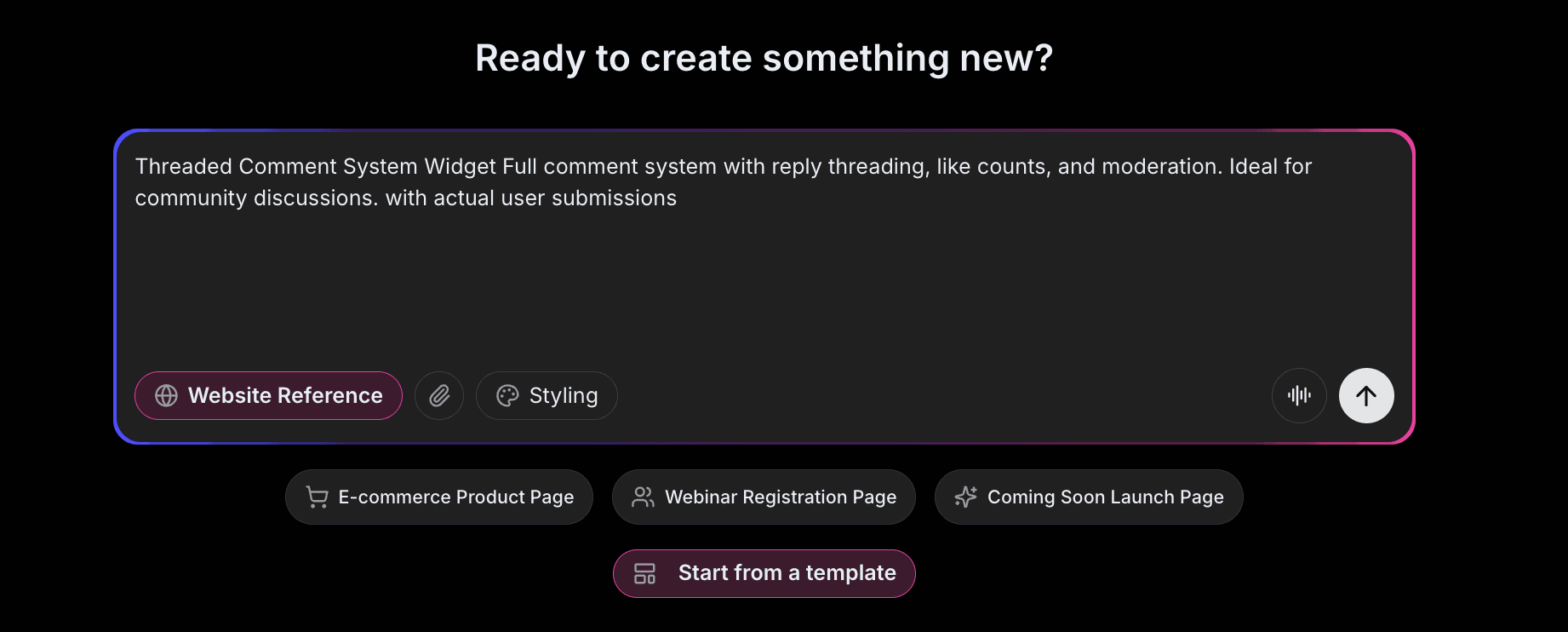
Open Embeddable and describe your comments widget in natural language. Here's the exact prompt we'll use:
Build a comments widget for a blog. Allow visitors to submit comments with their name and email. Show existing comments in chronological order with reply threading (2 levels deep). Include upvote/downvote functionality. Add a "Report" button for inappropriate content. Display comment count at the top.
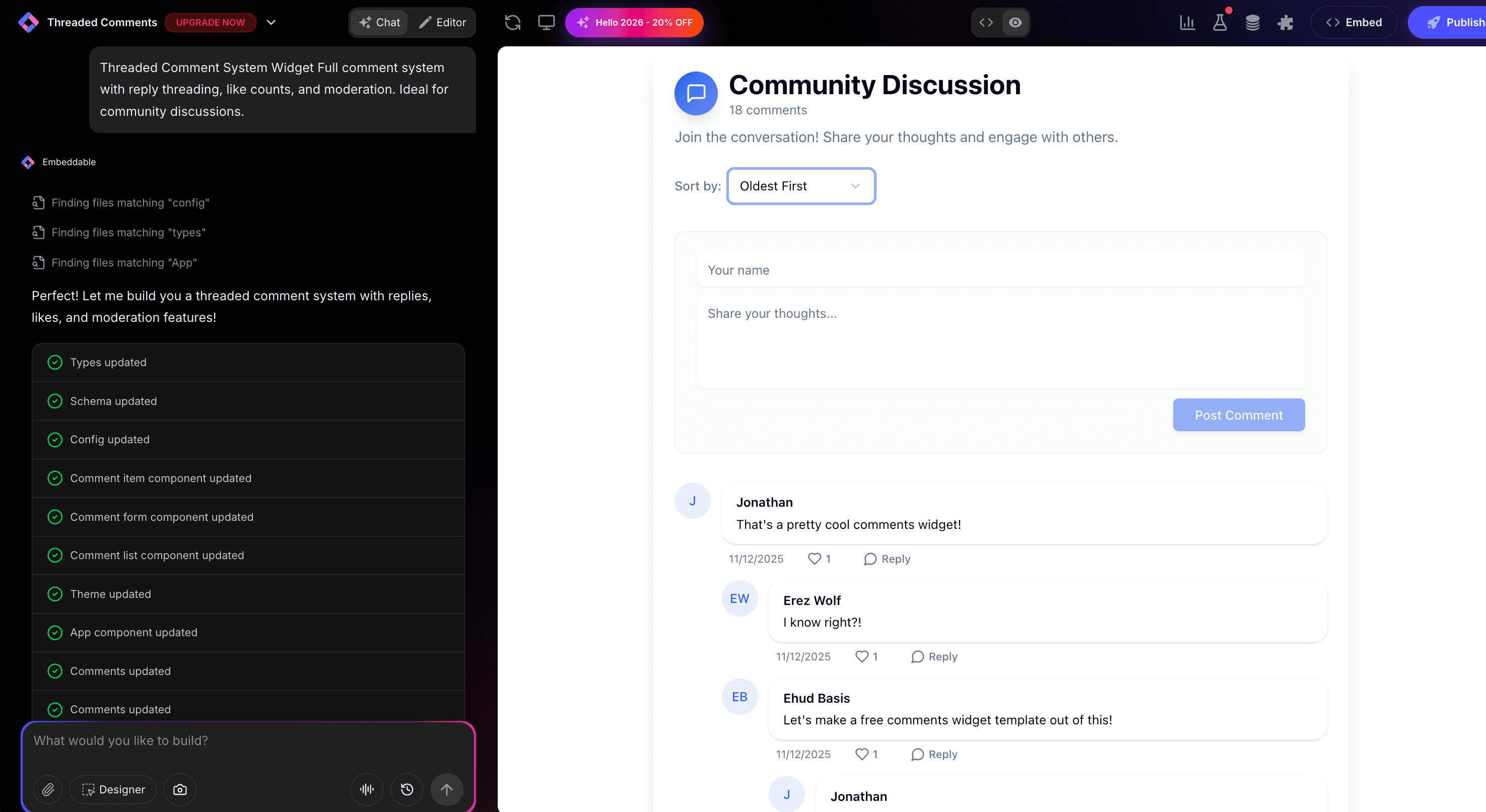
That's it! The AI understands what you want and builds the complete comments widget with:
- Comment submission form
- Threaded display with replies
- Upvote/downvote system
- Report functionality
- Comment count display
Step 3: Provide Your Website URL for Design Analysis
Here's where the magic happens. Give Embeddable your website URL, and the AI will:
- Analyze your brand colors and apply them to the comments
- Match your website's fonts and typography
- Style the comment cards to feel native
- Ensure the comments integrate seamlessly
The result? A comments widget that looks like it was built by your design team, not a third-party widget.
Step 4: Refine Your Comments Widget
Once the AI generates your widget, you can refine it through conversation:
- "Add avatar images based on email (like Gravatar)"
- "Include 'Newest' and 'Most Popular' sort options"
- "Add email notification when someone replies"
- "Require email verification before displaying comment"
- "Add rich text editor with bold, italic, and links"
Each change happens instantly. The preview updates in real-time so you can see exactly how your comments will look and work.
You can also use Embeddable's visual editor to make adjustments yourself - change colors, adjust spacing, modify text, or tweak the layout.
Step 5: Test Your Comments Widget
Before embedding, thoroughly test your widget:
- Submit Comments: Test the submission form
- Test Replies: Reply to existing comments
- Check Voting: Upvote and downvote
- Test Moderation: Verify flagging works
- Check Responsiveness: View on desktop, tablet, and mobile
The preview environment shows exactly how your comments will appear on your website, so you can catch any issues before going live.
Embedding Your Comments Widget on Any Website
Your custom comments widget works everywhere. Once you're happy with it, you'll get a simple embed code that works on:
- WordPress: Paste into any page or post template
- Shopify: Add to product pages or blog
- Wix / Squarespace: Embed in any section
- Custom websites: Add to any HTML page
The process is the same everywhere:
- Get Your Embed Code: Click "Publish" and copy the code snippet
- Paste Into Your Website: Add where you want comments to appear
- Publish Your Page: Comments go live immediately
Your comments widget automatically:
- Stores and displays comments
- Handles voting and threading
- Sends notifications as configured
- Adapts to different screen sizes (mobile, tablet, desktop)
- Updates instantly with new comments
Types of Comments Systems You Can Build
The same process works for any discussion format:
Blog Comments
Classic blog discussion below articles.
Product Reviews
Customer reviews with ratings and feedback.
Forum Discussions
Threaded community discussions.
Q&A Systems
Question and answer format with voting.
Feedback Widgets
Simple feedback collection.
Start with a Template or Build from Scratch
Not sure where to start? Embeddable offers free comments templates you can customize:
- Blog Comments - Classic threaded discussions
- Review System - Comments with star ratings
- Q&A Widget - Questions and answers format
- Simple Feedback - Basic comment collection
- Reaction Widget - Emoji reactions with comments
Choose a template that's close to what you need, then customize it with AI to match your exact requirements. It's the fastest way to get a professional comments system on your site.
Why Comments Build Community
Comments are community machines for several reasons:
They Create Dialogue: Two-way conversation beats broadcast.
They Provide Recognition: Being heard makes visitors feel valued.
They Generate Content: User comments add searchable content.
They Signal Activity: Active discussions attract more participation.
They Build Loyalty: Engaged commenters become repeat visitors.
Making Your Comments More Powerful
Take your comments to the next level with these additions:
User Profiles
Let frequent commenters build profiles and reputation.
Moderation Tools
Automate spam filtering and content moderation.
Email Notifications
Notify users when their comments get replies.
Analytics
Track engagement metrics and popular discussions.
Social Sign-In
Let users comment with Google or social accounts.
Embeddable supports integrations with email services, spam filters, and user management tools.
Moderation Best Practices
Keep discussions healthy:
- Set Clear Guidelines: Post community rules prominently
- Moderate Actively: Don't let spam accumulate
- Respond to Comments: Author engagement encourages discussion
- Handle Trolls: Have a plan for bad actors
- Build Trust: Let good contributors moderate
Ready to Build Your Comments Widget?
That's it! No developers, no database setup, no design skills needed. Just describe what you want and AI builds your custom comments widget in minutes.
Your comments widget will:
- Match your website's design perfectly
- Enable engaging discussions
- Work on every platform and device
- Handle moderation smoothly
- Update easily as your needs evolve
Ready to get started?
Option 1: Start with a Template Browse free comments templates and customize one to your needs.
Option 2: Build Custom with AI Head to Embeddable and describe your comments widget - the AI will build it in minutes.
Need More Widget Ideas?
More Tutorials:
- How to Build Custom Widgets for Your Website
- How to Build Custom Form Widgets for Your Website
- How to Build a Custom FAQ Widget for Your Website
Start building community with custom comments now!
Build Any Widget with AI in Seconds
Forms, calculators, quizzes, popups & any custom widget — describe it and AI builds it.
Try It FreeFree tier · No credit card