How to Build a Product Catalog Widget for Your Website in 2026


Want to showcase products on your website without a full e-commerce platform? Whether it's a product grid, searchable catalog, or inventory display, I'll show you how to build a custom product catalog in minutes - no coding required.
Product catalogs display your offerings beautifully with search, filtering, and organized categories.
In this guide, I'll walk you through creating custom product catalog widgets using AI. If you're new to building custom widgets, check out our complete guide on how to build custom widgets first.
Why Add Product Catalogs to Your Website?
Product catalog widgets serve powerful purposes:
- Organize Products: Logical groupings help visitors find items
- Enable Discovery: Search and filters surface relevant products
- Showcase Beautifully: Grid displays present products attractively
- Inform Decisions: Specs, prices, and descriptions in one place
- No E-commerce Overhead: Display without complex platforms
Manufacturers show product lines, distributors display inventory, service businesses list offerings. Product catalogs make browsing easy.
Building Your Custom Product Catalog with Embeddable AI
Creating a product catalog with Embeddable's AI is incredibly straightforward. No coding, no complex database setup - just describe what you want and the AI builds it.
Step 1: Start with Your Catalog Concept
Before you begin, think about what your catalog needs:
- Products: What items will you display?
- Categories: How to organize them?
- Information: Price, description, specs, images?
- Actions: Browse only, or link to purchase?
- Search/Filter: How will visitors find products?
For our example, we're building a furniture catalog with categories, search, and product detail popups.
Step 2: Describe Your Product Catalog to the AI
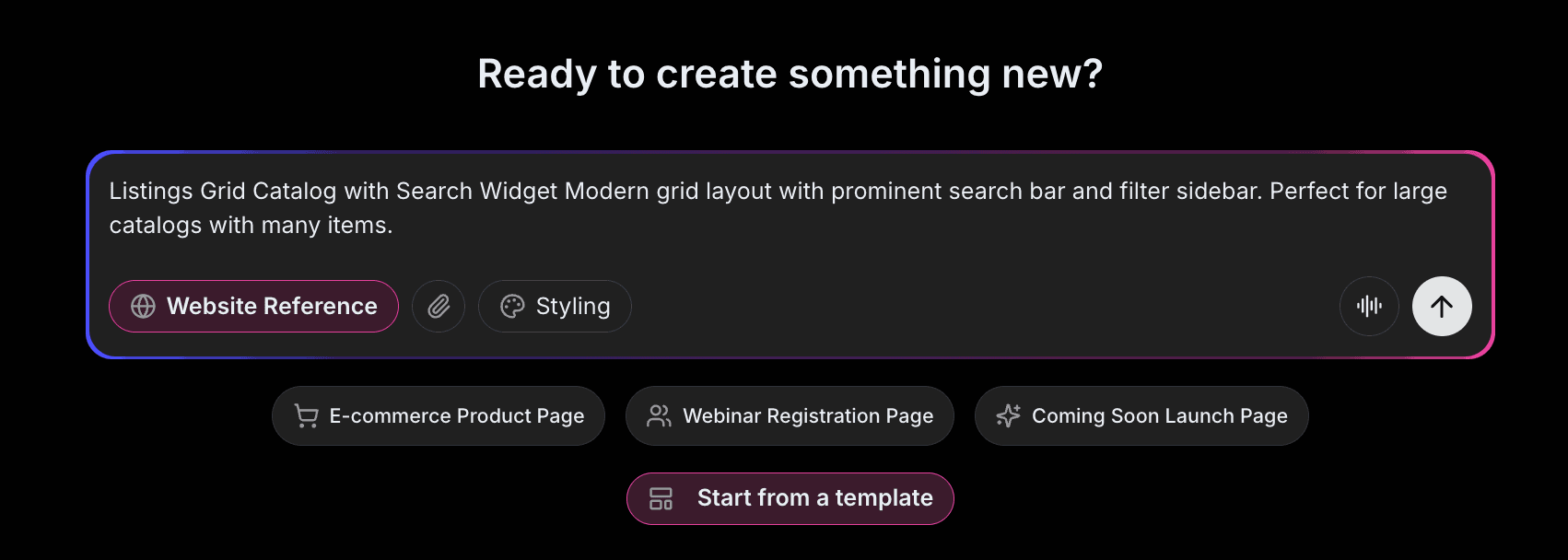
Open Embeddable and describe your catalog in natural language. Here's the exact prompt we'll use:
Build a product catalog widget for a furniture company. Display products in a grid with images, names, and prices. Include category filters (Living Room, Bedroom, Dining, Office) and search functionality. Clicking a product opens a detail popup with full description, specifications, and multiple images. Add a "Request Quote" button on each product.
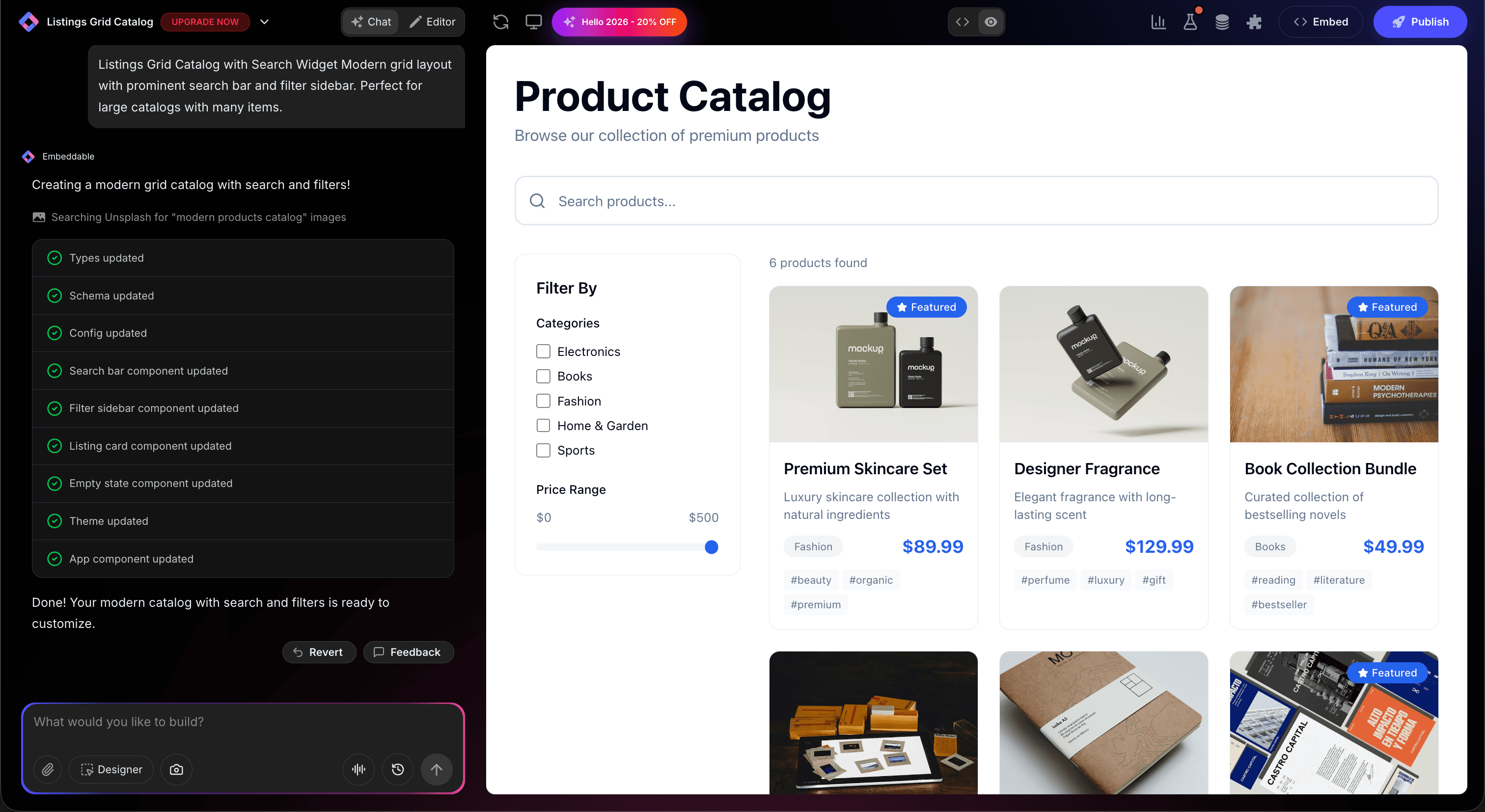
That's it! The AI understands what you want and builds the complete product catalog with:
- Product grid with images and prices
- Category filter sidebar
- Search functionality
- Product detail popups
- Quote request buttons
Step 3: Provide Your Website URL for Design Analysis
Here's where the magic happens. Give Embeddable your website URL, and the AI will:
- Analyze your brand colors and apply them to the catalog
- Match your website's fonts and typography
- Style product cards to feel native to your site
- Ensure the catalog integrates seamlessly
The result? A product catalog that looks like it was built by your design team, not a third-party widget.
Step 4: Refine Your Product Catalog
Once the AI generates your catalog, you can refine it through conversation:
- "Add price range filter"
- "Include 'Compare' checkbox to compare selected products"
- "Show 'New' badge on products added this month"
- "Add sorting by price, name, or newest"
- "Include stock availability indicator"
Each change happens instantly. The preview updates in real-time so you can see exactly how your catalog will look and work.
You can also use Embeddable's visual editor to make adjustments yourself - change colors, adjust spacing, modify text, or tweak the layout.
Step 5: Test Your Product Catalog
Before embedding, thoroughly test your catalog:
- Test Search: Find products by name or description
- Check Filters: Filter by categories and attributes
- Test Sorting: Sort by different criteria
- Click Products: Verify detail popups display correctly
- Check Responsiveness: View on desktop, tablet, and mobile
The preview environment shows exactly how your catalog will appear on your website, so you can catch any issues before going live.
Embedding Your Product Catalog on Any Website
Your custom product catalog works everywhere. Once you're happy with it, you'll get a simple embed code that works on:
- WordPress: Paste into any page or post
- Shopify: Add alongside e-commerce
- Wix / Squarespace: Embed in any section
- Custom websites: Add to any HTML page
The process is the same everywhere:
- Get Your Embed Code: Click "Publish" and copy the code snippet
- Paste Into Your Website: Add where you want the catalog to appear
- Publish Your Page: The product catalog goes live immediately
Your product catalog automatically:
- Filters and searches products
- Displays in responsive grid
- Shows product details on click
- Adapts to different screen sizes (mobile, tablet, desktop)
- Updates instantly when you change products
Types of Product Catalogs You Can Build
The same process works for any catalog:
Manufacturer Catalogs
Product lines with specifications for buyers.
Service Menus
Services displayed as "products" with descriptions.
Portfolio Galleries
Creative work in catalog format.
Inventory Displays
Available items with stock status.
Digital Product Catalogs
Software, courses, or digital goods.
Start with a Template or Build from Scratch
Not sure where to start? Embeddable offers free image gallery templates and free showcase templates you can customize for catalogs:
- Product Grid - Classic product catalog layout
- Filterable Catalog - Category and price filtering
- Service Menu - Service offerings display
- Portfolio Catalog - Creative work showcase
- Simple Product List - Minimal product listing
Choose a template that's close to what you need, then customize it with AI to match your exact requirements. It's the fastest way to get a professional product catalog on your site.
Why Product Catalogs Convert
Product catalogs are conversion tools for several reasons:
They Organize Discovery: Visitors find what they want quickly.
They Show Selection: Display your full range impressively.
They Enable Comparison: Side-by-side browsing aids decisions.
They Provide Details: All information in one place.
They Reduce Friction: Easy browsing leads to more inquiries.
Making Your Catalog More Powerful
Take your catalog to the next level with these additions:
Quick View
Preview products without leaving the grid.
Comparison Tool
Compare selected products side by side.
Wishlist
Let visitors save products for later.
Related Products
Show similar items on detail pages.
PDF Export
Let visitors download product catalogs.
Embeddable supports integrations with inventory systems, CRM, and email marketing.
Best Practices for Product Catalogs
For maximum effectiveness:
- High-Quality Images: Product photos drive decisions
- Consistent Information: Same fields for all products
- Fast Loading: Optimize images for speed
- Mobile-Friendly: Grid should work on phones
- Keep Updated: Remove discontinued products
Ready to Build Your Product Catalog?
That's it! No developers, no database setup, no design skills needed. Just describe what you want and AI builds your custom product catalog in minutes.
Your product catalog will:
- Match your website's design perfectly
- Display products professionally
- Work on every platform and device
- Help visitors find what they need
- Update easily when products change
Ready to get started?
Option 1: Start with a Template Browse free image gallery templates or free showcase templates and customize one to your needs.
Option 2: Build Custom with AI Head to Embeddable and describe your product catalog - the AI will build it in minutes.
Need More Widget Ideas?
More Tutorials:
- How to Build Custom Widgets for Your Website
- How to Build a Pricing Table for Your Website
- How to Build an Image Carousel for Your Website
Start showcasing products with custom catalogs now!
Build Any Widget with AI in Seconds
Forms, calculators, quizzes, popups & any custom widget — describe it and AI builds it.
Try It FreeFree tier · No credit card