How to Build a Tournament Bracket for Your Website in 2026


Running a tournament or competition? Whether it's March Madness predictions, voting contests, or competitive brackets, I'll show you how to build a custom tournament bracket in minutes - no coding required.
Tournament brackets display matchups, track progress, and let visitors make predictions - driving massive engagement.
In this guide, I'll walk you through creating custom bracket widgets using AI. If you're new to building custom widgets, check out our complete guide on how to build custom widgets first.
Why Add Tournament Brackets to Your Website?
Tournament bracket widgets serve powerful purposes:
- Drive Engagement: Bracket predictions are addictive
- Visualize Competition: See the entire tournament at a glance
- Track Progress: Update results in real-time
- Build Community: Prediction pools create shared experiences
- Increase Shares: Brackets are highly shareable content
Sports sites host March Madness pools, brands run voting tournaments, communities create competitions. Brackets drive engagement like few other widgets.
Building Your Custom Tournament Bracket with Embeddable AI
Creating a tournament bracket with Embeddable's AI is incredibly straightforward. No coding, no complex bracket logic - just describe what you want and the AI builds it.
Step 1: Start with Your Bracket Concept
Before you begin, think about what your bracket needs:
- Participants: How many teams/options? (8, 16, 32, 64?)
- Format: Single elimination? Double elimination?
- Interaction: Visitor predictions? Admin-only results?
- Scoring: Points for correct picks?
- Display: Full bracket visible, or round-by-round?
For our example, we're building a 16-team prediction bracket for March Madness.
Step 2: Describe Your Bracket to the AI
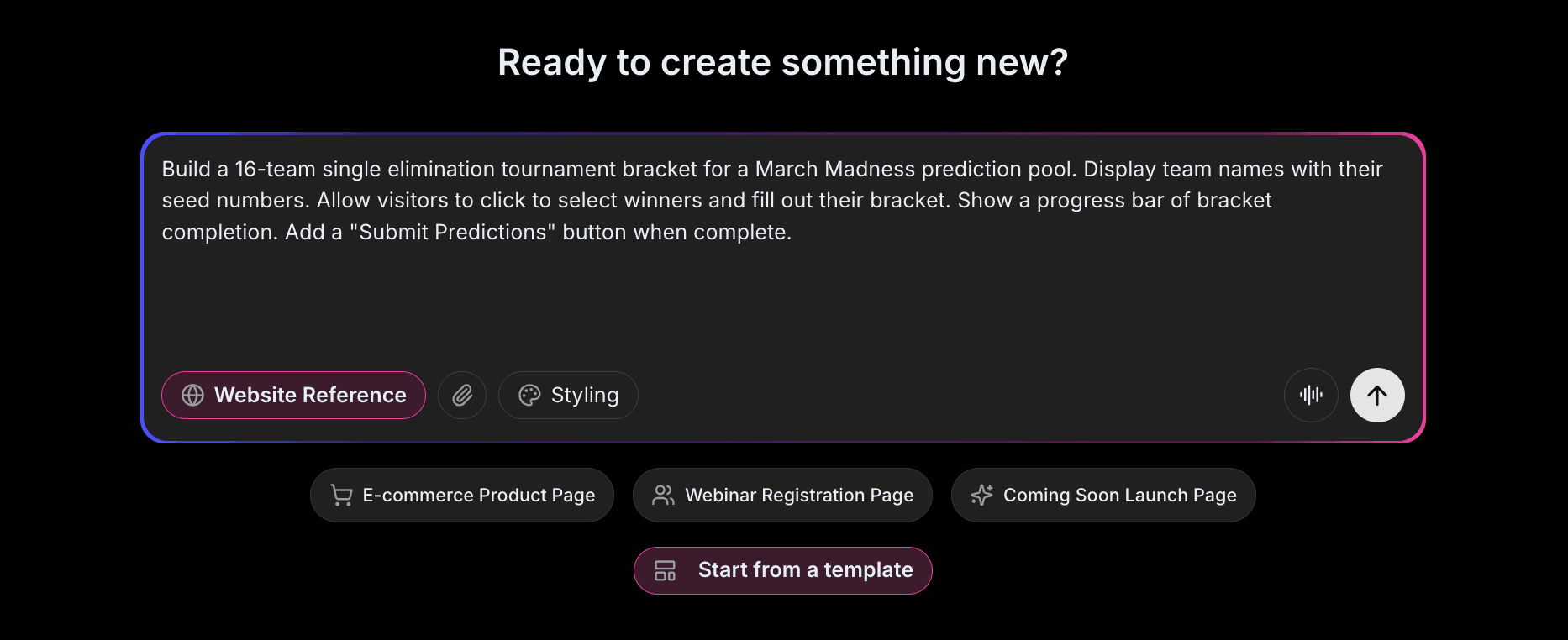
Open Embeddable and describe your bracket in natural language. Here's the exact prompt we'll use:
Build a 16-team single elimination tournament bracket for a March Madness prediction pool. Display team names with their seed numbers. Allow visitors to click to select winners and fill out their bracket. Show a progress bar of bracket completion. Add a "Submit Predictions" button when complete.
That's it! The AI understands what you want and builds the complete bracket with:
- Visual bracket layout with rounds
- Team names and seeding
- Click-to-select winner functionality
- Progress tracking
- Submission handling
Step 3: Provide Your Website URL for Design Analysis
Here's where the magic happens. Give Embeddable your website URL, and the AI will:
- Analyze your brand colors and apply them to the bracket
- Match your website's fonts and typography
- Style matchups and progression lines appropriately
- Ensure the bracket integrates seamlessly
The result? A tournament bracket that looks like it was built by your design team, not a third-party widget.
Step 4: Refine Your Bracket
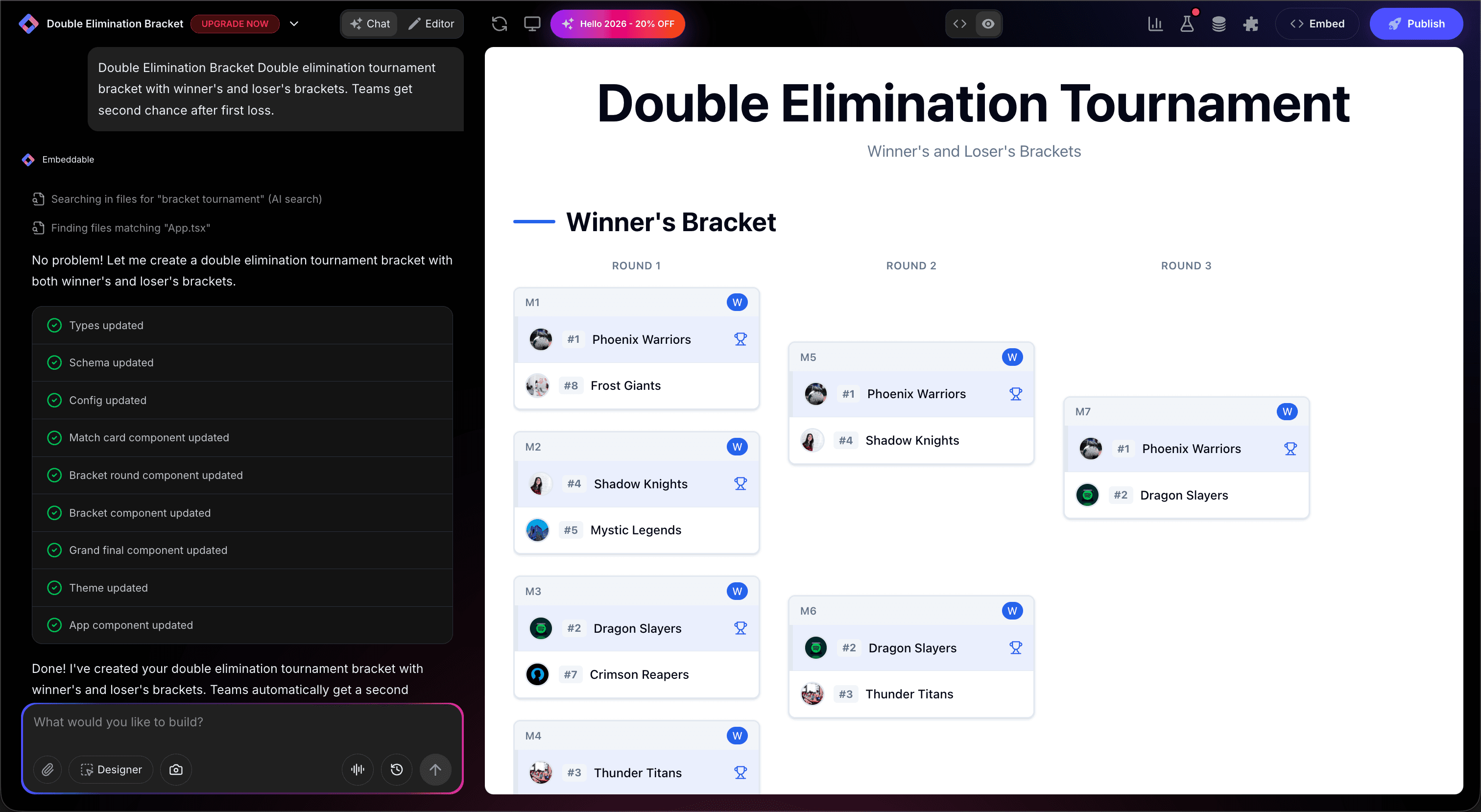
Once the AI generates your bracket, you can refine it through conversation:
- "Add team logos next to names"
- "Show live score updates during games"
- "Include a leaderboard of best predictions"
- "Add tiebreaker question for final score"
- "Make it mobile-friendly with vertical scrolling"
Each change happens instantly. The preview updates in real-time so you can see exactly how your bracket will look and work.
You can also use Embeddable's visual editor to make adjustments yourself - change colors, adjust spacing, modify text, or tweak the layout.
Step 5: Test Your Bracket
Before embedding, thoroughly test your bracket:
- Fill Out Bracket: Make selections through all rounds
- Test Progression: Verify winners advance correctly
- Check Submission: Submit test predictions
- Verify Layout: Ensure bracket displays properly
- Check Responsiveness: View on desktop, tablet, and mobile
The preview environment shows exactly how your bracket will appear on your website, so you can catch any issues before going live.
Embedding Your Bracket on Any Website
Your custom tournament bracket works everywhere. Once you're happy with it, you'll get a simple embed code that works on:
- WordPress: Paste into any page or post
- Shopify: Add to contest or community pages
- Wix / Squarespace: Embed in any section
- Custom websites: Add to any HTML page
The process is the same everywhere:
- Get Your Embed Code: Click "Publish" and copy the code snippet
- Paste Into Your Website: Add where you want the bracket to appear
- Publish Your Page: The tournament bracket goes live immediately
Your tournament bracket automatically:
- Handles bracket logic correctly
- Tracks user predictions
- Adapts to different screen sizes (mobile, tablet, desktop)
- Updates with results as you enter them
- Works with all major browsers
Types of Brackets You Can Build
The same process works for any tournament format:
Sports Brackets
March Madness, playoffs, fantasy sports.
Voting Brackets
Product face-offs, brand competitions, best-of polls.
Marketing Contests
User choice awards, popularity contests.
Entertainment Brackets
Movie brackets, music tournaments, character battles.
Business Competitions
Sales contests, employee competitions.
Start with a Template or Build from Scratch
Not sure where to start? Embeddable offers free bracket maker templates you can customize:
- 16-Team Bracket - Standard tournament bracket
- 8-Team Bracket - Smaller competition bracket
- Voting Bracket - Click-to-vote tournament
- Prediction Pool - Pick winners with scoring
- Double Elimination - Loser's bracket included
Choose a template that's close to what you need, then customize it with AI to match your exact requirements. It's the fastest way to get a professional tournament bracket on your site.
Why Brackets Drive Massive Engagement
Tournament brackets are engagement machines for several reasons:
They're Addictive: Bracket filling is genuinely fun.
They Create Stakes: Predictions make watching more exciting.
They Build Community: Shared pools create connection.
They're Shareable: Completed brackets get shared widely.
They Drive Return Visits: Checking standings brings visitors back.
Making Your Bracket More Powerful
Take your bracket to the next level with these additions:
Prediction Scoring
Award points for correct picks, more for later rounds.
Leaderboards
Show who's winning the prediction pool.
Social Sharing
Let users share their completed brackets.
Live Updates
Automatically update results during events.
Prizes
Offer prizes for top predictors.
Embeddable supports integrations with user management, email, and analytics tools.
Best Practices for Tournament Brackets
For maximum engagement:
- Clear Deadline: Lock predictions before tournament starts
- Easy Entry: Clicking should select winners intuitively
- Mobile-Friendly: Many fill brackets on phones
- Update Promptly: Enter results quickly
- Celebrate Winners: Highlight successful predictions
Ready to Build Your Tournament Bracket?
That's it! No developers, no complex bracket logic, no design skills needed. Just describe what you want and AI builds your custom tournament bracket in minutes.
Your tournament bracket will:
- Match your website's design perfectly
- Handle bracket logic correctly
- Work on every platform and device
- Track predictions and results
- Update easily as tournament progresses
Ready to get started?
Option 1: Start with a Template Browse free bracket maker templates and customize to your needs.
Option 2: Build Custom with AI Head to Embeddable and describe your tournament bracket - the AI will build it in minutes.
Need More Widget Ideas?
More Tutorials:
- How to Build Custom Widgets for Your Website
- How to Build a Leaderboard Widget for Your Website
- How to Build a Custom Quiz for Your Website
Start building tournament brackets and drive engagement now!
Build Any Widget with AI in Seconds
Forms, calculators, quizzes, popups & any custom widget — describe it and AI builds it.
Try It FreeFree tier · No credit card