How to Build a Logo Slider for Your Website in 2026


Want to showcase your clients, partners, or press mentions? Whether it's a "Trusted by" section, partner logos, or "As seen in" display, I'll show you how to build a custom logo slider in minutes - no coding required.
Logo sliders display trusted brand logos in a sleek, scrolling format - building instant credibility and social proof.
In this guide, I'll walk you through creating a custom logo slider widget using AI. If you're new to building custom widgets, check out our complete guide on how to build custom widgets first.
Why Add Logo Sliders to Your Website?
Logo slider widgets serve powerful purposes:
- Build Trust: Association with known brands creates credibility
- Social Proof: "If they trust us, you can too"
- Save Space: Show many logos without cluttering your design
- Visual Interest: Motion draws the eye
- Professional Polish: Polished presentation of relationships
B2B companies showcase clients, startups show investors, media sites display publication logos. Logo sliders are one of the most effective trust-building elements you can add.
Building Your Custom Logo Slider with Embeddable AI
Creating a logo slider with Embeddable's AI is incredibly straightforward. No coding, no complex animations - just describe what you want and the AI builds it.
Step 1: Start with Your Logo Slider Concept
Before you begin, think about what your logo slider needs:
- Logos: How many logos will you display?
- Animation: Continuous scroll? Static grid? Fade?
- Speed: Fast movement or slow, elegant scroll?
- Style: Color logos? Grayscale with color on hover?
- Headline: "Trusted by" or "Our Partners" heading?
For our example, we're building a continuous scrolling logo slider with grayscale logos that colorize on hover.
Step 2: Describe Your Logo Slider to the AI
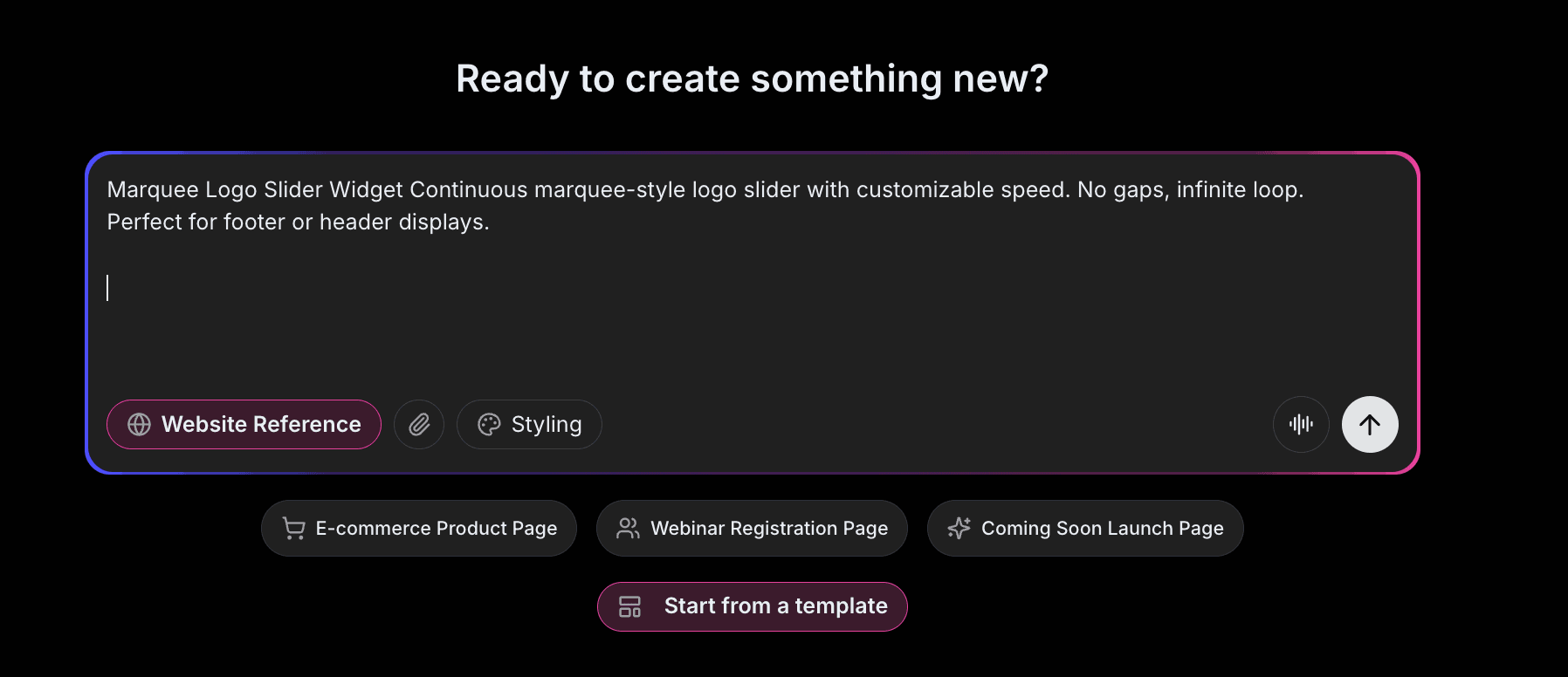
Open Embeddable and describe your slider in natural language. Here's the exact prompt we'll use:
Build a logo slider widget that displays client logos in a continuous scrolling carousel. Show 5 logos at a time on desktop, 3 on tablet, 2 on mobile. Use smooth infinite scroll animation. Grayscale logos that colorize on hover. Add "Trusted by Industry Leaders" as a headline above the slider.
That's it! The AI understands what you want and builds the complete logo slider with:
- Smooth infinite scrolling animation
- Responsive logo count per screen size
- Grayscale to color hover effect
- Headline above the slider
- Professional styling
Step 3: Provide Your Website URL for Design Analysis
Here's where the magic happens. Give Embeddable your website URL, and the AI will:
- Analyze your brand colors and apply them to the slider
- Match your website's fonts for the headline
- Style the container to feel native to your site
- Ensure the logo slider integrates seamlessly
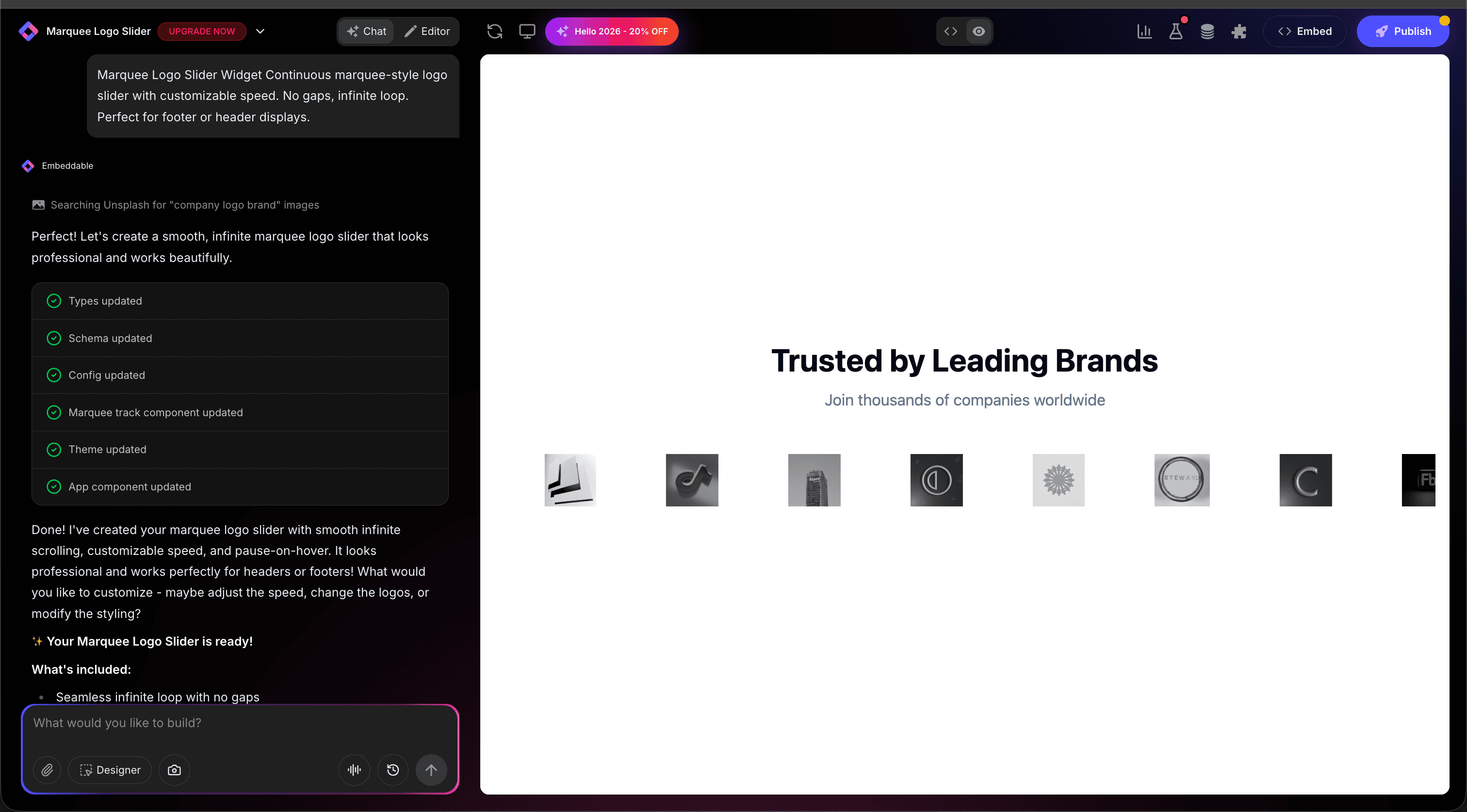
The result? A logo slider that looks like it was built by your design team, not a third-party widget.
Step 4: Refine Your Logo Slider
Once the AI generates your slider, you can refine it through conversation:
- "Slow down the scroll speed for a more elegant feel"
- "Add pause on hover so visitors can see individual logos"
- "Make logos clickable with links to case studies"
- "Add a second row for more logos"
- "Include subtle borders around each logo"
Each change happens instantly. The preview updates in real-time so you can see exactly how your slider will look and work.
You can also use Embeddable's visual editor to make adjustments yourself - change colors, adjust spacing, modify text, or tweak the layout.
Step 5: Test Your Logo Slider
Before embedding, thoroughly test your slider:
- Check Animation: Verify smooth, seamless scrolling
- Test Hover: Ensure hover effects work properly
- Verify Images: Confirm all logos load correctly
- Check Responsiveness: View on desktop, tablet, and mobile
- Test Links: If logos link anywhere, verify links work
The preview environment shows exactly how your slider will appear on your website, so you can catch any issues before going live.
Embedding Your Logo Slider on Any Website
Your custom logo slider works everywhere. Once you're happy with it, you'll get a simple embed code that works on:
- WordPress: Paste into any page or post
- Shopify: Add to homepage or about page
- Wix / Squarespace: Embed in any section
- Custom websites: Add to any HTML page
The process is the same everywhere:
- Get Your Embed Code: Click "Publish" and copy the code snippet
- Paste Into Your Website: Add where you want the slider to appear
- Publish Your Page: The logo slider goes live immediately
Your logo slider automatically:
- Scrolls smoothly and continuously
- Adapts to different screen sizes (mobile, tablet, desktop)
- Loads images efficiently
- Works with all major browsers
- Updates instantly if you add or remove logos
Types of Logo Displays You Can Build
The same process works for any logo showcase:
Client Logos
"Trusted by" sections showing your customers.
Partner Logos
Technology partners, integration partners, affiliates.
Press Mentions
"As seen in" logos from publications and media.
Investor Logos
Venture capital firms, funding sources.
Certification Badges
Trust badges, security certifications, industry awards.
Technology Stack
Tools and platforms you integrate with.
Start with a Template or Build from Scratch
Not sure where to start? Embeddable offers free logo slider templates you can customize:
- Continuous Scroll - Smooth infinite scrolling
- Static Logo Grid - No animation, clean grid
- Carousel with Arrows - Manual navigation
- Multi-Row Slider - Two or more rows of logos
- Fade Slider - Logos fade in and out
Choose a template that's close to what you need, then customize it with AI to match your exact requirements. It's the fastest way to get a professional logo slider on your site.
Why Logo Sliders Build Trust
Logo sliders are trust machines for several reasons:
They Leverage Borrowed Authority: Association with known brands transfers credibility to you.
They Show Social Proof: If big companies trust you, visitors feel safer.
They're Space Efficient: Showcase many relationships without cluttering.
They Add Movement: Subtle animation draws the eye to trust signals.
They're Expected: Visitors look for "Trusted by" sections as validation.
Making Your Logo Slider More Powerful
Take your logo slider to the next level with these additions:
Case Study Links
Make logos clickable, linking to relevant case studies.
Testimonial Integration
Show client quotes when hovering over logos.
Category Filtering
Let visitors filter by industry or partnership type.
Statistics
Add "500+ companies trust us" above the logos.
Geographic Sections
Group logos by region for international credibility.
Embeddable supports integrations to connect your logo slider with CRM data and analytics.
Logo Preparation Tips
For the best-looking slider:
- Consistent Dimensions: Scale logos to similar visual weight
- Transparent Backgrounds: Use PNG files with transparency
- High Quality: Use high-resolution logos for retina displays
- Permission: Ensure you have permission to display each logo
- Enough Logos: 6-8 minimum for a convincing display
Ready to Build Your Logo Slider?
That's it! No developers, no complex animations, no design skills needed. Just describe what you want and AI builds your custom logo slider in minutes.
Your logo slider will:
- Match your website's design perfectly
- Display logos professionally and smoothly
- Work on every platform and device
- Build instant credibility with visitors
- Update easily when you add new clients
Ready to get started?
Option 1: Start with a Template Browse free logo slider templates and customize one to your needs.
Option 2: Build Custom with AI Head to Embeddable and describe your logo slider - the AI will build it in minutes.
Need More Widget Ideas?
More Tutorials:
- How to Build Custom Widgets for Your Website
- How to Build an Image Carousel for Your Website
- How to Build a Custom Popup for Your Website
Start building trust with custom logo sliders now!
Build Any Widget with AI in Seconds
Forms, calculators, quizzes, popups & any custom widget — describe it and AI builds it.
Try It FreeFree tier · No credit card